 United States
Security NVR Dahua 4 Channel
Enhance surveillance with the Dahua 4 Channel NVR, engineered for robust security and high-performance monitoring. Ideal for commercial installations requiring reliable management and seamless system integration.
Talk to an expert
1 Matching results
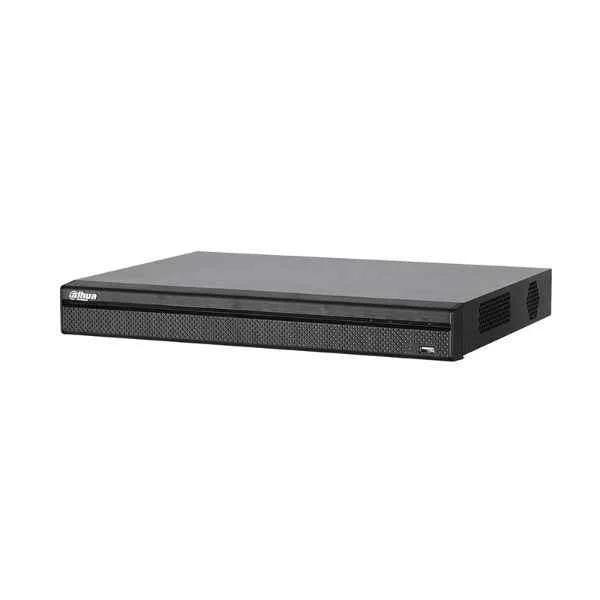
N42B1P (Dahua 4 Channel NVR)
4.8 (6)Est Value In stock
First-Time Buyer Discount – Get up to 2% additional off on your first order
ORM Rewards Earn $50 in Rewards + Free Expedited Delivery – Join Now!
Use eCoupon ORMSAVE10
eCoupon limited to 5 units

ORM Sales Advisors
Buying for your business? Get a personalised quote in under 2 hours. Talk to an expert
LEARNFilters (1) 
Questions & Answers
What is a Dahua 4 Channel NVR and how does it work?
A Dahua 4 Channel NVR is a network video recorder that manages up to four IP cameras. It captures, compresses, stores and streams video over Ethernet, enabling central monitoring and remote access via web or mobile app.
Which video resolutions are supported by the Dahua 4 Channel NVR?
Dahua 4 Channel NVRs support up to 8MP (4K) resolution per channel. They automatically detect camera resolution and record at maximum quality for detailed playback.
Does the Dahua 4 Channel NVR include PoE ports?
Yes, select Dahua 4 Channel PoE NVR models feature four integrated PoE ports, providing power and data over a single Ethernet cable, simplifying installation.
What HDD capacity does the Dahua 4 Channel NVR support?
It supports up to two 6TB SATA HDDs (12TB total). You can configure RAID 0/1 for optimized capacity or redundancy.
How do I configure remote viewing on the Dahua 4 Channel NVR?
Enable DHCP or assign a static IP, then register the NVR on Dahua’s P2P platform via its serial number. Use the DMSS mobile app or web client for live and playback viewing.
Is the Dahua 4 Channel NVR ONVIF compliant?
Yes, Dahua 4 Channel NVRs support ONVIF Profile S, ensuring interoperability with most third-party IP cameras for flexible system expansion.
How do I restore video footage from the Dahua 4 Channel NVR?
Use the NVR’s export function: select a time range, choose the camera channel, then export via USB or network in AVI, MP4 or proprietary .dav format.
Can the Dahua 4 Channel NVR detect motion or line crossing?
Yes, it features customizable Smart Motion Detection, line crossing and intrusion analytics per channel to trigger alarms and reduce false alerts.
What mobile apps support the Dahua 4 Channel NVR?
Dahua’s official DMSS (iOS/Android) app provides push notifications, live view, playback and remote configuration for Dahua 4 Channel NVRs.
How do I update firmware on the Dahua 4 Channel NVR?
Download the latest firmware from the Dahua website, copy it to a USB drive, insert into the NVR’s USB port, then navigate to System Maintenance > Firmware Upgrade.
What bandwidth is required per channel on the Dahua 4 Channel NVR?
Each channel can consume up to 80Mbps at 8MP resolution with H.265+ encoding. Total inbound bandwidth should accommodate up to 320Mbps.
Can I expand storage on the Dahua 4 Channel NVR?
Yes, you can attach external USB storage devices for backup or enable network storage (NAS/iSCSI) via SMB or HTTPS for extended retention.
Does the Dahua 4 Channel NVR support audio recording?
Yes, it supports two-way audio when paired with compatible IP cameras featuring audio I/O or a separate audio input module.
What power supply does the Dahua 4 Channel NVR require?
Non-PoE models use a 12V DC/2A adapter. PoE-enabled models require 48V DC PoE power input per IEEE 802.3af/at standards.
How secure is the Dahua 4 Channel NVR against cyber threats?
It offers HTTPS, SSL encryption, user-level access control, IP/MAC filtering and automatic firmware updates to protect video data and network integrity.
What warranty and support are included with the Dahua 4 Channel NVR?
Dahua provides a two-year limited warranty, free firmware updates, and global technical support for hardware troubleshooting and software configuration.