 United States
Network Video Recorder Uniview Nvr304 Series
Engineered for advanced video surveillance, Uniview Nvr304 Series delivers robust performance, seamless integration, and unrivaled storage capabilities, ensuring secure, reliable monitoring for scalable commercial installations.
Talk to an expert
1 Matching results
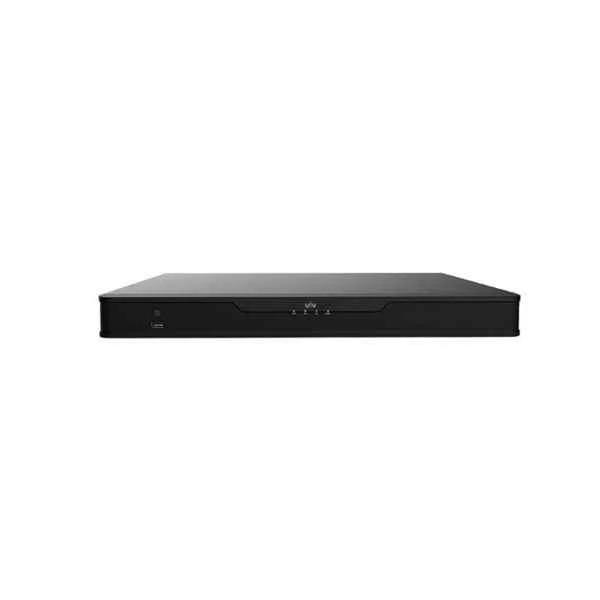
NVR304-32S (8 x 1080P, 4 x 4MP, 2x 4K)
4.8 (5)Est Value In stock
First-Time Buyer Discount – Get up to 2% additional off on your first order
ORM Rewards Earn $50 in Rewards + Free Expedited Delivery – Join Now!
Use eCoupon ORMSAVE10
eCoupon limited to 5 units

ORM Sales Advisors
Buying for your business? Get a personalised quote in under 2 hours. Talk to an expert
LEARNFilters (1) 
Questions & Answers
What is the Uniview NVR304 series?
The Uniview NVR304 series is a compact network video recorder designed for small to medium surveillance deployments, supporting up to 8/16 channels, 4K resolution, PoE ports, H.265+ encoding and remote management.
How many channels does the Uniview NVR304 series support?
The NVR304 series supports either 8 or 16 IP camera channels, depending on the model, with independent PoE ports and automatic channel detection for plug-and-play setup.
What is the maximum recording resolution on the NVR304 series?
The Uniview NVR304 series supports up to 4K (3840×2160) recording on all channels, ensuring crystal-clear video for identification and forensic playback.
Does the Uniview NVR304 series have built-in PoE?
Yes. Each NVR304 model includes 8 or 16 PoE ports delivering up to 30W per port, enabling single-cable power and data transmission for IP cameras.
What storage capacity does the Uniview NVR304 series offer?
The NVR304 supports up to two SATA hard drives, each up to 10 TB, for a combined maximum of 20 TB local storage, with continuous overwrite and scheduled archival.
Which hard drives are compatible with the Uniview NVR304 series?
The Uniview NVR304 series is compatible with standard 3.5-inch surveillance-grade SATA HDDs up to 10 TB per bay; we recommend using drives from Western Digital Purple or Seagate SkyHawk.
What video compression formats does the NVR304 support?
The Uniview NVR304 series supports H.265+, H.265, H.264+, and H.264 codecs, optimizing bandwidth and storage while maintaining high image quality.
Can I access the Uniview NVR304 series remotely?
Yes. Remote access is available via EZView mobile app (iOS/Android) and EZStation client (Windows/Mac), enabling live view, playback, and configuration from anywhere.
Is the Uniview NVR304 series ONVIF compliant?
Yes. The NVR304 series is ONVIF Profile S compliant, ensuring interoperability with third-party IP cameras and VMS platforms for flexible system integration.
How do I install the Uniview NVR304 series?
Installation requires mounting on a rack or desktop, connecting PoE cameras, network uplink, SATA HDDs, and power. The built-in wizard simplifies IP camera discovery and configuration.
What backup options are available on the Uniview NVR304 series?
You can back up via USB port to external HDD/flash drive, schedule FTP uploads, or use EZStation software for centralized backup and export in AVI, MP4 or proprietary formats.
Does the Uniview NVR304 series support RAID?
No. The NVR304 series does not offer hardware RAID; instead, it uses continuous overwrite and scheduled deletion to manage storage. For RAID, consider Uniview’s higher-end models.
What is the power consumption of the Uniview NVR304 series?
Typical power consumption is 15 W (without HDDs) plus up to 30 W per PoE port under full load. Total consumption depends on connected camera load.
How do I configure motion detection on the Uniview NVR304 series?
Navigate to Event > Basic Event > Motion Detection in the NVR web UI or client software. Define detection area, sensitivity, schedule and link to recording or alarm outputs.
What warranty does the Uniview NVR304 series include?
The Uniview NVR304 series comes with a standard two-year manufacturer’s warranty covering hardware defects, with optional extended support plans available.
Which operating systems support the Uniview NVR304 client software?
Uniview EZStation client software is compatible with Windows 7/8/10/11 and macOS 10.12+, while the web UI supports Chrome, Firefox and Edge browsers.