 United States
ASUS Repeaters Enhanced Connectivity
Experience optimal performance with ASUS Repeaters. Designed for superior wireless coverage, these advanced devices reliably extend network reach while maintaining high-speed connectivity and reduced latency for your home or business.
Talk to an expert
2 Matching results
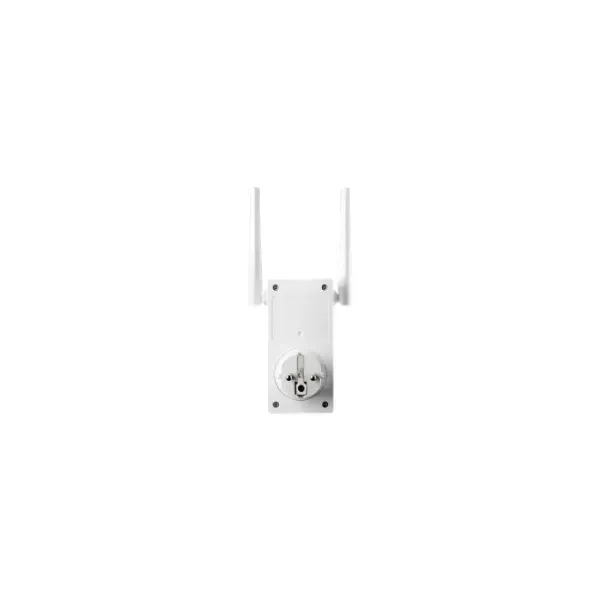
90IG0360-BM3000 (RP-AC53 - 433 Mbit/s - 433 Mbit/s - 10,100 Mbit/s - IEEE 802.11a,IEEE 802.11ac,IEEE 802.11b,IEEE 802.11g,IEEE 802.11n - WPA,WPA2,WPS - Wall)
4.8 (6)Est Value In stock
First-Time Buyer Discount – Get up to 2% additional off on your first order
ORM Rewards Earn $50 in Rewards + Free Expedited Delivery – Join Now!
Use eCoupon ORMSAVE10
eCoupon limited to 5 units
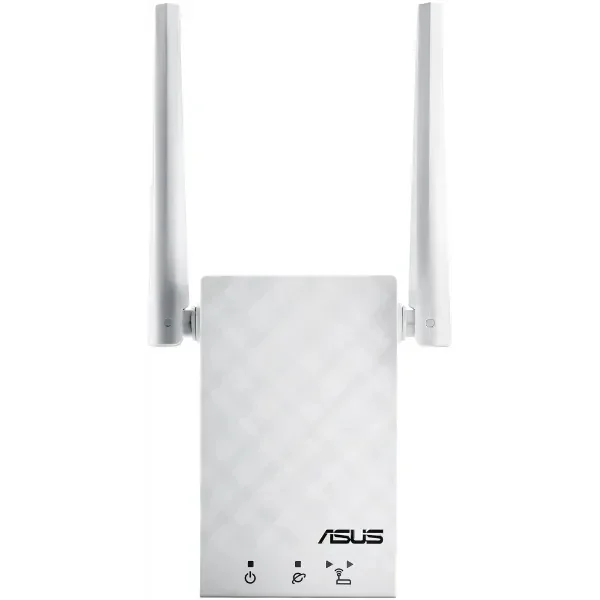
90IG03Z1-BM3R00 (RP-AC55 - Network repeater - 1200 Mbit/s - White)
4.6 (5)Est Value In stockFirst-Time Buyer Discount – Get up to 2% additional off on your first order
ORM Rewards Earn $50 in Rewards + Free Expedited Delivery – Join Now!
Use eCoupon ORMSAVE10
eCoupon limited to 5 units

ORM Sales Advisors
Buying for your business? Get a personalised quote in under 2 hours. Talk to an expert
LEARNFilters (2) 
Questions & Answers
What is an Asus Wi-Fi Repeater?
An Asus Wi-Fi Repeater is a network device that extends the coverage of your existing wireless router by receiving and re-broadcasting its signal. It eliminates dead zones and improves connectivity in larger homes or offices.
How do I set up an Asus Repeater for the first time?
Plug the Asus Repeater into power near your router, connect via Wi-Fi or Ethernet to 192.168.1.1, and follow the web-based setup wizard to select your main network and set credentials. Once configured, relocate the repeater to a central area with optimal signal.
How can I update the firmware on my Asus Repeater?
Log in to the repeater’s web interface at 192.168.1.1, navigate to Administration > Firmware Upgrade, then upload the latest firmware file from the Asus support site. The device will reboot automatically once the update is complete.
What’s the difference between an Asus Repeater and a Range Extender?
An Asus Repeater connects wirelessly to your router and rebroadcasts the signal without additional wiring, while a range extender typically relies on a wired Ethernet backhaul for higher throughput. Repeaters are ideal for quick, wireless coverage boosts.
How do I reset my Asus Repeater to factory settings?
Press and hold the reset button on the repeater for 10 seconds until the LED blinks, then release to restore factory defaults. You will need to reconfigure the device using the setup wizard afterward.
How far can an Asus Repeater extend my Wi-Fi network?
An Asus Repeater can typically extend coverage up to 50–100 feet indoors, depending on building materials and interference. Optimal placement halfway between your router and the dead zone maximizes range.
How do I connect to my Asus Repeater using WPS?
Press the WPS button on your router, then within two minutes press the WPS button on your Asus Repeater. The LED will turn solid when the devices sync automatically.
Can I use an Asus Repeater with any router brand?
Yes, Asus Repeaters are compatible with most standard 802.11ac/n/g/b routers, regardless of brand. Ensure your router’s Wi-Fi settings use WPA2 or WPA3 encryption for seamless pairing.
How do I change the Wi-Fi password on my Asus Repeater?
Log in to the repeater’s web interface, go to Wireless Settings, and update the SSID and password fields for both 2.4 GHz and 5 GHz bands. Save your changes and reboot for the new credentials to take effect.
What is the default IP address of an Asus Repeater?
The default IP address for most Asus Repeaters is 192.168.1.1. If this conflicts with your router, switch your computer to a static IP in the repeater’s subnet or consult the user manual for alternative access methods.
How do I troubleshoot a disconnected Asus Repeater?
Verify your main router is broadcasting, confirm the repeater’s LED status, and relocate it closer to the router if necessary. If issues persist, reset to factory settings and repeat the setup process.
How do I enable secure encryption on an Asus Repeater?
In the repeater’s web interface, navigate to Wireless > WPA Pre-Shared Key and select WPA2-Personal or WPA3-Personal. Enter a strong passphrase and save to enforce secure connections.
Can I manage my Asus Repeater from the Asus Router mobile app?
Yes, download the Asus Router app on iOS or Android, add your repeater under the device list, and use the app to monitor status, update firmware, and adjust settings remotely. You’ll need to sign in with your Asus account.
What do the LED indicators on my Asus Repeater mean?
A solid green light indicates optimal signal, amber denotes weak signal, and red signals no connection. Blinking means the device is booting or updating firmware.
How do I integrate an Asus Repeater into an AiMesh network?
Update your repeater to the latest firmware, enable AiMesh mode in the web interface, then search for it from your AiMesh-enabled router’s AiMesh > Add Node screen. Follow on-screen prompts to complete pairing.
Does an Asus Repeater support dual-band Wi-Fi?
Yes, most Asus Repeaters support simultaneous dual-band operation on 2.4 GHz and 5 GHz for optimized throughput. You can configure each band separately in Wireless Settings for balanced performance.
About ASUS Repeaters
ASUS repeaters are designed to enhance Wi-Fi coverage, eliminate dead zones, and improve wireless connectivity across homes and offices. Whether you're looking for an ASUS Wi-Fi repeater to extend your network's reach or an ASUS AiMesh repeater to create a seamless mesh network, ASUS provides various high-performance solutions to meet various networking needs.
With innovative features like ASUS Router Repeater Mode, dual-band Wi-Fi extension, and intelligent signal optimization, ASUS repeaters ensure fast, stable, and reliable wireless performance. These devices integrate ASUS AiMesh technology, allowing users to expand their existing ASUS router network effortlessly.
ASUS repeaters cater to home users and businesses, delivering high-speed connectivity and seamless roaming for all connected devices. Whether you need an ASUS AC Wi-Fi repeater for high-speed streaming or an ASUS wireless repeater for general web browsing, ASUS has a solution to fit your needs.
Why Buy ASUS Repeaters from ORM Systems?
At ORM Systems, we provide a comprehensive selection of ASUS repeaters, offering the latest networking solutions for enhanced Wi-Fi coverage, performance, and reliability. Whether you need an entry-level model for basic network extension or a high-end ASUS repeater with dual-band, tri-band, and Wi-Fi 6 support, we have options to suit every requirement.
We offer a variety of ASUS repeaters, from compact models for small spaces to powerful AiMesh-compatible repeaters for seamless whole-home coverage. Our pricing ensures that customers receive top-tier ASUS networking solutions at the best value, offering cost-effective performance without compromising quality.
Our network professionals help customers choose the right ASUS repeater for their Wi-Fi needs, whether for gaming, 4K streaming, smart home devices, or business connectivity. ASUS repeaters feature intuitive setup processes, including mobile app integration, auto-optimization, and adaptive signal control, making installation easy and hassle-free.
Upgrade your Wi-Fi experience today with ASUS repeaters from ORM Systems and enjoy uninterrupted, high-speed connectivity throughout your home or business.
List of ASUS Repeaters and Their Use Cases
ASUS offers a variety of Wi-Fi repeaters designed for different networking requirements. Whether you're looking to eliminate dead zones, enhance network performance, or expand coverage, ASUS has a repeater that suits your needs. Below is a list of popular ASUS repeaters, along with their key features and ideal use cases:
- ASUS RP-AX56 – A dual-band Wi-Fi 6 repeater offering ultra-fast speeds and extended range. This model is ideal for modern smart homes, allowing multiple devices to connect simultaneously while maintaining low latency and seamless performance for gaming and streaming.
- ASUS RP-AC1900 – A powerful ASUS AC Wi-Fi repeater designed to extend existing networks with high-speed dual-band connectivity. It is perfect for large households and small businesses that require strong, stable connections for multiple users and bandwidth-intensive applications.
- ASUS RP-N12 – A budget-friendly ASUS wireless repeater that extends basic Wi-Fi coverage in small apartments or office spaces. Its simple plug-and-play setup makes it an excellent choice for users looking for an affordable and efficient solution to boost the Wi-Fi range.
- ASUS RP-AC55 is a reliable Wi-Fi repeater device from ASUS that supports dual-band connectivity. It ensures smooth video streaming, gaming, and web browsing. It is ideal for medium-sized homes where users need strong signal strength in areas with weak reception.
Choosing the Right ASUS Repeaters for Your Needs
Each ASUS repeater model is designed with flexibility, high performance, and an easy-to-use setup, making extending network coverage without compromising speed or stability simple. When selecting an ASUS repeater, consider the following factors:
- Coverage Area – Larger spaces may require Wi-Fi 6 repeaters or AiMesh-compatible devices for seamless connectivity.
- Network Speed Needs – Dual-band and Wi-Fi 6 repeaters provide better performance for gaming, streaming, and high-bandwidth applications.
- Compatibility with Existing ASUS Routers: AiMesh-compatible repeaters work best for users who want to integrate their repeater into a mesh network setup.
- Budget Considerations: ASUS offers cost-effective options, such as the RP-N12, for basic needs and high-end solutions, like the RP-AX56, for advanced networking.
By choosing the right ASUS Wi-Fi repeater, users can significantly enhance their wireless experience and ensure seamless, high-speed internet connectivity throughout their homes or offices.
Key Features of ASUS Wi-Fi Repeaters
- ASUS Router Repeater Mode—ASUS repeaters can be set to Repeater Mode, allowing them to extend Wi-Fi signals from ASUS routers seamlessly.
- ASUS AiMesh Repeater Integration – Compatible models work with ASUS AiMesh technology to create whole-home Wi-Fi coverage.
- High-Speed Connectivity – ASUS repeaters support dual-band and tri-band networks, ensuring optimal gaming, streaming, and remote work performance.
- Easy Setup and Management – The ASUS Repeater Mode can be easily activated through the ASUS Router App or web interface.
- Adaptive QoS and Signal Optimization – Smart signal processing ensures that devices remain connected to the strongest Wi-Fi signal.
- ASUS AC Wi-Fi Repeater Support: High-speed AC Wi-Fi repeaters provide fast wireless connections for large homes and offices.
- Wired and Wireless Modes – Users can connect ASUS repeaters via Ethernet backhaul for maximum performance.
With these advanced features, ASUS Wi-Fi repeaters ensure consistent, high-speed connectivity across all devices.
ASUS Repeaters Mode: How It Works
The ASUS Router Repeater Mode allows users to expand their wireless network effortlessly, eliminating Wi-Fi dead zones and ensuring strong, stable connections in every corner of their home or office. The device acts as a signal booster by enabling ASUS Repeater Mode in the router’s settings, extending the primary network’s coverage while maintaining fast speeds and low latency. This feature particularly benefits users facing weak signals in larger spaces, multi-story buildings, or office environments with multiple connected devices.
How to Set Up ASUS Repeaters Mode
Setting up ASUS Repeater Mode is simple and user-friendly. Follow these steps to ensure seamless network expansion:
- Placement Matters: Plug the ASUS Wi-Fi repeater into a power source and position it midway between the router and the weak signal area for optimal performance.
- Access the ASUS Router Interface: You can use the ASUS Router App or visit the ASUS web interface via a browser.
- Enable Repeater Mode – Navigate to Wireless Settings, select Repeater Mode, and follow the step-by-step instructions.
- Connect and Optimize – The repeater will detect and connect to the primary router, instantly boosting the existing Wi-Fi signal strength.
- Test and Adjust – Check Wi-Fi speeds and reposition the repeater if necessary to enhance network stability.
Once connected, ASUS repeaters operate efficiently, ensuring continuous, high-performance connectivity without signal drops or speed degradation.
ASUS AiMesh Repeaters: Expanding Your Network
For users with an existing ASUS router, the ASUS AiMesh repeater feature provides seamless whole-home coverage by integrating repeaters into a single, unified network. Unlike traditional repeaters that create separate SSIDs, AiMesh enables smart roaming, allowing devices to automatically connect to the strongest signal as users move around their homes or offices. This results in a stable, high-speed network experience with zero disruptions.
Benefits of ASUS AiMesh Repeaters
- Unified Network Name (SSID) – AiMesh-enabled repeaters eliminate the need for multiple network names, ensuring smooth transitions between access points without manually switching networks.
- Self-Healing Connections: If an AiMesh node disconnects or encounters network issues, It automatically adjusts the routing paths, ensuring uninterrupted connectivity.
- Multi-Gigabit Performance – Some ASUS AC Wi-Fi repeaters in AiMesh mode deliver over 1Gbps, making them ideal for gaming, 4K/8K streaming, and other high-bandwidth applications.
- Intelligent Traffic Management: AiMesh continuously optimizes bandwidth allocation, prioritizing real-time applications such as video calls, gaming, and cloud computing.
- Seamless Roaming & AI Optimization – ASUS AiMesh technology dynamically adjusts network coverage based on device location, ensuring consistent speeds even in multi-level homes or offices.
- Future-Proof & Expandable – Users can add more AiMesh-compatible ASUS repeaters over time, scaling up their network without replacing existing devices.
- Wired & Wireless Connectivity – AiMesh supports Ethernet backhaul, allowing wired connections between routers and repeaters for faster speeds.
With ASUS AiMesh repeaters, users can build a high-performance, future-ready Wi-Fi system that ensures blazing-fast speeds, seamless connectivity, and uninterrupted performance in homes, offices, and multi-story buildings.
ASUS Repeaters Price & Buying Guide
The ASUS repeaters price varies based on model, features, and performance capabilities. To help businesses and individuals choose the right repeater, here’s a general price breakdown:
- Budget-friendly repeaters – Models like the ASUS RP-N12 and ASUS RP-AC55 offer cost-effective Wi-Fi range extensions at an affordable price.
- Mid-range performance repeaters: The ASUS RP-AC1900 and RP-AC87 provide faster speeds and wider coverage, making them ideal for medium-sized homes and offices.
- Premium AiMesh-compatible repeaters—For advanced networking needs, High-performance options such as the ASUS RP-AX56 offer Wi-Fi 6 compatibility, ultra-fast speeds, and seamless AiMesh integration.
Before purchasing, users should consider network size, speed requirements, and compatibility with existing ASUS routers.
Why Choose ASUS Wi-Fi Repeaters?
ASUS repeaters are among the best choices for Wi-Fi extensions due to their high-speed performance, reliability, and ease of use. Here’s why ASUS stands out:
- Industry-Leading Performance – ASUS repeaters provide fast, stable Wi-Fi expansion with support for dual-band and tri-band networks.
- Seamless AiMesh Compatibility – Unlike standard extenders, AiMesh technology allows automatic connection switching and optimized signal paths.
- User-Friendly Setup – ASUS offers quick and intuitive setup processes, even for non-technical users.
- Affordable Pricing Options – ASUS offers solutions for every budget with various models.
- Reliable Brand Reputation – ASUS is known for its durability, innovation, and high-performance networking solutions.
Why You Must Get Your Hands on ASUS Repeaters
Huawei switches are known for their high-performance networking capabilities. They offer businesses and enterprises scalable, efficient, and secure network solutions. With cutting-edge technology, advanced security protocols, and seamless integration, Huawei switches ensure optimal connectivity for businesses of all sizes.
Huawei switches provide multi-gigabit speeds, ensuring smooth data transmission and low-latency connectivity. Equipped with built-in threat protection, AI-driven security protocols, and access control, they keep networks secure from cyber threats. Huawei integrates intelligent power management features, optimizing power consumption for eco-friendly and cost-effective networking.
Huawei switches are ideal for modern enterprise infrastructures because they support cloud-based networking and AI-driven traffic management. They also reduce operational complexity through intuitive management interfaces, remote configuration, and automated maintenance.
Whether upgrading your existing network or deploying a high-performance enterprise solution, investing in Huawei switches ensures future-proof, reliable, and secure networking.