 United States
Networking Ubiquiti Mesh Routers
Experience advanced network performance, reliability, and scalability with Ubiquiti Mesh Wireless Routers. Our state-of-the-art solutions deliver robust connectivity for homes and businesses ensuring seamless, secure, and efficient operations.
Talk to an expert
2 Matching results
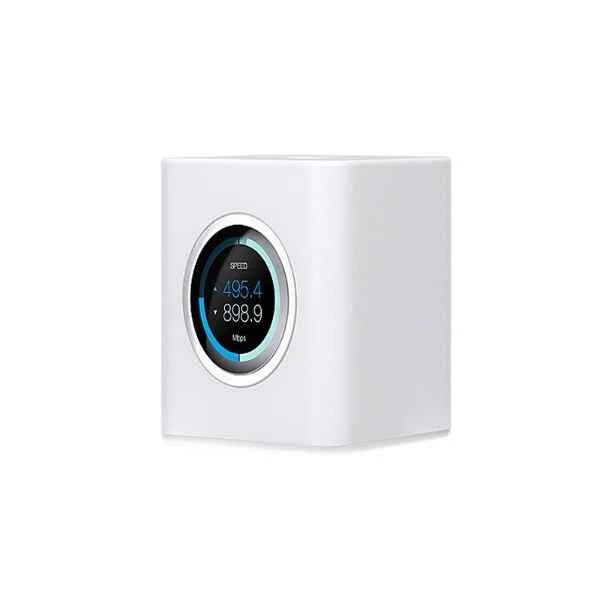
AFi-R (UBNT AMPLiFi Dual-Band Mesh Wi-Fi System, 1 Gigabit Ethernet, Wifi Router, Mesh Point, Seamless Whole Home Wireless Internet Coverage)
4.6 (5)- Enterprise Router
- Ubiquiti
- IPSec / SSL VPN
- AC Power Supply / Redundant
- OSPF / BGP / RIP / Static Routing
- Fiber Optic / LTE
- Modular
Est Value $427.64
$213.82
50% offIn stockRefurbishedFirst-Time Buyer Discount – Get up to 2% additional off on your first order
ORM Rewards Earn $50 in Rewards + Free Expedited Delivery – Join Now!
Use eCoupon ORMSAVE10
eCoupon limited to 5 units
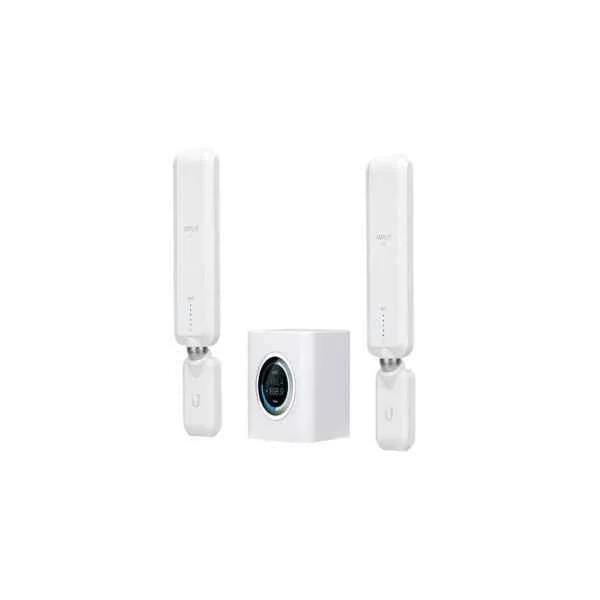
AFi-HD (UBNT AMPLiFi Dual-Band Mesh Wi-Fi System, 1 Gigabit Ethernet, Wifi Router, Mesh Point, business or home need, Seamless Whole Home Wireless Internet Coverage)
4.6 (5)- Enterprise Router
- Ubiquiti
- IPSec, SSL VPN, GRE
- AC Power Supply with Redundant Option
- OSPF, BGP, EIGRP, RIP, Static Routing
- Fiber Optic, DSL, LTE
- Modular
Est Value $729.88$623.07
14.6% offIn stockRefurbishedFirst-Time Buyer Discount – Get up to 2% additional off on your first order
ORM Rewards Earn $50 in Rewards + Free Expedited Delivery – Join Now!
Use eCoupon ORMSAVE10
eCoupon limited to 5 units

ORM Sales Advisors
Buying for your business? Get a personalised quote in under 2 hours. Talk to an expert
LEARNFilters (2) 
Questions & Answers
What is a Ubiquiti Mesh Wireless Router?
A Ubiquiti Mesh Wireless Router is a scalable Wi-Fi solution that uses interconnected access points to deliver seamless coverage and high performance across large or complex environments.
How does Ubiquiti Mesh Wireless Router technology differ from a traditional router?
Unlike traditional routers, Ubiquiti Mesh uses multiple distributed nodes to create a self-healing, scalable network that automatically routes traffic for optimal performance.
How do I set up a Ubiquiti Mesh Wireless Router?
Use the UniFi Network Controller to adopt each access point, configure SSID and security settings, and verify mesh links via the dashboard for a complete setup.
Can I expand coverage by adding more Ubiquiti Mesh nodes?
Yes, simply add and adopt additional Ubiquiti Mesh nodes in the controller to extend coverage—new nodes automatically integrate into the existing mesh topology.
What is the maximum range of a Ubiquiti Mesh access point?
Each Ubiquiti Mesh access point typically covers up to 400 feet (120 meters) in open environments, with actual range varying based on obstacles and placement.
How many clients can a Ubiquiti Mesh Wireless Router support?
A single Ubiquiti Mesh access point can support up to 200 concurrent devices, depending on available bandwidth and wireless environment conditions.
Does Ubiquiti Mesh support multiple SSIDs and VLAN tagging?
Yes, Ubiquiti Mesh supports multiple SSIDs and VLAN tagging, enabling segmented wireless networks with distinct security and bandwidth policies.
How secure is my network with a Ubiquiti Mesh Wireless Router?
Ubiquiti Mesh offers enterprise-grade WPA2/WPA3 encryption, guest isolation, and integrated firewall controls for robust network protection.
How can I manage my Ubiquiti Mesh network remotely?
Remote management is available via the UniFi Network Controller cloud access, enabling real-time monitoring and configuration from any location.
What is the difference between Ubiquiti UniFi and AmpliFi Mesh routers?
UniFi Mesh focuses on scalable enterprise networking with centralized management, while AmpliFi Mesh targets home users with simplified setup and fewer advanced features.
How do I update firmware on my Ubiquiti Mesh Wireless Router?
Firmware updates are delivered through the UniFi Network Controller—navigate to the Devices page, select the access point, and click Update in the firmware section.
How do I troubleshoot connectivity issues on a Ubiquiti Mesh network?
Common fixes include verifying cable connections, checking LED status, reviewing link metrics in the controller, and rebooting or re-adopting the affected node.
What power options are available for Ubiquiti Mesh access points?
Ubiquiti Mesh access points support 24 V passive PoE or 802.3af/at PoE+ for flexible installation without external power adapters.
Are Ubiquiti Mesh Wireless Routers suitable for outdoor deployment?
Certain Ubiquiti Mesh access points are weather-resistant (IP55-rated) and designed for outdoor use when mounted with compatible brackets.
How do I optimize performance on my Ubiquiti Mesh Wireless Router?
Place nodes centrally, minimize obstructions, use 5 GHz bands for high-density areas, enable band steering, and keep firmware up to date to optimize performance.
Can I prioritize traffic or set QoS rules on Ubiquiti Mesh?
UniFi Mesh supports Smart Queues (traffic shaping) and user-defined VLANs to prioritize VoIP, video, and other critical application traffic.
How do I reset a Ubiquiti Mesh Wireless Router to factory settings?
Press and hold the reset button on the access point for 10 seconds until LEDs flash, then re-adopt the device through the UniFi Network Controller for a full factory reset.