 United States
IP Storage Solutions by Dahua
Experience unrivaled performance with Dahua IP Storages engineered for superior reliability. Our solutions deliver seamless, secure, and scalable storage to protect your critical video surveillance data.
Talk to an expert
2 Matching results
- BEST SELLING
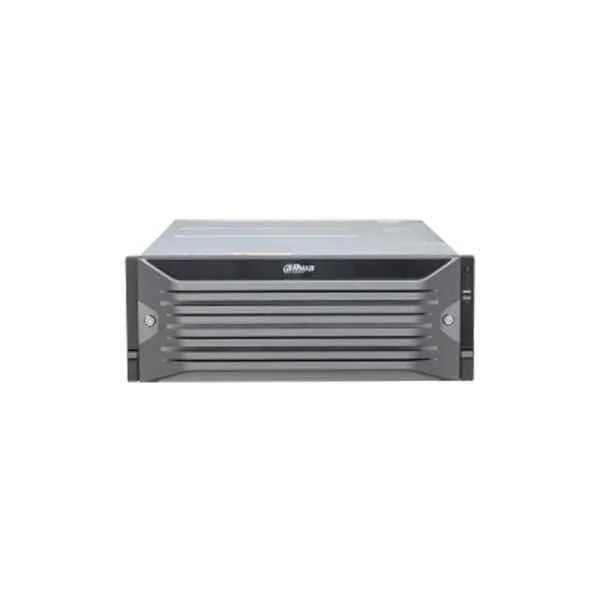
EVS7124S (Dahua IP Storages)
4.5 (6)- Storage System
- Dahua
- SAN
- Rackmount
- 24-bay
- Mixed
- Yes
Est Value In stock
First-Time Buyer Discount – Get up to 2% additional off on your first order
ORM Rewards Earn $50 in Rewards + Free Expedited Delivery – Join Now!
Use eCoupon ORMSAVE10
eCoupon limited to 5 units
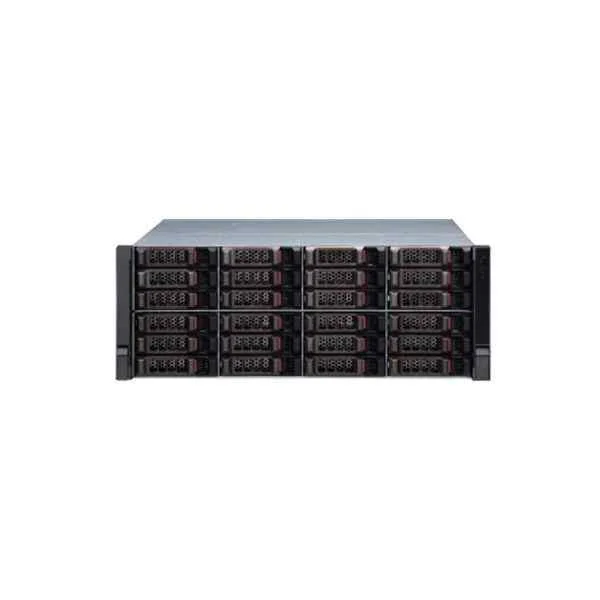
EVS7024S-R (Dahua Storages)
4.8 (6)- Storage System
- Dahua
- SAN
- Rackmount
- 24-bay
- SATA HDD / SAS HDD / SATA SSD / NVMe SSD
- Yes
Est Value In stockFirst-Time Buyer Discount – Get up to 2% additional off on your first order
ORM Rewards Earn $50 in Rewards + Free Expedited Delivery – Join Now!
Use eCoupon ORMSAVE10
eCoupon limited to 5 units

ORM Sales Advisors
Buying for your business? Get a personalised quote in under 2 hours. Talk to an expert
LEARNFilters (2) 
Questions & Answers
What is Dahua IP Storage?
Dahua IP Storage is a network-attached storage (NAS) solution designed for high-performance video recording, centralized data management, and seamless integration with Dahua IP cameras and NVRs.
Which Dahua IP Storage models are available?
Dahua offers a range of IP Storage models including the DSS Pro Series, NVR-integrated X Series, and the enterprise-grade SR-series, supporting from 4 to 60 drive bays and 24×7 operation.
What storage capacities do Dahua IP Storages support?
Dahua IP Storages support capacities from 8 TB up to 1 PB per chassis, scalable via expansion units to meet large-scale surveillance and data archiving requirements.
Does Dahua IP Storage support RAID?
Yes. Dahua IP Storage supports RAID 0, 1, 5, 6, 10 and 50, offering data redundancy, fault tolerance and optimized read/write performance for video workloads.
How do I install or replace hard drives in Dahua IP Storage?
Drives install into hot-swap bays using tool-less caddies. Power down isn’t required for replacement in supported models; just eject the lever, swap the drive, and re-insert until it clicks.
Which hard drives are recommended for Dahua IP Storage?
Use enterprise-grade SATA or SAS HDDs rated for video surveillance, such as Western Digital® Purple or Seagate® SkyHawk, to ensure 24×7 reliability and workload optimization.
What network interfaces do Dahua IP Storages offer?
Dahua IP Storages include multiple Gigabit and 10 GbE SFP+ ports, plus optional 25/40 GbE modules, ensuring high-throughput connectivity with cameras and recording servers.
Can I expand Dahua IP Storage capacity later?
Yes. Capacity scales via Daisy-chain expansion chassis using SAS cables. The system automatically detects added bays and reallocates RAID arrays as configured.
How do I configure Dahua IP Storage for NVR integration?
Access the embedded web GUI, navigate to Storage Management > Device Discovery, select your NVR and assign storage pools or LUNs. Configuration applies immediately.
Does Dahua IP Storage support remote access?
Yes. Remote access is available via Dahua’s DMSS or DSS Mobile apps, plus standard CIFS/SMB and iSCSI protocols for secure file browsing and playback.
Is cloud backup available for Dahua IP Storage?
Dahua IP Storage integrates with major public clouds (AWS, Azure) and Dahua Cloud for automated backup or archiving. Schedule policies via the storage GUI.
How is data secured on Dahua IP Storage?
Data is protected by AES-256 encryption at rest, access control with multi-level passwords, IP/MAC filtering, and optional two-factor authentication for the management interface.
What are Dahua IP Storage power requirements?
Standard models operate on dual redundant 100–240 VAC supplies with
What maintenance is required for Dahua IP Storage?
Perform monthly health checks via the web GUI, update firmware quarterly, clean air filters bi-annually, and monitor SMART alerts to preemptively replace failing drives.
What warranty covers Dahua IP Storage?
Dahua provides a 3-year limited warranty covering hardware defects, with optional extension to 5 years and advanced replacement service for critical deployments.
How can I optimize video recording performance?
Use RAID 6 for balanced redundancy and throughput, allocate separate LUNs per camera group, enable write caching, and connect via 10 GbE for high-frame-rate streams.