 United States
Storages by Intel High Performance
Discover Intel storages engineered to deliver robust data management, heightened security, and superior scalability to propel enterprise performance. Experience cutting-edge reliability and efficiency for mission-critical operations.
Talk to an expert
Disk Drives
(2)Disk drives provide replacement HDD or SSD media with SATA, SAS, or NVMe interfaces for capacity refresh cycles
2 Matching results
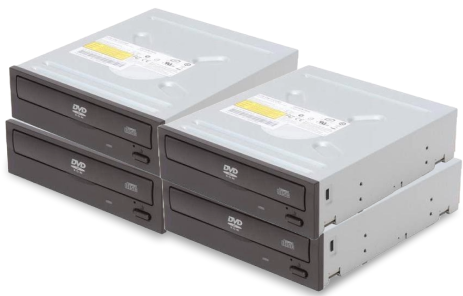
AXXSATADVDROM (Intel DVD-ROM drive - Serial ATA - internal)
5 (5)- Storage System
- Intel
- SAN
- Rackmount
- 24-bay
- SATA HDD / SAS HDD / SATA SSD / NVMe SSD
- Yes
Est Value $200.98
$100.49
50% offIn stockNewFirst-Time Buyer Discount – Get up to 2% additional off on your first order
ORM Rewards Earn $50 in Rewards + Free Expedited Delivery – Join Now!
Use eCoupon ORMSAVE10
eCoupon limited to 5 units
AXXSATADVDRWROM (Intel DVD±RW drive - Serial ATA - internal)
4.4 (5)- Storage System
- Intel
- SAN
- Rackmount
- 24-bay
- Mixed
- Yes
Est Value In stockFirst-Time Buyer Discount – Get up to 2% additional off on your first order
ORM Rewards Earn $50 in Rewards + Free Expedited Delivery – Join Now!
Use eCoupon ORMSAVE10
eCoupon limited to 5 units

ORM Sales Advisors
Buying for your business? Get a personalised quote in under 2 hours. Talk to an expert
LEARNFilters (2) 
Questions & Answers
What is Intel Optane storage and how does it improve system performance?
Intel® Optane™ storage uses 3D XPoint™ memory to deliver ultra-low latency and high throughput, accelerating application load times and system responsiveness.
How does an Intel NVMe SSD compare to a SATA SSD?
Intel NVMe SSDs use the PCIe interface for sequential read/write speeds up to six times faster than SATA SSDs, enabling quicker boot, file transfers, and database operations.
Which Intel SSD capacity is right for my workload?
Choose capacity based on data size and growth: 256–512 GB for boot drives, 1–2 TB for multimedia projects, and 4 TB+ for data-intensive or virtualization environments.
Is Intel SSD compatible with my motherboard?
Most Intel SATA and NVMe SSDs support standard 2.5″, M.2, and U.2 form factors and interfaces (SATA III or PCIe Gen3/Gen4), ensuring broad compatibility with modern motherboards.
How do I install an Intel SSD in my PC?
Power off your system, mount the Intel SSD in a compatible slot (2.5″ bay or M.2 slot), secure it, connect power/data cables if needed, power on, and initialize in your OS disk management utility.
How can I update Intel SSD firmware?
Use the Intel® Memory and Storage Tool to scan for your drive and apply the latest firmware release in a few clicks, ensuring peak performance and reliability.
Do Intel SSDs support hardware-based encryption?
Yes, Intel SSDs with the Self-Encrypting Drive (SED) option support AES-256 hardware encryption and TCG Opal 2.0 standards for enterprise-grade data security.
What warranty does Intel provide on its SSDs?
Intel SSDs come with a limited warranty of three to five years depending on the model, covering defects in materials and workmanship under normal use.
How reliable are Intel SSDs for enterprise workloads?
Intel SSDs deliver industry-leading endurance ratings (up to several drive writes per day), low annualized failure rates, and advanced power-loss protection for mission-critical applications.
Can I use Intel Optane storage in a data center environment?
Yes, Intel Optane SSDs offer datacenter-class endurance, high QoS, and consistent low latency, making them ideal for caching, tiered storage, and real-time analytics in large-scale deployments.
How can I monitor the health of my Intel SSD?
Install the Intel Memory and Storage Tool to view SMART attributes, drive temperature, total bytes written, and remaining endurance for proactive maintenance.
What is the difference between Intel QLC and TLC SSDs?
Intel QLC SSDs store four bits per cell for higher capacity at lower cost, while TLC SSDs store three bits per cell for better performance and endurance in write-intensive applications.
Can I migrate my operating system to an Intel SSD?
Yes, use Intel Data Migration Software or any compatible cloning tool to copy your OS and data to the Intel SSD, then configure BIOS/UEFI to boot from the new drive.
How does Intel SSD caching improve desktop performance?
Intel® Smart Response Technology uses an Intel Optane or small-capacity SSD as a cache for frequently accessed data, reducing load times and increasing application responsiveness.
What power loss protection features do Intel SSDs offer?
Enterprise-grade Intel SSDs include onboard capacitors that secure in-flight data to NAND during sudden power outages, ensuring data integrity and preventing corruption.