 United States
Disk Drives Reliable Data Storage
Experience industry-leading disk drives engineered for optimal reliability, high-speed data access, and robust performance. Our advanced storage solutions deliver secure, efficient operations for enterprises and IT professionals.
Talk to an expert
2 Matching results
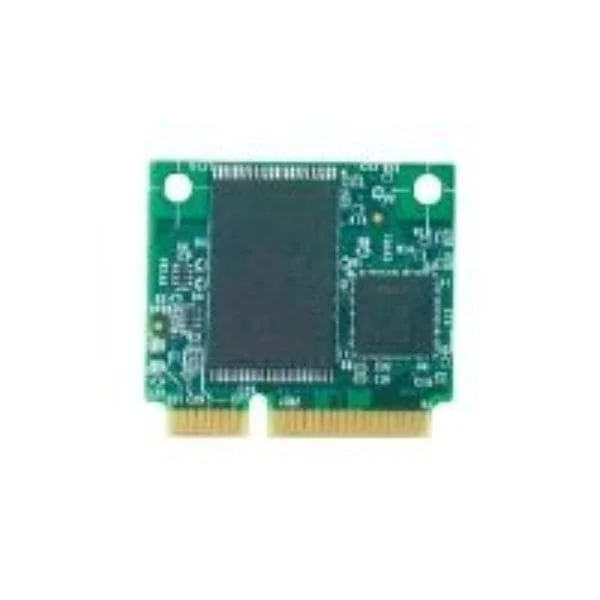
AXXSATADVDROM (Intel DVD-ROM drive - Serial ATA - internal)
5 (5)- Storage System
- Intel
- SAN
- Rackmount
- 24-bay
- SATA HDD / SAS HDD / SATA SSD / NVMe SSD
- Yes
Est Value $200.98
$100.49
50% offIn stockNewFirst-Time Buyer Discount – Get up to 2% additional off on your first order
ORM Rewards Earn $50 in Rewards + Free Expedited Delivery – Join Now!
Use eCoupon ORMSAVE10
eCoupon limited to 5 units
AXXSATADVDRWROM (Intel DVD±RW drive - Serial ATA - internal)
4.4 (5)- Storage System
- Intel
- SAN
- Rackmount
- 24-bay
- Mixed
- Yes
Est Value In stockFirst-Time Buyer Discount – Get up to 2% additional off on your first order
ORM Rewards Earn $50 in Rewards + Free Expedited Delivery – Join Now!
Use eCoupon ORMSAVE10
eCoupon limited to 5 units

ORM Sales Advisors
Buying for your business? Get a personalised quote in under 2 hours. Talk to an expert
LEARNFilters (2) 
Questions & Answers
What is a disk drive?
A disk drive is a hardware device that reads, writes, and stores digital data on rotating magnetic or electronic storage media, providing persistent storage for computers and servers.
What is the difference between HDD and SSD?
A hard disk drive (HDD) uses spinning magnetic platters and moving read/write heads for data storage, while a solid-state drive (SSD) uses flash memory chips, offering faster read/write speeds, lower latency, and improved durability.
How do I choose the right disk drive capacity?
Select disk drive capacity based on your storage needs—documents and applications often require 250–500 GB, multimedia and games 1–2 TB, and professional workloads 4 TB or more—to ensure you have ample space and optimal performance.
What is disk drive RPM and why does it matter?
RPM (revolutions per minute) measures how fast an HDD’s platters spin; higher RPM (7,200 vs. 5,400) delivers faster data access and improved overall system responsiveness.
What are common disk drive interfaces?
Disk drives typically connect via SATA (SATA III up to 6 Gb/s), NVMe over PCIe (up to 4 GB/s+), and USB (USB 3.0/3.1 up to 5–10 Gb/s) interfaces, each balancing speed and compatibility.
How long do disk drives typically last?
Disk drives last on average 3–5 years for SSDs and 5–7 years for HDDs under normal workloads, but actual lifespan varies with usage patterns, temperature, and drive quality.
How can I improve disk drive performance?
Improve performance by upgrading to an SSD or NVMe drive, enabling TRIM for SSDs, keeping firmware up to date, and maintaining at least 20% free space on the drive.
How do I install a disk drive in my PC?
To install a disk drive, power down your PC, mount the drive in the appropriate bay, connect the power and data cables (SATA or power module), and verify the drive appears in BIOS.
How do I format a new disk drive?
Format a new disk drive by accessing your operating system’s disk management tool, creating a new volume, selecting the file system (NTFS, exFAT, APFS, etc.), and following the on-screen instructions.
What is disk drive cache and why does it matter?
Disk drive cache is high-speed memory that temporarily stores frequently accessed data, reducing latency and accelerating read/write operations for improved system responsiveness.
How do I troubleshoot a disk drive not detected by my computer?
If a disk drive isn’t detected, verify the power and data connections, ensure the correct BIOS/UEFI settings, update storage controller drivers, and test the drive on another system.
Do I need to defragment my disk drive?
Defragmentation optimizes HDDs by reorganizing fragmented files for faster access, but is unnecessary and potentially harmful for SSDs, which benefit more from TRIM commands.
How can I recover data from a failed disk drive?
Recover data from a failed disk drive using specialized recovery software for logical errors, or seek professional data recovery services for mechanical or critical hardware failures.
Should I encrypt my disk drive?
Encrypt disk drives with built-in tools like BitLocker (Windows) or FileVault (Mac) to secure data at rest with hardware-accelerated AES encryption and protect against unauthorized access.
What factors affect disk drive price?
Disk drive price depends on storage capacity, technology (HDD vs. SSD), interface (SATA vs. NVMe), performance specs (RPM, read/write speeds), and brand reliability.
Can I use an external disk drive for gaming and backups?
Yes, external disk drives connected via USB 3.1 or Thunderbolt provide portable storage ideal for backups and can host games, though internal SSDs deliver faster load times for gaming.