 United States
D-Link Switch Accessories Hub
Discover a range of D-Link switch accessories engineered to elevate network reliability and performance. Enhance your infrastructure with precision-engineered tools delivering seamless connectivity, advanced security, and exceptional efficiency.
Talk to an expert
3 Matching results
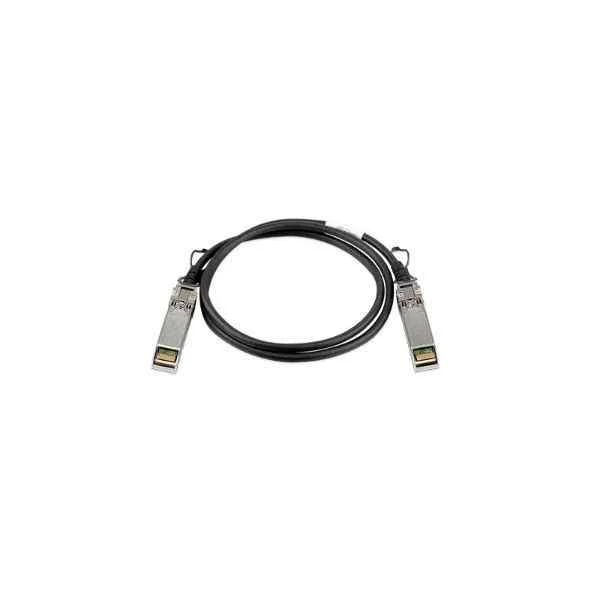
DEM-CB100S (D-Link 10G SFP+ direct connection, 1 meter)
4.6 (5)- Switch
- D-Link
- AC Power Supply
- Layer 2
- Rack-mount
- 50 W
- 24–48 Ports
Est Value $237.30
$202.58
14.6% offIn stockNewRefurbishedFirst-Time Buyer Discount – Get up to 2% additional off on your first order
ORM Rewards Earn $50 in Rewards + Free Expedited Delivery – Join Now!
Use eCoupon ORMSAVE10
eCoupon limited to 5 units
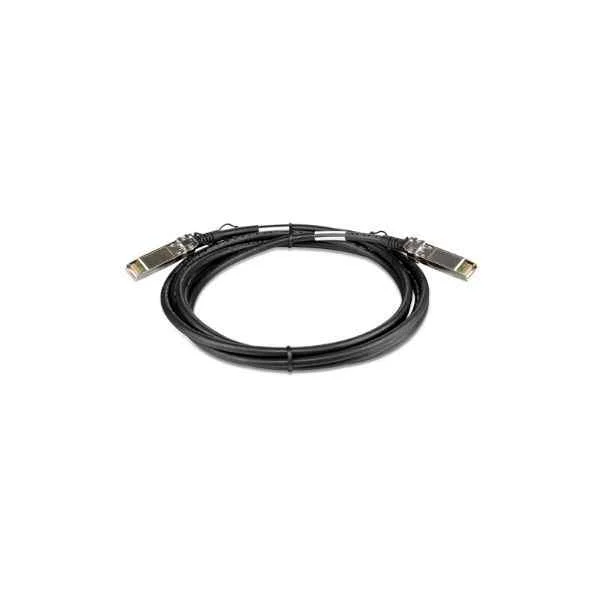
DEM-CB300S (D-Link 10G SFP+ direct connection, 3 meters)
4.4 (5)- Switch
- D-Link
- AC Power Supply
- Layer 2
- Rack-mount
- 24–48 Ports
Est Value $286.24$143.12
50% offIn stockNewFirst-Time Buyer Discount – Get up to 2% additional off on your first order
ORM Rewards Earn $50 in Rewards + Free Expedited Delivery – Join Now!
Use eCoupon ORMSAVE10
eCoupon limited to 5 units
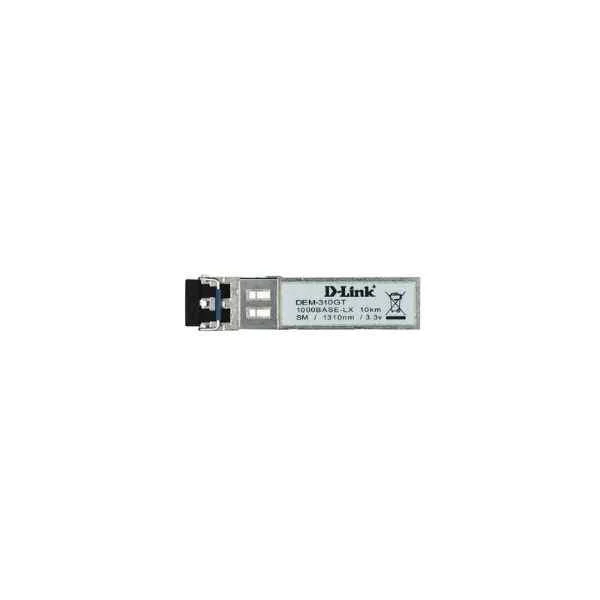
DEM-310GT (D-Link Gigabit SFP optical module, single mode, 10 km, wavelength 1310nm, LC connector)
5 (5)- Switch
- D-Link
- AC Power Supply
- Layer 2
- Rack-mount
- 24–48 Ports
Est Value $73.80$63.00
14.6% offIn stockRefurbishedFirst-Time Buyer Discount – Get up to 2% additional off on your first order
ORM Rewards Earn $50 in Rewards + Free Expedited Delivery – Join Now!
Use eCoupon ORMSAVE10
eCoupon limited to 5 units

ORM Sales Advisors
Buying for your business? Get a personalised quote in under 2 hours. Talk to an expert
LEARNFilters (3) 
Questions & Answers
What are D-Link switch accessories and why do I need them?
D-Link switch accessories include modules, power supplies, rack-mount kits, and cables designed to optimize performance, expand connectivity, and simplify installation. They ensure seamless integration, reliable operation, and easy scalability in enterprise and SMB networks.
Which D-Link switch accessory SFP modules are compatible with my switch?
Common D-Link switch accessory SFP modules include the DEM-311GT (1000Base-SX), DEM-332GT (1000Base-T), DEM-541T (1000Base-BX), and DEM-431XT (10GBase-SR). Always verify compatibility against your switch model’s hardware datasheet.
How do I install a D-Link switch accessory SFP transceiver?
Power off the switch, remove the dust cover, insert the D-Link switch accessory SFP transceiver firmly until it clicks, secure the latch, power on the switch, and verify link status via CLI or Web UI.
Can I hot-swap D-Link switch accessory SFP/SFP+ modules without downtime?
Most D-Link switch accessory SFP and SFP+ modules support hot-swapping, allowing you to replace or add modules while the switch remains operational. Confirm hot-swap capability in your switch’s user manual.
What’s the difference between D-Link switch accessory SFP and SFP+ modules?
Within D-Link switch accessories, SFP modules support up to 1 Gbps, while SFP+ modules deliver up to 10 Gbps. SFP+ offers enhanced signal integrity, lower latency, and higher port density for demanding applications.
Which D-Link switch accessory power supplies are supported by my switch?
Supported D-Link switch accessory power supplies vary by series. The DPS-2000 series serves mid-size switches, while the DPS-5001 supports high-density models. Always confirm voltage, wattage, and form-factor compatibility in your switch specifications.
How do I replace a D-Link switch accessory fan module?
Power down the switch, press the fan module release latch, slide out the defective fan tray, insert the new D-Link switch accessory fan module until it locks, power on the switch, and verify fan status via the system health monitor.
Are D-Link rack-mount kits included with switches or sold separately?
D-Link rack-mount kits are sold separately as switch accessories. Each kit includes brackets, rails, and mounting hardware tailored to specific switch series. Verify your switch model to order the correct kit.
What cable types work with D-Link switch accessory stacking ports?
D-Link switch accessory stacking ports support both active and passive proprietary stacking cables. Use the stacking cable included with your switch or order the DEM-CB100 cable for distances up to 10 cm.
How do I update firmware for D-Link switch accessories?
Update firmware via the Web UI under Maintenance > Firmware Upgrade or via CLI. Upload the .img file, initiate the upgrade, and reboot. Always back up your configuration before upgrading.
Can I mix third-party modules with D-Link switch accessories?
While some D-Link switch accessories may accept third-party SFP modules, compatibility and performance are guaranteed only with D-Link–approved modules. For optimal reliability and warranty compliance, use genuine D-Link transceivers.
What warranty covers D-Link switch accessories?
All genuine D-Link switch accessories carry a one-year limited warranty covering defects in materials and workmanship. Extended warranties and advanced support plans are available through authorized D-Link partners.
How can I check D-Link switch accessory compatibility with older switch models?
To check compatibility, consult the D-Link support website’s product compatibility matrix or refer to your switch’s hardware installation guide for the list of supported switch accessories.
What is the recommended fiber patch cable for D-Link switch accessory fiber modules?
For D-Link switch accessory fiber modules, use OM3 multimode or OS2 single-mode LC patch cables rated for the module’s wavelength (850 nm or 1310 nm). Ensure cable insertion loss is under 0.35 dB per connector.
Where can I purchase genuine D-Link switch accessories?
You can purchase genuine D-Link switch accessories through D-Link’s authorized reseller network, certified online marketplaces, or directly from the D-Link eStore to guarantee authenticity and full support.