 United States
Access Switches Dahua Solutions
Dahua Access Switches enhance enterprise connectivity by delivering secure, high-performance network solutions engineered for complex, demanding environments. Their robust design ensures reliable system integration and optimized operational efficiency.
Talk to an expert
1 Matching results
- BEST SELLING
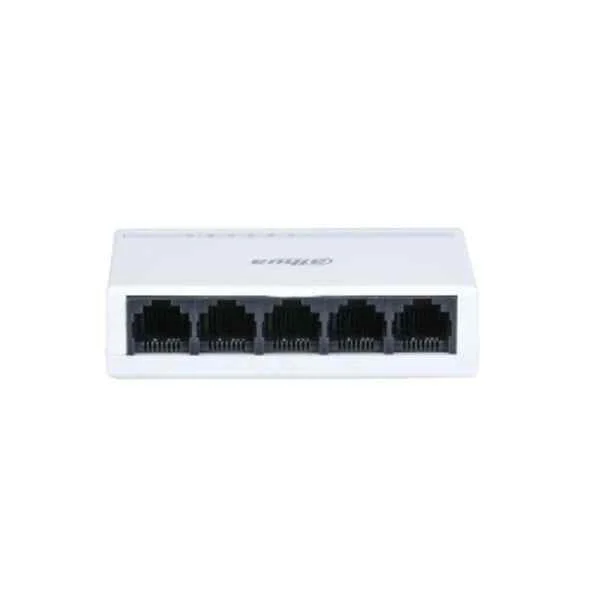
PFS3005-5ET-L (Dahua Access Switches)
4.5 (6)- Switch
- Dahua
- AC Power Supply
- Layer 2
- Rack-mount
- 25 W
- Under 12 Ports
Est Value In stock
First-Time Buyer Discount – Get up to 2% additional off on your first order
ORM Rewards Earn $50 in Rewards + Free Expedited Delivery – Join Now!
Use eCoupon ORMSAVE10
eCoupon limited to 5 units

ORM Sales Advisors
Buying for your business? Get a personalised quote in under 2 hours. Talk to an expert
LEARNFilters (1) 
Questions & Answers
What are Dahua Access Switches?
Dahua Access Switches are high-performance network switches designed for IP surveillance and enterprise networks, offering Gigabit Ethernet connectivity, PoE/PoE+ support, Layer 2 switching, and robust security features.
What key features do Dahua Access Switches offer?
They deliver high port density, IEEE 802.3af/at PoE, VLAN/QoS support, Web GUI and CLI management, SNMP monitoring, rapid ring protection (ERPS), and optional fanless or redundant-power designs.
Which Dahua Access Switch models support PoE?
Models such as the PFS3006-4ET-60, PFS3010-8ET-96, and DSS1016M provide PoE+ on all Gigabit ports with up to 30 W per port, ideal for IP cameras, wireless APs, and VoIP phones.
How do I choose the right Dahua Access Switch for my network?
Select based on number of devices, PoE power budget, port speed (Gigabit vs. Fast Ethernet), required management functions, and redundancy needs; consult Dahua’s sizing guide or authorized partner.
What is the maximum port density and throughput of Dahua Access Switches?
Port counts range from 8 to 48 Gigabit ports, with backplane capacities up to 104 Gbps and non-blocking throughput to ensure full line-rate performance.
Do Dahua Access Switches support VLAN and QoS?
Yes. They support IEEE 802.1Q port- and protocol-based VLANs, voice VLAN, plus 4-level QoS with traffic prioritization and bandwidth control for video and voice.
Can I stack multiple Dahua Access Switches?
Traditional hardware stacking is not supported; instead, Dahua implements Ethernet Ring Protection Switching (ERPS) for link redundancy and rapid convergence across multiple switches.
What management interfaces are available on Dahua Access Switches?
Management is provided via intuitive Web GUI, command-line interface (SSH/Telnet), SNMP v1/v2c, RMON, and optional Dahua NMS for centralized monitoring.
How do I configure a Dahua Access Switch?
Connect to the default IP (192.168.0.1) in a browser, log in with admin credentials, then navigate to VLAN, PoE, QoS or ring settings; save and reboot to apply changes.
How do I update firmware on Dahua Access Switches?
Download the latest firmware from Dahua’s official site, log in to Web GUI > System > Firmware Upgrade, upload the file, and reboot to complete the update.
Are Dahua Access Switches compatible with ONVIF and third-party devices?
Yes. They fully support ONVIF for video networking and interoperate seamlessly with Dahua NVRs, IP cameras, and other ONVIF-certified and IEEE-compliant network devices.
What security features do Dahua Access Switches provide?
Built-in security includes port security, MAC/IP binding, DHCP snooping, ARP inspection, SSL/SSH encrypted management, and user-based access control to protect network integrity.
How energy-efficient are Dahua Access Switches?
They feature IEEE 802.3az Energy Efficient Ethernet, intelligent PoE scheduling, and fanless designs on select models, reducing power consumption by up to 20%.
What warranty and support does Dahua offer for Access Switches?
Dahua provides a limited 3-year hardware warranty, 24/7 technical support, an online knowledge base, regular firmware updates, and a global service network.
Where can I purchase genuine Dahua Access Switch products?
Purchase through Dahua’s authorized distributors, certified resellers, or official e-commerce partners listed on Dahua’s website to ensure full warranty and support eligibility.