 United States
Dell Networking N2000 Switches Optimized Performance
Experience reliable connectivity and unmatched performance with industry-leading Dell Networking N2000 Switches. Engineered for enterprise networks, these switches deliver high-speed capacity, robust security, and streamlined management solutions.
Talk to an expert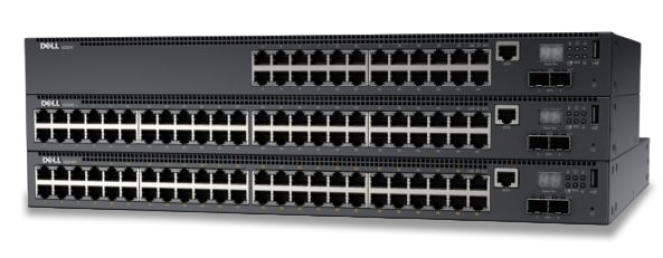
2 Matching results
- BEST SELLING
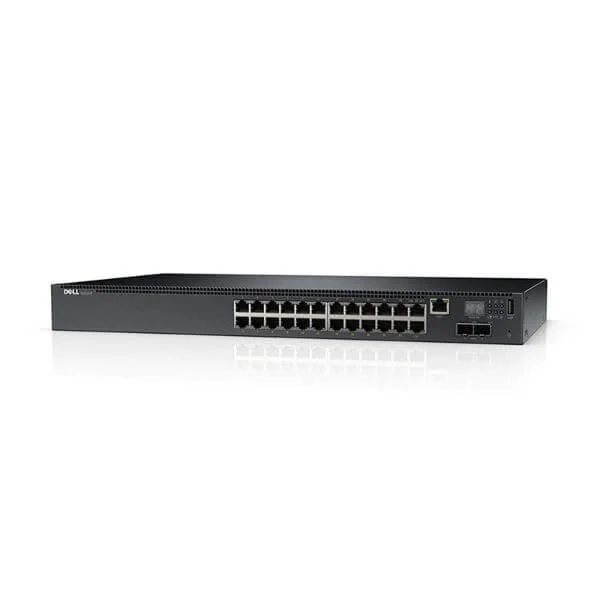
N2024P (Dell Networking N2024P, L2, POE+, 24x 1GbE + 2x 10GbE SFP+ fixed ports, Stacking, IO to PSU air, AC)
4.6 (5)- Switch
- Dell
- AC Power Supply
- Layer 2 / Layer 3
- Rack-mount
- 75 W
- 24–48 Ports
Est Value $657.18
$302.40
54% offIn stockNewRefurbishedFirst-Time Buyer Discount – Get up to 2% additional off on your first order
ORM Rewards Earn $50 in Rewards + Free Expedited Delivery – Join Now!
Use eCoupon ORMSAVE10
eCoupon limited to 5 units
- BEST SELLING
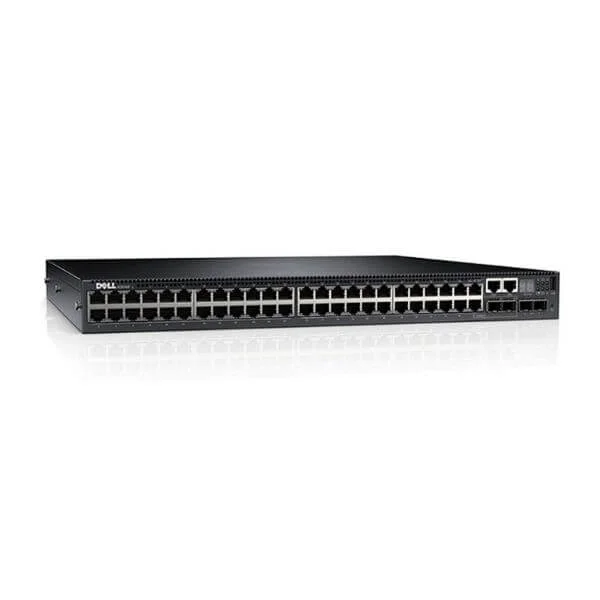
N2048P (Dell Networking N2048P, L2, POE +, 48x 1GbE + 2x 10GbE SFP + fixed ports, stacking, air from IO to PSU, AC)
4.4 (5)- Switch
- Dell
- AC Power Supply
- Layer 2
- Rack-mount
- 150W
- 24–48 Ports
Est Value $1,915.18$179.94
90.6% offIn stockNewRefurbishedFirst-Time Buyer Discount – Get up to 2% additional off on your first order
ORM Rewards Earn $50 in Rewards + Free Expedited Delivery – Join Now!
Use eCoupon ORMSAVE10
eCoupon limited to 5 units

ORM Sales Advisors
Buying for your business? Get a personalised quote in under 2 hours. Talk to an expert
LEARNFilters (2) 
Questions & Answers
What is the Dell Networking N2000 Series switch?
The Dell Networking N2000 Series is a family of fixed-configuration 1U Gigabit Ethernet switches designed for access and aggregation in campus and branch networks.
What port configurations are available in the Dell Networking N2000 Series?
Dell N2000 switches are offered in 24- and 48-port Gigabit Ethernet models, with optional PoE/PoE+ support and modular SFP uplink slots.
Does the Dell Networking N2000 support Power over Ethernet (PoE)?
Yes, select N2000 models deliver PoE/PoE+ on all Gigabit ports, supplying up to 30W per port for IP phones, cameras, and wireless access points.
What is the switching capacity and performance of the N2000 Series?
The N2000 Series offers up to 96 Gbps of switching capacity and a forwarding rate of up to 71.4 million packets per second (Mpps).
Are Layer 3 routing features available on Dell Networking N2000 switches?
Yes, static routing is included by default; dynamic routing protocols (OSPF, RIP) and VRF-Lite are available via an optional Layer 3 license.
Can Dell Networking N2000 switches be stacked for scalability?
Absolutely. Using optional stacking modules, you can stack up to eight N2000 switches into a single logical unit for simplified management and redundancy.
How can I manage the Dell Networking N2000 Series?
Management options include a web-based GUI, CLI via console or SSH, SNMP v1/v2c/v3, and integration with Dell OpenManage Network Manager.
Do Dell Networking N2000 switches support redundant power supplies?
Select N2000 models offer dual hot-swappable power supply units to ensure uninterrupted operation and power redundancy.
What are the cooling and form-factor specifications of the N2000 Series?
Each N2000 switch ships in a 1U rack-mount chassis with front-to-back airflow and variable-speed fans for efficient cooling and low acoustic noise.
Which transceivers are compatible with Dell Networking N2000 switches?
N2000 switches support Dell-certified SFP and SFP+ transceivers for 1 GbE and 10 GbE fiber or copper connectivity.
What warranty and support options are available for Dell Networking N2000?
Dell offers a 1-year hardware warranty with optional ProSupport for next-business-day on-site service and 24/7 phone support.
Are software feature licenses required for advanced functions on the N2000 Series?
Base firmware includes full Layer 2 features; optional licenses unlock advanced Layer 3 routing, security and monitoring capabilities.
What security features are included in the Dell Networking N2000?
The N2000 Series supports access control lists (ACLs), 802.1X authentication, RADIUS/TACACS+ integration, DHCP snooping and storm control.
How energy efficient are Dell Networking N2000 switches?
Designed with Energy Efficient Ethernet, low-power ASICs and variable-speed fans, N2000 switches minimize power consumption and heat output.
How do I configure VLANs on a Dell Networking N2000 switch?
You can configure VLANs through the web GUI or CLI using the ‘vlan ’ command and then assigning access or trunk membership to ports.
What monitoring and diagnostic tools are available on the N2000 Series?
N2000 switches include port mirroring, RMON, syslog, sFlow, LLDP and can be monitored via Dell OpenManage Network Manager or third-party NMS.
How can I migrate from legacy switches to Dell Networking N2000?
Migration is seamless: use existing Ethernet cabling, import VLAN and ACL configurations via CLI scripts, and follow Dell’s migration guide for best practices.