 United States
Brocade Networking Compatible Xenpak
Experience optimal performance with Brocade Networking Compatible Xenpak modules, engineered for robust, reliable connectivity. Enhance your network infrastructure with cutting-edge technology optimized for advanced data environments.
Talk to an expert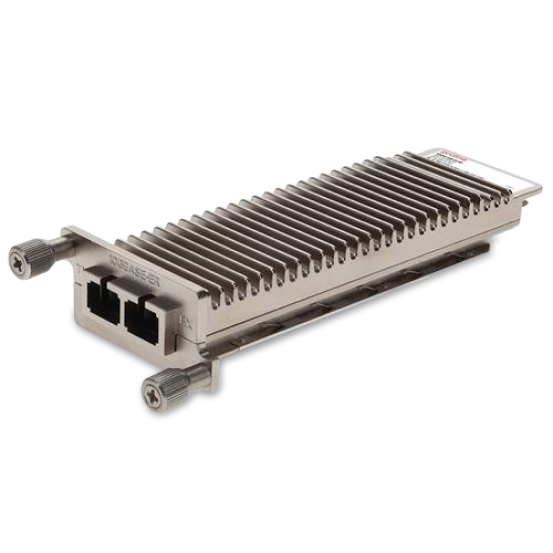
2 Matching results
10G-XNPK-SR-C (850nm XENPAK Optic 300m over MMF Brocade Compatible)
4.8 (5)- Transceiver
- Orm
- SFP+
- 10G
- LC
- 850 nm
- Short-Range
Est Value In stock
First-Time Buyer Discount – Get up to 2% additional off on your first order
ORM Rewards Earn $50 in Rewards + Free Expedited Delivery – Join Now!
Use eCoupon ORMSAVE10
eCoupon limited to 5 units
10G-XNPK-LR-C (1310nm XENPAK Optic 10km over SMF Brocade Compatible)
4.4 (5)- Transceiver
- Orm
- SFP+
- 10G
- LC
- 1310 nm
- Long-Range
Est Value In stockFirst-Time Buyer Discount – Get up to 2% additional off on your first order
ORM Rewards Earn $50 in Rewards + Free Expedited Delivery – Join Now!
Use eCoupon ORMSAVE10
eCoupon limited to 5 units

ORM Sales Advisors
Buying for your business? Get a personalised quote in under 2 hours. Talk to an expert
LEARNFilters (2) 
Questions & Answers
What is a Brocade Networking Compatible XENPAK module?
A Brocade-compatible XENPAK module is a hot-pluggable transceiver that delivers 10 Gbps Ethernet connectivity over fiber or copper, engineered to meet Brocade switch specifications for reliable high-speed data transmission.
Which cable types work with Brocade-compatible XENPAK?
Brocade-compatible XENPAK modules support single-mode fiber (SMF), multi-mode fiber (MMF), and copper twinax cables. Ensure you select the module variant (SR, LR, ER, or CX4) that matches your cable and link-distance requirements.
How do I install a Brocade-compatible XENPAK module?
Power down the switch port, align the XENPAK module with the module slot, insert firmly until it clicks, then power on. Verify the port status light turns green to confirm successful installation.
How can I verify XENPAK module compatibility on a Brocade switch?
Log in to the switch CLI and run `portcfgshow` or `portshow `. Confirm the module vendor and part number match your Brocade-compatible XENPAK specifications.
What link speeds are supported by Brocade-compatible XENPAK?
Brocade-compatible XENPAK modules support 10 Gbps full-duplex data rates. Some modules also auto-negotiate down to 1 Gbps when connected to legacy interfaces.
Can I mix Brocade and third-party XENPAK modules?
Yes, as long as the third-party XENPAK is designed for Brocade switches and passes Brocade’s compliance and interoperability tests. Always verify vendor and part numbers before deployment.
What is the maximum reach of a Brocade XENPAK LR module?
A Brocade-compatible XENPAK LR (Long-Range) module supports single-mode fiber links up to 10 kilometers, delivering reliable 10 Gbps connectivity in campus and metropolitan networks.
How do I troubleshoot a non-working XENPAK port?
Check fiber cleanliness and polarity, verify SFP module insertion, confirm matching duplex settings, and review switch logs with `errdump`. Replace suspect modules or cables if errors persist.
Are Brocade-compatible XENPAK modules hot-swappable?
Yes. Brocade-compatible XENPAK modules support hot-swapping. You can replace them without powering down the switch, although verifying link re-establishment post-swap is recommended.
Do Brocade-compatible XENPAK modules support Digital Optical Monitoring (DOM)?
Most third-party Brocade-compatible XENPAK modules include DOM support, providing real-time diagnostics for optical power, temperature, and voltage via the switch CLI.
Which Brocade switch platforms support XENPAK?
Brocade-compatible XENPAK modules are supported on Brocade NetIron, TurboIron, FastIron, and ICX series switches that feature a dedicated XENPAK slot or a hybrid SFP+/XENPAK slot.
How do I update firmware for XENPAK compatibility?
Download the latest Brocade NOS image from Brocade support, upload via FTP or TFTP, then issue `firmwaredownload` in the CLI. Reboot the switch to apply the update.
What is the warranty on Brocade-compatible XENPAK modules?
Most vendors offer a limited lifetime warranty covering manufacturing defects. Confirm warranty duration and RMA process with your supplier before purchase.
Can Brocade-compatible XENPAK be used in non-Brocade devices?
Generally no. Brocade-compatible XENPAK modules are coded specifically for Brocade OS. Using them in other vendors’ hardware may lead to rejection or reduced functionality.
How do I check real-time link statistics on a XENPAK port?
Access the Brocade CLI and run `portstats `. The command displays packet counts, error rates, bandwidth utilization, and link uptime for the XENPAK port.
Where can I purchase genuine Brocade-compatible XENPAK modules?
Purchase from authorized Brocade resellers, certified third-party optics vendors, or directly from Brocade’s online portal to ensure compliance, warranty, and support.