 United States
SFP HPE Blade Server Compatibility
Engineered for optimum connectivity, our HPE Blade Server compatible SFP modules deliver robust performance, enhanced reliability, and seamless integration for data centers and IT infrastructures.
Talk to an expert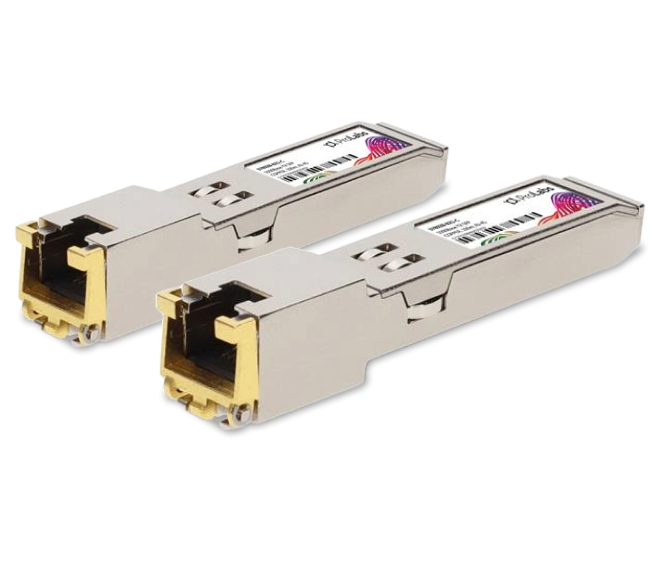
2 Matching results

378929-B21-C (1000BASE-SX SFP HP BladeSystem Compatible)
4.7 (6)- Transceiver
- Orm
- SFP+
- 10G
- LC
- 1310 nm
- Long-Range
Est Value In stock
First-Time Buyer Discount – Get up to 2% additional off on your first order
ORM Rewards Earn $50 in Rewards + Free Expedited Delivery – Join Now!
Use eCoupon ORMSAVE10
eCoupon limited to 5 units

378928-B21-C (1000BASE-T RJ-45 SFP HP BladeSystem Compatible)
4.5 (6)- Transceiver
- Orm
- QSFP
- 100G
- MPO
- 850nm
- Short-Range
Est Value In stockFirst-Time Buyer Discount – Get up to 2% additional off on your first order
ORM Rewards Earn $50 in Rewards + Free Expedited Delivery – Join Now!
Use eCoupon ORMSAVE10
eCoupon limited to 5 units

ORM Sales Advisors
Buying for your business? Get a personalised quote in under 2 hours. Talk to an expert
LEARNFilters (2) 
Questions & Answers
What is an HPE Blade Server Compatible SFP?
An HPE Blade Server Compatible SFP is a small form-factor pluggable transceiver module validated to work seamlessly with Hewlett Packard Enterprise blade servers, providing reliable fiber or copper network connectivity.
Which HPE blade server models support compatible SFP modules?
Compatible SFP modules are supported on HPE BladeSystem c-Class enclosures including c7000, c3000, Gen8, Gen9 and Gen10 blade servers when paired with supported interconnect modules.
What data rates are available for HPE Blade Server Compatible SFPs?
HPE Blade Server Compatible SFPs are available in 1 Gbps, 10 Gbps, 16 Gbps and 25 Gbps data rates, covering common Ethernet and Fibre Channel network requirements.
Which fiber types and interface connectors do these SFPs support?
These SFPs support multimode (OM1–OM5) and single-mode fiber with LC duplex connectors for SR, LR and ER optics, plus RJ-45 options for copper applications.
How do I install an SFP module on an HPE Blade Server?
To install, power down the server interconnect if required, align the SFP module with the port, gently push until it clicks, then power up or hot-swap if supported.
Can I use third-party SFPs in HPE Blade Servers without voiding warranty?
Yes, using qualified third-party HPE Blade Server Compatible SFPs does not void your server warranty so long as the modules meet HPE design and interoperability specifications.
How do I verify compatibility before purchasing an HPE blade server SFP?
Check the HPE Interoperability Matrix Tool for your blade enclosure and interconnect module, confirm part numbers, and ensure the vendor lists validated compatibility.
What is the maximum transmission distance for HPE Blade Server Compatible SFPs?
Distance varies by module: SR optics support up to 300 m on multimode fiber, LR up to 10 km on single-mode, and ER up to 40 km on single-mode fiber.
Do HPE Blade Server SFPs support hot-swapping?
Yes, HPE Blade Server Compatible SFP modules support hot-swapping in most c-Class interconnect bays, allowing module replacement without powering down the chassis.
How do I troubleshoot link issues with HPE blade SFP modules?
Verify fiber polarity, inspect connectors for damage, confirm the module appears in iLO or Virtual Connect, and replace the SFP or cable to isolate the fault.
Are HPE Blade Server Compatible SFP modules covered by warranty?
Most reputable vendors offer a lifetime or limited-time warranty on compatible SFP modules, covering defects in materials and workmanship under normal use.
How does the cost of compatible SFPs compare to HPE OEM modules?
Compatible SFPs typically cost 30–50% less than HPE OEM modules while maintaining equivalent performance, interoperability and warranty support.
Which cables should I use with SR versus LR SFP modules?
Use OM3/OM4 multimode fiber with LC duplex for SR optics and single-mode fiber with LC duplex for LR optics to achieve optimal link performance.
Can I mix data rate SFPs in the same HPE blade chassis?
Yes, you can mix 1 Gbps, 10 Gbps and higher-speed SFP modules in the same chassis if your interconnect modules and Virtual Connect fabrics support heterogeneous speeds.
How can I ensure optimal performance of my HPE blade server SFP modules?
Maintain clean fiber end-faces, use certified cables, monitor link statistics via iLO or Virtual Connect, and replace aging modules to prevent signal degradation.