 United States
Studio Poly Video Collaboration Hub
Experience unparalleled innovation with Poly Studio’s advanced video collaboration suite, delivering crisp, reliable communications designed for modern enterprises to boost productivity and enhance global connectivity.
Talk to an expert
3 Matching results
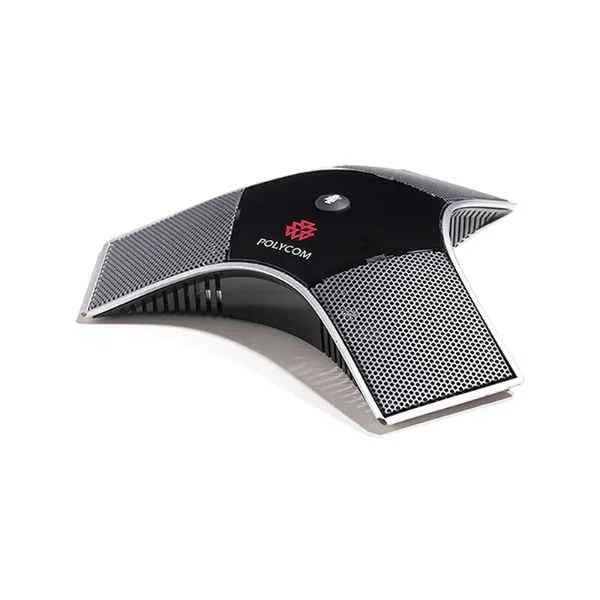
HDX-Series-Microphone (Polycom HDX series 6000/7000/8000 noise-reducing omnidirectional microphones with a pickup radius of 6 meters)
4.6 (5)- Video Conferencing Solution
- Poly
- Microphone
- Huddle Room / Boardroom / Hybrid Office / Classroom
Est Value In stock
First-Time Buyer Discount – Get up to 2% additional off on your first order
ORM Rewards Earn $50 in Rewards + Free Expedited Delivery – Join Now!
Use eCoupon ORMSAVE10
eCoupon limited to 5 units
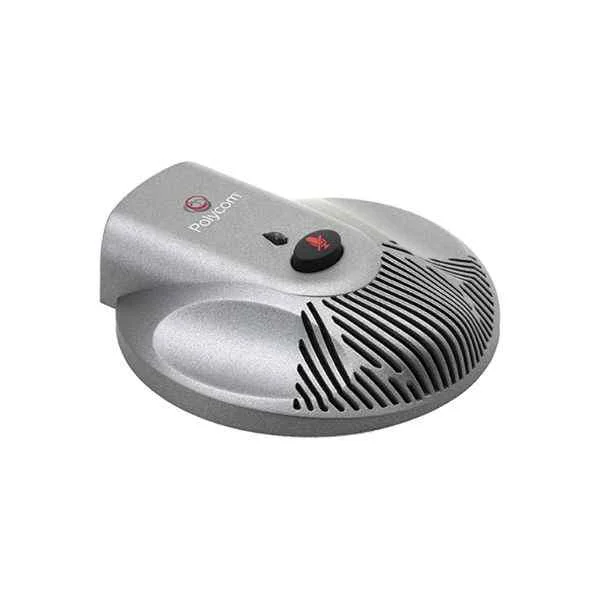
POLY-STUDIO-Expansion-Microphone (Polycom USB camera Polycom poly studio wide-angle/lens/4K video conferencing face voice tracking Poly studio extension microphone)
4.8 (5)- Video Conferencing Solution
- Poly
- Speakerphone Camera Combo
- Boardroom / Hybrid Office / Huddle Room
- 4K
- 30 FPS
- 120°
Est Value In stockFirst-Time Buyer Discount – Get up to 2% additional off on your first order
ORM Rewards Earn $50 in Rewards + Free Expedited Delivery – Join Now!
Use eCoupon ORMSAVE10
eCoupon limited to 5 units
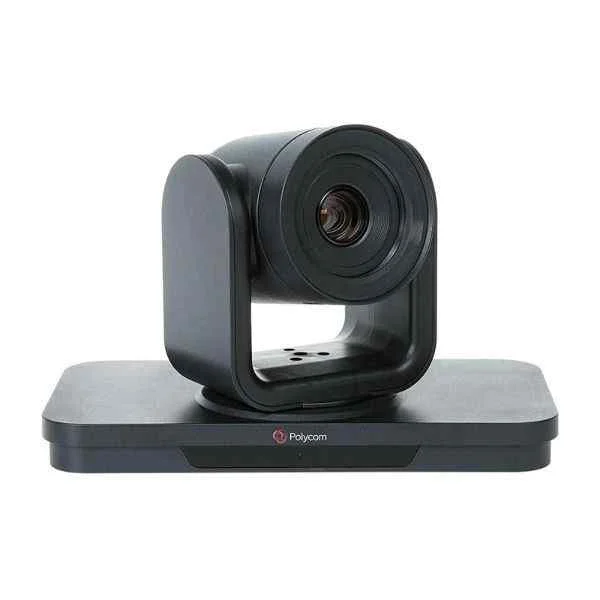
Group-Series-4th-Generation-Camera (Polycom EagleEye MPTZ-10 fourth-generation camera, suitable for Group series)
5 (5)- Video Conferencing Solution
- Poly
- PTZ Camera System
- Huddle Room / Boardroom / Hybrid Office / Classroom
- 1080p
- 30 FPS
- 120°
Est Value In stockFirst-Time Buyer Discount – Get up to 2% additional off on your first order
ORM Rewards Earn $50 in Rewards + Free Expedited Delivery – Join Now!
Use eCoupon ORMSAVE10
eCoupon limited to 5 units

ORM Sales Advisors
Buying for your business? Get a personalised quote in under 2 hours. Talk to an expert
LEARNFilters (3) 
Questions & Answers
What is Poly Studio?
Poly Studio is a USB video bar that integrates a 4K camera, premium audio, and noise-blocking technology to deliver professional-grade video conferencing in small to medium rooms.
What key features does Poly Studio offer?
Poly Studio features a 120° field of view 4K camera, automatic speaker framing, noise suppression, echo cancellation, and native USB connectivity for plug-and-play operation.
Which models are available in the Poly Studio lineup?
The Poly Studio family includes Poly Studio P5 for personal desktops, Poly Studio X50 for small rooms, Poly Studio X30 for huddle spaces, and Poly Studio R30 for mid-sized rooms.
What camera resolutions does Poly Studio support?
Poly Studio supports up to 4K UHD resolution at 30 fps and 1080p Full HD at 60 fps to ensure crisp, fluid video in every meeting.
How does Poly Studio deliver high-quality audio?
Poly Studio uses an adaptive microphone array, advanced noiseBlockAI™, and stereo speakers to provide clear, natural sound and suppress background noise.
Which conferencing platforms are compatible with Poly Studio?
Poly Studio is certified for Microsoft Teams, Zoom, Cisco Webex, and Google Meet, and also works with any application that supports USB video and audio.
How do I install Poly Studio in a conference room?
Simply mount Poly Studio on the display or wall, connect via USB-C to your meeting room PC or Mac, and power the device with the included adapter—no drivers required.
What system requirements are needed for Poly Studio?
Poly Studio requires a Windows 10/11 or macOS 10.14+ computer with an available USB-C port, 4 GB RAM, and Internet bandwidth of at least 2 Mbps for HD video.
Can I use Poly Studio with laptops and mobile devices?
Yes. Poly Studio connects via USB to laptops or compatible tablets, offering full video and audio support without additional adapters on most modern devices.
How do I update Poly Studio firmware?
Firmware updates can be applied through the Poly Lens desktop app or managed centrally via Poly Lens Cloud for seamless, over-the-air device refreshes.
Does Poly Studio support remote device management?
Yes. Poly Studio integrates with Poly Lens Cloud for real-time monitoring, configuration, firmware management, and usage analytics from any browser.
Which network protocols are supported by Poly Studio?
Poly Studio supports SIP/H.323, TLS, SRTP, HTTP/HTTPS, and STUN/TURN/ICE for secure, firewall-friendly connectivity in enterprise environments.
How does Poly Studio ensure privacy and security?
Poly Studio employs hardware-based encryption, secure boot, periodic security patches, and data protection in transit and at rest to meet enterprise compliance standards.
What warranty and support options are available for Poly Studio?
Poly Studio includes a one-year limited hardware warranty, with optional extended support plans offering advanced replacement and 24/7 technical assistance.
How do I troubleshoot common issues with Poly Studio?
Use the Poly Lens app to run diagnostics, check cables and ports, verify firmware is current, and consult online guides or Poly support for step-by-step resolution.
What accessories are compatible with Poly Studio?
Compatible accessories include wall mounts, expansion microphones, extension cables, and remote controls designed specifically for Poly Studio video bars.