 United States
Access Points by Asus
Engineered to deliver exceptional wireless coverage, Asus Access Points merge cutting-edge technology with unwavering reliability, ensuring secure connectivity, optimized performance, and comprehensive network control for modern enterprise environments.
Talk to an expert
3 Matching results
90IG0590-MO3G70 (ZenWiFi AX (XT8) - Wi-Fi 6 (802.11ax) - Tri-band (2.4 GHz / 5 GHz / 60 GHz) - Ethernet LAN - White - Tabletop router)
4.8 (6)- Wireless Product
- Asus
- Access Point
- Wi-Fi 6
- 2.4GHz / 5GHz
- 2.5Gbps
- 100 meters
Est Value In stock
First-Time Buyer Discount – Get up to 2% additional off on your first order
ORM Rewards Earn $50 in Rewards + Free Expedited Delivery – Join Now!
Use eCoupon ORMSAVE10
eCoupon limited to 5 units
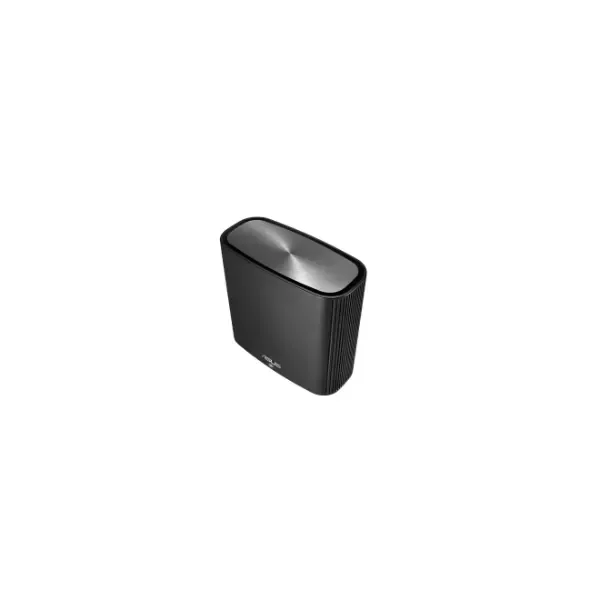
90IG04T0-MO3R50 (ZenWiFi AC (CT8) - Wi-Fi 5 (802.11ac) - Tri-band (2.4 GHz / 5 GHz / 5 GHz) - Ethernet LAN - Black - Tabletop router)
4.8 (6)- Wireless Product
- Asus
- Access Point
- Wi-Fi 6
- 2.4GHz / 5GHz
- 2.5Gbps
- 150 meters
Est Value In stockFirst-Time Buyer Discount – Get up to 2% additional off on your first order
ORM Rewards Earn $50 in Rewards + Free Expedited Delivery – Join Now!
Use eCoupon ORMSAVE10
eCoupon limited to 5 units
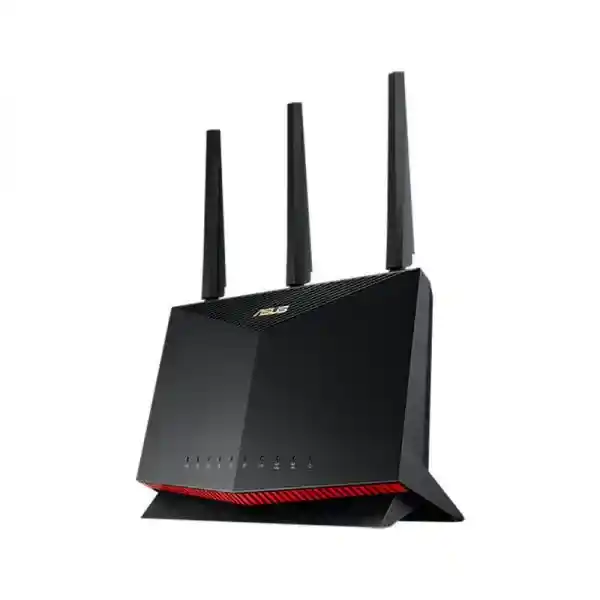
ASUS RT-AX86U (ASUS RT-AX86U, AX5700 Dual Band WiFi 6 Gaming Router, PS5 compatible, Mobile Game Mode, Lifetime Free Internet Security)
4.8 (8)- Wireless Router
- Asus
- Wi-Fi 6
- 2.4GHz, 5GHz
- 5700Mbps
Est Value In stockFirst-Time Buyer Discount – Get up to 2% additional off on your first order
ORM Rewards Earn $50 in Rewards + Free Expedited Delivery – Join Now!
Use eCoupon ORMSAVE10
eCoupon limited to 5 units

ORM Sales Advisors
Buying for your business? Get a personalised quote in under 2 hours. Talk to an expert
LEARNFilters (3) 
Questions & Answers
What is an Asus Access Point?
An Asus Access Point is a network device that extends wired Ethernet connections into secure, high-performance Wi-Fi coverage, ideal for homes and businesses seeking reliable wireless connectivity.
How do I set up an Asus Access Point?
To set up an Asus Access Point, connect it to your router via Ethernet, power it on, access the web GUI at 192.168.1.1, select Access Point mode, configure SSID and password, then save settings.
Which Asus Access Point model is best for home use?
For home use, the Asus RP-AC68 offers dual-band AC1900 speeds, robust coverage, and easy setup, making it an excellent balance of performance and value.
Can Asus Access Points support mesh networking?
Yes. Select Asus Access Points like the ZenWiFi series support AiMesh, allowing you to create a unified, scalable mesh network with seamless roaming and centralized management.
How do I update firmware on my Asus Access Point?
Log into the Asus Access Point’s web interface, navigate to Administration > Firmware Upgrade, upload the latest firmware file from asus.com, and follow prompts to complete the update.
Does my Asus Access Point support Power over Ethernet (PoE)?
Many Asus business-class Access Points, including the BRT-AC828, support PoE 802.3af/at. Verify your model’s specifications to ensure compatibility with your PoE switch or injector.
What is the maximum range of an Asus Access Point?
Range varies by model and environment. Typical Asus Access Points cover up to 2,000 sq ft indoors. External antennas and optimal placement can extend wireless reach.
How many devices can an Asus Access Point handle?
High-end Asus Access Points support over 200 concurrent clients. Entry-level models reliably manage 20–30 devices. Check your model’s datasheet for exact client capacity.
How do I secure my Asus Access Point?
Enable WPA3 or WPA2-PSK encryption, create a strong unique password, disable WPS, update firmware regularly, and configure a guest network to segment visitor traffic.
Does Asus Access Point support dual-band connectivity?
Yes. Most Asus Access Points support both 2.4 GHz and 5 GHz bands simultaneously, allowing devices to connect on the optimal frequency for speed and range.
How do I reset my Asus Access Point to factory settings?
Press and hold the reset button on the back of the Access Point for 10 seconds until LEDs blink. Release to restore factory defaults and reboot.
What is the difference between Asus router mode and Access Point mode?
In router mode, the device handles DHCP, NAT, and routing. Access Point mode disables these services, extending an existing network’s Wi-Fi via a wired connection.
Can I manage my Asus Access Point remotely?
Yes. Enable Asus DDNS and Remote Access in the web interface, then use the Asus Router app or web portal to monitor and configure settings from anywhere.
Are Asus Access Points compatible with third-party routers?
Absolutely. Asus Access Points function with any router supporting standard Ethernet. Simply connect via LAN port and configure Access Point mode for seamless integration.
How can I optimize my Asus Access Point’s performance?
Place the Access Point centrally, avoid obstructions, select non-overlapping channels, enable Quality of Service (QoS), and ensure firmware is up to date for peak performance.
Where can I buy Asus Access Points and get support?
Purchase authentic Asus Access Points from authorized retailers or the official Asus Store. For support, visit asus.com, access live chat, or consult the online knowledge base.