 United States
Intel Cooling Solutions Engineered Excellence
Experience superior thermal management and optimized processing performance with Intel Cooling Solutions engineered for robust heat dissipation and exceptional system reliability in critical computing environments.
Talk to an expert
7 Matching results
BXTS15A (Intel Thermal Solution BXTS15A - processor cooler)
4.9 (7)- Cooling Solution
- Intel
- Liquid (AIO)
- LGA 1700 / AM4
- Dual Ball
- Gaming / Overclocking / Server Cooling
- 2
Est Value $113.69
$97.05
14.6% offIn stockNewRefurbishedFirst-Time Buyer Discount – Get up to 2% additional off on your first order
ORM Rewards Earn $50 in Rewards + Free Expedited Delivery – Join Now!
Use eCoupon ORMSAVE10
eCoupon limited to 5 units
AWFCOPRODUCTAD (Intel Passive Airduct Kit AWFCOPRODUCTAD air duct)
4.6 (7)- Cooling Solution
- Intel
- Liquid (AIO)
- LGA 1700 / LGA 1200 / LGA 115x / AM4
- Fluid Dynamic
- Gaming / Overclocking / Server Cooling
- 2
Est Value In stockFirst-Time Buyer Discount – Get up to 2% additional off on your first order
ORM Rewards Earn $50 in Rewards + Free Expedited Delivery – Join Now!
Use eCoupon ORMSAVE10
eCoupon limited to 5 units
AXXSTCBLFAN (Intel fan cable)
4.4 (7)- Cooling Solution
- Intel
- Air
- LGA 1700 / LGA 1200 / LGA 115x / AM4
- Ball
- Gaming / Overclocking / Server Cooling
- 2
Est Value In stockFirst-Time Buyer Discount – Get up to 2% additional off on your first order
ORM Rewards Earn $50 in Rewards + Free Expedited Delivery – Join Now!
Use eCoupon ORMSAVE10
eCoupon limited to 5 units

ABSWHSX (Intel - processor heatsink)
4.7 (7)- Cooling Solution
- Intel
- Liquid (AIO)
- LGA 1700 / LGA 1200 / LGA 115x / AM4 / AM5
- Fluid Dynamic
- Gaming / Overclocking / Server Cooling
- 2
Est Value In stockFirst-Time Buyer Discount – Get up to 2% additional off on your first order
ORM Rewards Earn $50 in Rewards + Free Expedited Delivery – Join Now!
Use eCoupon ORMSAVE10
eCoupon limited to 5 units
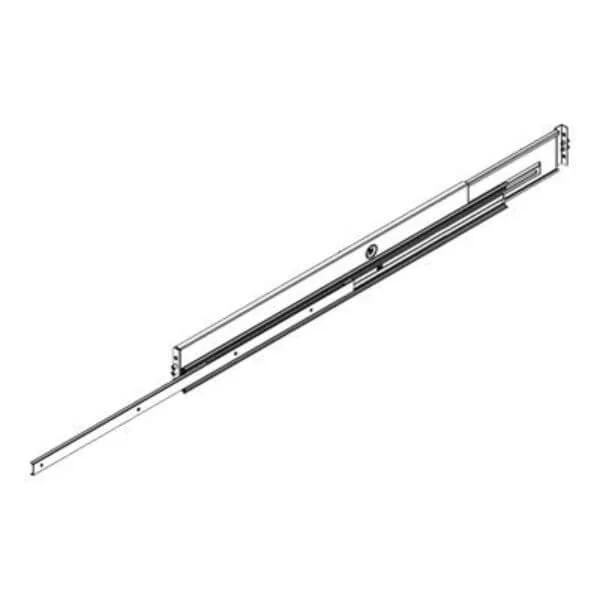
BXTSRS1 (BULK 24PK - LAMIANR RS1 COOLER 3YR WARRANTY MM#99ATLF NCNR 9/27/24)
4.7 (7)- Cooling Solution
- Intel
- Liquid (AIO)
- LGA 1200 / LGA 1700 / AM4 / AM5
- Fluid Dynamic
- Gaming / Overclocking / Server Cooling
- 2
Est Value In stockFirst-Time Buyer Discount – Get up to 2% additional off on your first order
ORM Rewards Earn $50 in Rewards + Free Expedited Delivery – Join Now!
Use eCoupon ORMSAVE10
eCoupon limited to 5 units

BXHTS1155LP (Intel Thermal Solution HTS1155LP - processor cooler)
4.6 (7)- Cooling Solution
- Intel
- Liquid (AIO)
- LGA 115x / AM4
- Dual Ball
- Gaming / Overclocking / Server Cooling
- 2
Est Value In stockFirst-Time Buyer Discount – Get up to 2% additional off on your first order
ORM Rewards Earn $50 in Rewards + Free Expedited Delivery – Join Now!
Use eCoupon ORMSAVE10
eCoupon limited to 5 units
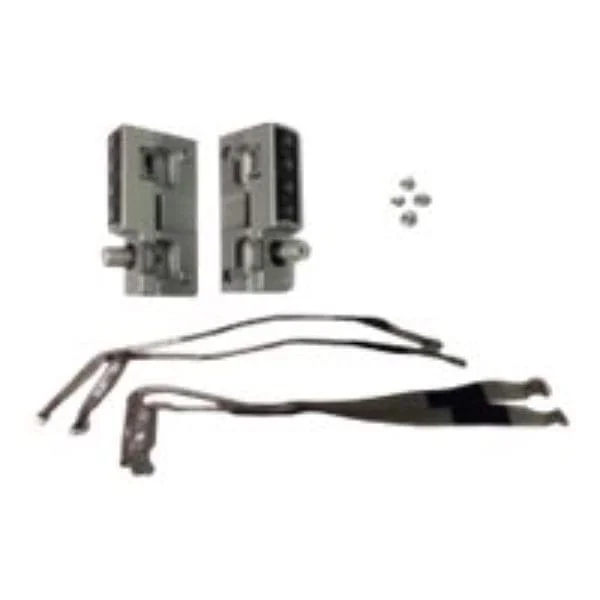
A4UCWDUCT (Intel - air duct)
4.9 (7)- Cooling Solution
- Intel
- Liquid (AIO)
- LGA 1700 / AM4
- Fluid Dynamic
- Gaming / Overclocking / Server Cooling
- 2
Est Value In stockFirst-Time Buyer Discount – Get up to 2% additional off on your first order
ORM Rewards Earn $50 in Rewards + Free Expedited Delivery – Join Now!
Use eCoupon ORMSAVE10
eCoupon limited to 5 units

ORM Sales Advisors
Buying for your business? Get a personalised quote in under 2 hours. Talk to an expert
LEARNFilters (7) 
Questions & Answers
What are Intel Cooling Solutions?
Intel Cooling Solutions are CPU thermal management systems designed by Intel to dissipate heat efficiently using air or liquid cooling technologies, ensuring optimal processor performance and longevity.
Which Intel CPUs include a stock cooler?
Intel CPUs with a “K” or “F” suffix typically do not include a stock cooler; non-K, non-F desktop CPUs usually ship with an Intel Boxed Cooler compatible with LGA platforms.
How do I install an Intel stock cooler?
Align the cooler’s four push-pins with the motherboard’s mounting holes, press down until each pin clicks, connect the fan’s 4-pin header to the CPU_FAN socket, and verify secure seating.
Can I use Intel liquid cooling on any motherboard?
Intel liquid coolers support standard LGA 115x, LGA 1200, LGA 1700, and select LGA 2066 sockets; check Intel’s compatibility matrix before installation.
How often should I clean my Intel CPU cooler?
Clean your Intel air cooler every three to six months by removing dust from fins and fan blades using compressed air to maintain thermal efficiency.
What is the TDP rating for Intel stock coolers?
Intel Boxed Coolers typically support CPUs up to 95W TDP; high-performance Intel liquid coolers can handle 125W and above, depending on the model.
How do I apply thermal paste correctly?
Apply a pea-sized drop of high-quality thermal paste at the center of the CPU heat spreader, then mount the cooler to evenly spread the compound under pressure.
Why is my Intel cooler making noise?
Noise can stem from dust buildup, fan imbalance, or high CPU load; inspect for debris, ensure fan blades spin freely, and adjust fan curves in BIOS or Intel software.
Does Intel liquid cooling require maintenance?
Intel closed-loop liquid coolers are maintenance-free for the product lifespan, with sealed loops that prevent coolant loss and air ingestion.
How do I monitor Intel cooler performance?
Use Intel® Extreme Tuning Utility (XTU) or motherboard BIOS to track CPU temperature, fan speed (RPM), and pump status in real time.
Can I overclock with Intel Cooling Solutions?
Yes; Intel high-performance air and liquid coolers are engineered for moderate to aggressive overclocking, supporting stable temperatures under increased CPU voltages.
What warranty covers Intel cooling products?
Intel cooling solutions carry a one-year limited warranty covering defects in materials and workmanship; extended warranties may apply through OEM or system integrator.
How do I replace the fan on an Intel air cooler?
Unplug the fan header, detach the fan from the heatsink clips, align the replacement fan with the clips, secure it to the heatsink, and reconnect the header.
What CFM rating do Intel fans offer?
Intel stock fans typically deliver 40–60 CFM at 2,200–3,200 RPM; liquid-cooling radiator fans range from 50–75 CFM depending on model and speed.
Are Intel coolers compatible with AMD CPUs?
Intel coolers can fit AMD AM4/AM5 sockets using third-party mounting brackets sold separately; ensure bracket compatibility before purchase.