 United States
Security Fixed Bullet Camera
Engineered for optimal 2/4Mp performance, offering dependable high-resolution video surveillance with robust weatherproof construction and advanced technology for reliable, secure monitoring across diverse outdoor environments.
Talk to an expert
1 Matching results
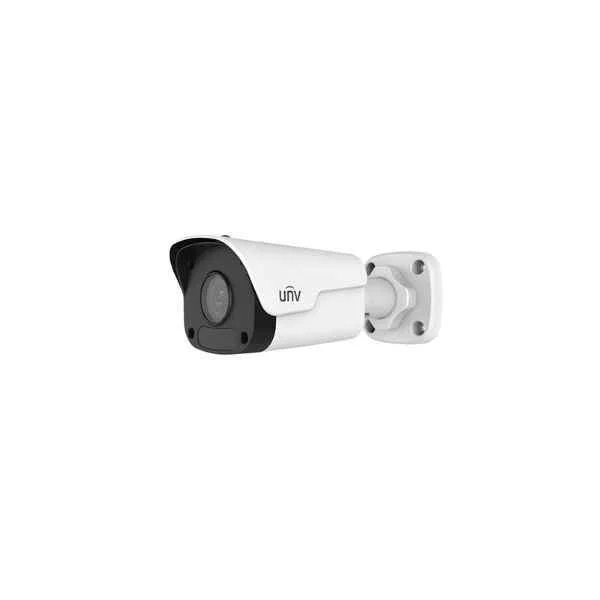
IPC2122LR3-PF60M-D (2MP Mini Fixed Bullet Network Camera)
4.6 (5)- IP Camera
- Uniview
- Dome
- Ceiling
- White
- Indoor Surveillance / Office / Retail / Critical Infrastructure
- 2MP
Est Value In stock
First-Time Buyer Discount – Get up to 2% additional off on your first order
ORM Rewards Earn $50 in Rewards + Free Expedited Delivery – Join Now!
Use eCoupon ORMSAVE10
eCoupon limited to 5 units

ORM Sales Advisors
Buying for your business? Get a personalised quote in under 2 hours. Talk to an expert
LEARNFilters (1) 
Questions & Answers
What are the key differences between the Uniview 2MP and 4MP Fixed Bullet cameras?
The Uniview 2MP delivers 1920×1080 at 30 fps, while the 4MP model provides 2560×1440 at 30 fps for up to 33 % more detail, both maintaining real-time performance.
What is the maximum resolution and frame rate of the Uniview Fixed Bullet series?
These cameras support up to 4 MP (2560×1440) at 30 fps and 2 MP (1920×1080) at 30 fps, ensuring smooth, high-definition video capture.
What lens options are available for the Uniview 2/4MP Fixed Bullet camera?
Fixed focal lengths include 2.8 mm, 4 mm, 6 mm, 8 mm, and 12 mm, offering fields of view from 110° to 32° for flexible coverage.
How far can the infrared night vision reach on these cameras?
Built-in IR LEDs deliver up to 30 meters of night vision, providing clear monochrome images in complete darkness.
What does the IP67 rating mean for outdoor use?
An IP67 rating ensures complete dust tightness and water resistance up to 1 m for 30 minutes, safeguarding against rain, snow, and dust.
Does the Uniview Fixed Bullet camera support Power over Ethernet (PoE)?
Yes, it supports IEEE 802.3af PoE, delivering both power and data via a single Ethernet cable for simplified installation.
Which video compression formats does the Uniview 2/4MP Fixed Bullet use?
It supports H.265, H.265+, H.264, and H.264+, optimizing bandwidth and storage without compromising image quality.
What storage options are available for the Uniview Fixed Bullet camera?
Local storage via microSD up to 256 GB, network video recorder (NVR), or third-party cloud services provide flexible retention.
How can I set up remote viewing for the Uniview 2/4MP Fixed Bullet camera?
Use Uniview’s EZView mobile app or EZStation desktop client to link your camera via UID or IP address for live view and playback.
Is the Uniview Fixed Bullet compatible with ONVIF or third-party systems?
Yes, it is ONVIF Profile S/G compliant, ensuring seamless integration with most NVRs, VMS platforms, and third-party devices.
What smart detection features does the Uniview 2/4MP Fixed Bullet offer?
It includes motion detection, line-crossing, intrusion alarm, and customizable zones with adjustable sensitivity for accurate event alerts.
What are the installation requirements for the Uniview Fixed Bullet?
Mount on a stable surface, connect to PoE switch or injector, configure network settings via web interface, and adjust viewing angle as needed.
Can the Uniview 2/4MP Fixed Bullet operate in extreme temperatures?
Yes, it functions reliably from –30 °C to 60 °C, making it suitable for harsh outdoor environments.
How do I perform firmware updates on the Uniview Fixed Bullet camera?
Access the camera’s web interface or EZStation software, upload the latest Uniview firmware file, and follow on-screen update prompts.
What warranty and support options are available for the Uniview 2/4MP Fixed Bullet?
Uniview offers a 3-year limited warranty with direct technical support and firmware upgrades via authorized distributors.