 United States
Trusted by the Highest-Stakes Buyers
Federal agencies and Fortune 500 operations source through ORM Systems.
US Government & Defense
Enterprise Clients

Featured Deal
Hand-picked by our procurement team for standout value. This unit is offered at our sharpest price on current stock, verified against live market rates.
Name:

Added to cart 28 times recently
Ready to Ship
Certified Refurbished
Professionally inspected, bench-tested, and firmware-verified, with configurations wiped. Restored to full working order and backed by our warranty.


3 Year Extended Warranty


Same-day Shipping

30-Day Money Back Guarantee
Shipping:
Payment:
3 Year Extended Warranty
Same-day Shipping
30-Day Money Back Guarantee
Need Additional Discount on Product?
Request a quote below - Get Exclusive Pricing and Support.
Shipping:
Payment:
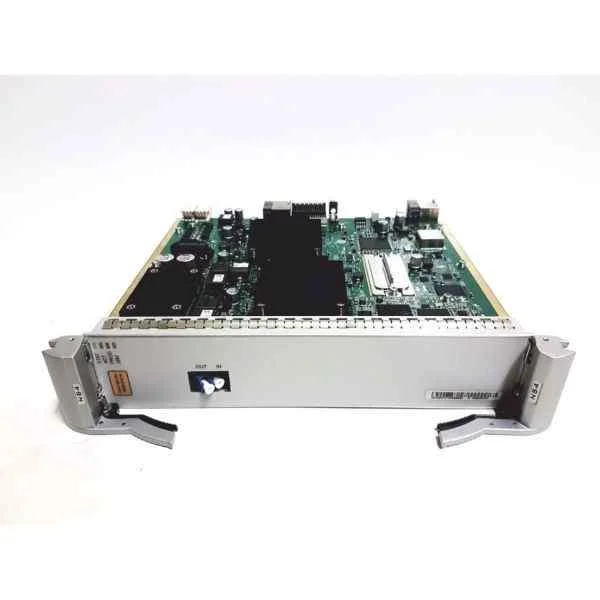
IT11MXIA
Huawei IT11MXIA MZ610,2*40G Port HCA Mezzanine Card,PCIE 3.0...
Trusted by the Highest-Stakes Buyers
Federal agencies and Fortune 500 operations source through ORM Systems.
US Government & Defense




Enterprise Clients



Built Global. Stocked Local.
Regional teams and 25+ distribution partners keep stock near you and accountability in your time zone.
Buyer Protection on Every Order
Pay by PayPal or Revolut with full chargeback rights. Order on PO terms, Net-30 for government.
Verified By Federal Bodies
Every registration we claim is public record — check our federal contractor status yourself before you spend a dollar.



Since 2016, Enterprise-Trusted
Ten years serving buyers who audit their vendors. From federal agencies to 20,000+ enterprise clients worldwide.
IT11MXIA is a high-performance SFP+ network card that delivers 10Gbps data rates, engineered for seamless integration with routers, switches, and servers in modern data center environments. Designed with an SFP+ connector and a PCIe form factor, it supports TCP/IP and iSCSI protocols, ensuring reliable, high-speed connectivity for mission-critical applications.
Optimized for rapid installation and enterprise compatibility, IT11MXIA is ideal for upgrading server network interfaces and expanding data center capacity. With robust features such as auto-negotiation, Wake-on-LAN, jumbo frames, and QoS, this module meets the rigorous demands of leading vendors including Cisco, Juniper, Arista, Dell, and HP.
IT11MXIA price is is available on request. Get immediate quote.
Request bulk order quote for IT11MXIA for additional pricing. Browse the full Huawei Server Pcie Cards series or explore all Huawei products.
Mon–Fri: [09:00-16:00]
Avg. response under 30 mins

| IT11MXIA | 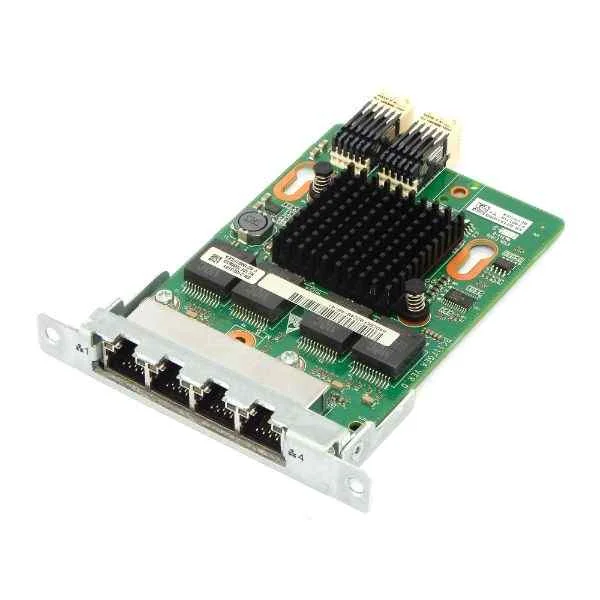 BC1MESMCR800 BC1MESMCR800 |  MELIBSP00 MELIBSP00 | 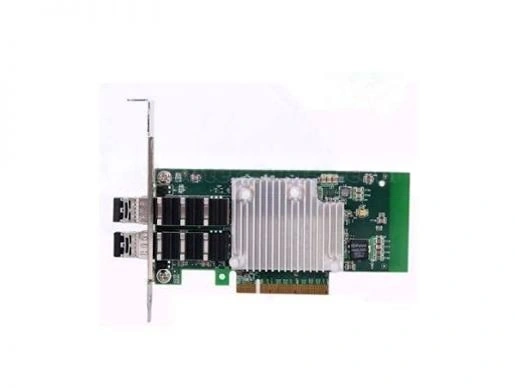 BC1M01FXEB BC1M01FXEB | 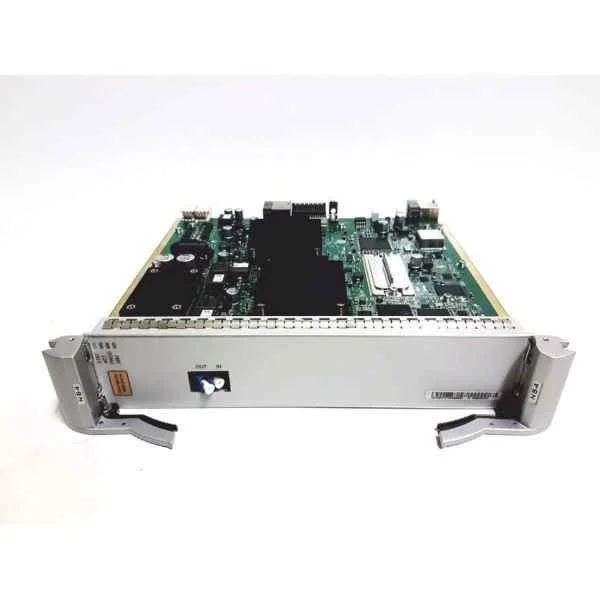 IT11MFIB IT11MFIB | |
|---|---|---|---|---|---|
| Compatibility | Cisco, Juniper, Arista, Dell, HP | Cisco / Juniper / Arista / Dell / HP | Cisco / Juniper / Arista / Dell / HP | Cisco, Juniper, Arista | Cisco / Juniper / Arista / Dell / HP |
| Connector Type | SFP+ | SFP+ | SFP+ | SFP+ | SFP+ |
| Data Rate | 10Gbps | 10Gbps | 10G | 10Gbps | 10G |
| Form Factor | PCIe | PCIe | PCIe | PCIe | PCIe |
| Input Voltage | 3.3V | 3.3V | 3.3V | 3.3V | 3.3V |
| Interface Ports | SFP+ | SFP+ | SFP+ | SFP+ | Fibre Channel |
| Max Speed | 10Gbps | 10Gbps | 10Gbps | 10Gbps | 10Gbps |
| Module Type | SFP+ | Ethernet | Ethernet | Ethernet | Fibre Channel |
| Operating Temperature | 0 to 70°C | 0 to 70°C | 0 to 70°C | 0 to 70°C | 0 to 70°C |
| Power Consumption | 12W | 10W | 15W | 10W | 5W |
| Product Name | IT11MXIA 10Gbps SFP+ Network Card | BC1MESMCR800 High-Performance 10Gbps Ethernet Module | MELIBSP00 10Gbps Ethernet PCIe Network Module | BC1M01FXEB High-Performance 10GbE Network Adapter | IT11MFIB Fibre Channel Network Card |
| Product Type | Network Card | Network Module / Network Card | Network Module / Network Card | Network Card | Network Card |
| Storage Temperature | -40 to 85°C | -40 to 85°C | -40 to 85°C | -40 to 85°C | -40 to 85°C |
| Supported Protocols | TCP/IP, iSCSI | TCP/IP / iSCSI | TCP/IP / iSCSI | TCP/IP, iSCSI | TCP/IP / iSCSI / Fibre Channel |


Every unit is authentic, sourced through trusted and authorised channels, and serial-verified on request. Genuine networking and IT hardware, guaranteed, or your money back.

New products are backed by up to 3 years of extended warranty, and certified refurbished units by up to 3 months, for dependable protection on every order. Coverage is clear, honoured in full, and confirmed on each product page.

If a unit ever falls short, our streamlined RMA process gets a replacement to you fast, with advance replacement available to keep your network running. No jargon, no runaround.

Every device is inspected, bench-tested, and firmware-verified, with configurations wiped before dispatch. Additional testing can be arranged to confirm full working condition on request.

Our specialists assist with compatibility, configuration, licensing, and installation, before and after you buy. Real hardware expertise, whenever you need it.

dispatched quickly and shipped worldwide from regional hubs, fully tracked and insured.
Reviewed on the 7 November 2025

40G HCA mezzanine delivered low-latency performance.
Reviewed on the 2 September 2017
Excellent for high-performance computing.
Reviewed on the 23 March 2026
Stable under sustained workloads.
Reviewed on the 30 December 2020
No driver issues.
Reviewed on the 10 November 2018
Reliable connectivity.
Reviewed on the 5 June 2020
Meets data center needs.
The Huawei IT11MXIA MZ610 is a PCIe 3.0 x8 Host Channel Adapter mezzanine card with two 40GbE QSFP+ ports, delivering high-speed data connectivity and low-latency performance for Huawei blade servers.
The IT11MXIA MZ610 is compatible with Huawei FusionServer blade chassis that support PCIe 3.0 x8 mezzanine slots, including the FusionServer M610 and M620 series.
The MZ610 mezzanine card uses a PCI Express 3.0 x8 interface, ensuring high-bandwidth, low-latency data transfer within Huawei server environments.
The IT11MXIA MZ610 features two QSFP+ ports, each supporting up to 40 Gbps of bidirectional throughput for an aggregate 80 Gbps connection.
This 2×40G HCA card offers RDMA over Converged Ethernet (RoCE), CPU offload, and sub-microsecond latency to optimize data center efficiency and accelerate application response.
The MZ610’s QSFP+ ports support standard 40GbE QSFP+ AOC, DAC, or LC/MPO multimode fiber cables, ensuring seamless integration with existing 40G network infrastructures.
Power down the server, open the blade chassis, align the MZ610 with the PCIe 3.0 x8 mezzanine slot, insert firmly, secure with screws, then power on and install drivers.
Huawei provides certified Linux and Windows drivers as well as regular firmware updates on the Huawei Support website to ensure optimal compatibility and performance.
Yes. The IT11MXIA MZ610 fully supports RDMA over Converged Ethernet (RoCE) v1/v2 to deliver low-latency, high-throughput communication for distributed workloads.
Each QSFP+ port on the IT11MXIA MZ610 supports up to 40 Gbps of throughput, enabling a combined maximum of 80 Gbps for high-performance networking.
No. The IT11MXIA MZ610 draws all necessary power directly from the server’s PCIe 3.0 x8 slot and does not need external power cables.
The IT11MXIA MZ610 is a half-height, half-length mezzanine card measuring 167 mm × 69 mm, designed to fit Huawei blade server mezzanine bays.
The MZ610 operates reliably between 0 °C and 55 °C with 5%–95% non-condensing humidity, leveraging standard server chassis cooling.
After driver installation, use the Huawei UEFI Network Manager or your OS network tools to assign IPs, configure VLANs, and set Quality-of-Service policies.
Huawei provides a one-year limited hardware warranty for the IT11MXIA MZ610, with optional extended support plans and 24/7 technical assistance.
The IT11MXIA MZ610 delivers sub-microsecond RDMA latency, ideal for latency-sensitive applications like high-frequency trading and real-time analytics.
Download the latest firmware package from Huawei Support, use the iBMC or OS-based utility to upload and apply the update, then reboot the server.







