 United States
Routers Elite ASR Router Performance
Optimize your network infrastructure with the ASR Router. Engineered for unparalleled reliability, enhanced throughput, and advanced security features, it delivers exceptional connectivity and scalable performance in demanding environments.
Talk to an expert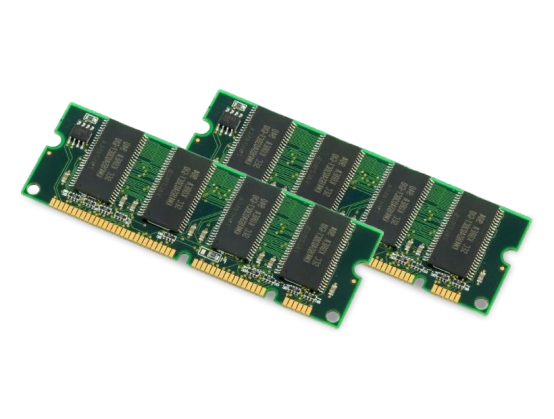
8 Matching results
MEMUSB-1024FT (1GB USB FLASH TOKEN FOR CISCO ASR 1000 SERIES SPARE)
4.6 (5)- Computer Memory
- Cisco
- DDR4
- 1TB
- Desktop
- UDIMM
Est Value $1,017.16
$852.48
16.2% offIn stockNewRefurbishedFirst-Time Buyer Discount – Get up to 2% additional off on your first order
ORM Rewards Earn $50 in Rewards + Free Expedited Delivery – Join Now!
Use eCoupon ORMSAVE10
eCoupon limited to 5 units
M-ASR1K-EUSB-1GB (Cisco ASR 1000 RP Memory M-ASR1K-EUSB-1GB)
4.8 (5)- Computer Memory
- Cisco
- DDR4
- 1GB
- Desktop / Laptop / Server
- SODIMM
Est Value $2,473.00$1,114.05
55% offIn stockNewFirst-Time Buyer Discount – Get up to 2% additional off on your first order
ORM Rewards Earn $50 in Rewards + Free Expedited Delivery – Join Now!
Use eCoupon ORMSAVE10
eCoupon limited to 5 units
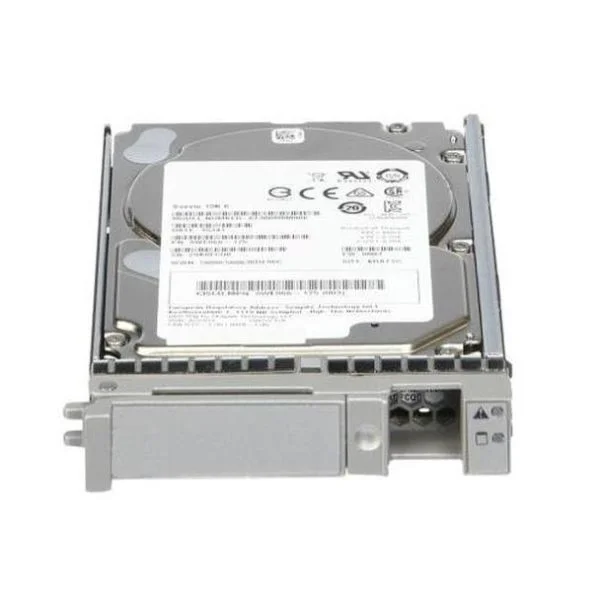
M-ASR1K-HDD-40GB (Cisco ASR 1000 RP Memory M-ASR1K-HDD-40GB)
4.6 (5)- Computer Memory
- Cisco
- DDR4
- 40 GB
- Server
- Rack Server
- RDIMM
Est Value $2,500.00$2,328.01
6.9% offIn stockNewRefurbishedFirst-Time Buyer Discount – Get up to 2% additional off on your first order
ORM Rewards Earn $50 in Rewards + Free Expedited Delivery – Join Now!
Use eCoupon ORMSAVE10
eCoupon limited to 5 units
M-ASR1K-EUSB-2GB (Cisco ASR 1000 RP Memory M-ASR1K-EUSB-2GB)
4.8 (5)- Computer Memory
- Cisco
- DDR4
- 2 GB
- Laptop
- SODIMM
Est Value $3,000.00$474.12
84.2% offIn stockNewRefurbishedFirst-Time Buyer Discount – Get up to 2% additional off on your first order
ORM Rewards Earn $50 in Rewards + Free Expedited Delivery – Join Now!
Use eCoupon ORMSAVE10
eCoupon limited to 5 units
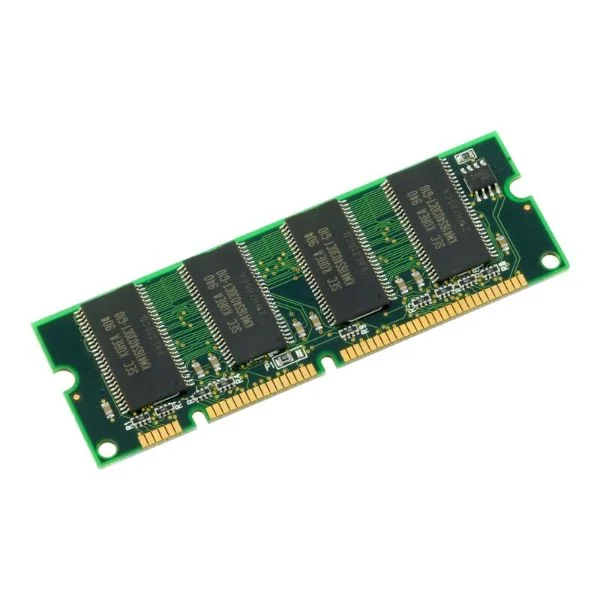
M-ASR1002X-16GB (Cisco ASR1002-X 16GB DRAM)
4.8 (5)- Computer Memory
- Cisco
- DDR4
- 16 GB
- Desktop
- UDIMM
Est Value $2,025.00$303.85
85% offIn stockNewRefurbishedFirst-Time Buyer Discount – Get up to 2% additional off on your first order
ORM Rewards Earn $50 in Rewards + Free Expedited Delivery – Join Now!
Use eCoupon ORMSAVE10
eCoupon limited to 5 units
M-ASR1K-RP1-4GB (Cisco ASR 1000 RP Memory M-ASR1K-RP1-4GB)
4.6 (5)- Computer Memory
- Cisco
- DDR4
- 4 GB
- Server
- Rack Server / Tower Server
- RDIMM
Est Value $3,706.00$555.92
85% offIn stockNewRefurbishedFirst-Time Buyer Discount – Get up to 2% additional off on your first order
ORM Rewards Earn $50 in Rewards + Free Expedited Delivery – Join Now!
Use eCoupon ORMSAVE10
eCoupon limited to 5 units
M-ASR1K-RP2-16GB (Cisco ASR 1000 RP Memory M-ASR1K-RP2-16GB)
4.8 (5)- Computer Memory
- Cisco
- DDR4
- 16 GB
- Desktop / Server
- Rack Server / Tower Server
- UDIMM
Est Value $13,700.00$2,055.14
85% offIn stockNewRefurbishedFirst-Time Buyer Discount – Get up to 2% additional off on your first order
ORM Rewards Earn $50 in Rewards + Free Expedited Delivery – Join Now!
Use eCoupon ORMSAVE10
eCoupon limited to 5 units
M-ASR1K-RP2-8GB (Cisco ASR 1000 RP Memory M-ASR1K-RP2-8GB)
4.4 (5)- Computer Memory
- Cisco
- DDR4
- 8 GB
- Desktop / Laptop / Server
- Rack Server / Tower Server / Blade Server / Workstation
- RDIMM
Est Value $8,917.00$1,337.60
85% offIn stockNewRefurbishedFirst-Time Buyer Discount – Get up to 2% additional off on your first order
ORM Rewards Earn $50 in Rewards + Free Expedited Delivery – Join Now!
Use eCoupon ORMSAVE10
eCoupon limited to 5 units

ORM Sales Advisors
Buying for your business? Get a personalised quote in under 2 hours. Talk to an expert
LEARNFilters (8) 
Questions & Answers
What is the ASR Router?
The ASR Router is a high-performance dual-band Wi-Fi device that delivers speeds up to 3 Gbps, advanced security, and flexible management for home and small office networks.
How do I set up my ASR Router for the first time?
Connect the ASR Router to your modem and power source, open a browser at 192.168.1.1 or the mobile app, then follow the guided setup wizard to configure SSID, password, and admin credentials.
What internet speeds can the ASR Router support?
The ASR Router supports up to 3 Gbps over dual-band Wi-Fi (2.4 GHz and 5 GHz) and full Gigabit Ethernet throughput on its LAN ports for ultra-fast wired connections.
How do I update the firmware on my ASR Router?
Log in to the ASR Router web interface, go to Administration > Firmware Update, upload the downloaded firmware file from our support site, and click ‘Upgrade’ to install and reboot.
Does the ASR Router support dual-band Wi-Fi?
Yes, the ASR Router broadcasts both 2.4 GHz and 5 GHz bands simultaneously, optimizing range and throughput for all connected devices.
How can I secure my ASR Router against unauthorized access?
Enable WPA3 encryption, change the default admin username and password, disable WPS, and keep firmware up to date to protect your network from intruders.
Can I use the ASR Router with IPv6?
Yes, the ASR Router offers full IPv6 support with automatic address assignment (SLAAC/DHCPv6) and firewall rules to ensure compatibility with next-generation networks.
What is the warranty on the ASR Router?
The ASR Router comes with a two-year limited hardware warranty covering defects in materials and workmanship under normal residential or commercial use.
How do I configure parental controls on the ASR Router?
Access the web interface or mobile app, navigate to Security > Parental Controls, create profiles for each device, and set time limits or content filters per schedule.
Does the ASR Router support guest Wi-Fi networks?
Yes, you can enable a secure guest SSID with isolated traffic, bandwidth limits, and custom captive portals under Wireless > Guest Network settings.
How do I perform a factory reset on my ASR Router?
Press and hold the reset button on the router’s back panel for 10 seconds until LEDs flash, then release to restore all settings to factory defaults.
What troubleshooting steps should I take if my ASR Router drops connection?
Restart your modem and router, verify cables, update firmware, check signal interference, and review logs under System > Diagnostics for error details.
Is the ASR Router compatible with mesh networking?
Yes, the ASR Router can integrate with our optional mesh satellites using a wireless backhaul to extend seamless Wi-Fi coverage throughout your home or office.
How do I set up a VPN pass-through on the ASR Router?
Enable IPsec or PPTP pass-through under Security > VPN, then define port forwarding rules for UDP 500, UDP 4500, and protocol 50 as required by your VPN client.
What quality of service (QoS) features does the ASR Router offer?
The ASR Router provides application-based QoS, device priority, and bandwidth allocation controls under Traffic Management to optimize gaming, streaming, and VoIP.
How can I monitor real-time network usage on my ASR Router?
Open the web interface or mobile app and view the Dashboard or Traffic Statistics sections for real-time charts of bandwidth use per device and application.
Where can I purchase the ASR Router and what payment methods are accepted?
The ASR Router is available through our official website and authorized resellers; we accept major credit cards, PayPal, and financing options at checkout.