 United States
Category Hikvision NVR 9600 Series
Experience advanced surveillance with the Hikvision NVR 9600 Series, engineered for high-density environments. This robust, secure system delivers scalable monitoring and efficient recording solutions for evolving security needs.
Talk to an expert
2 Matching results
- BEST SELLING
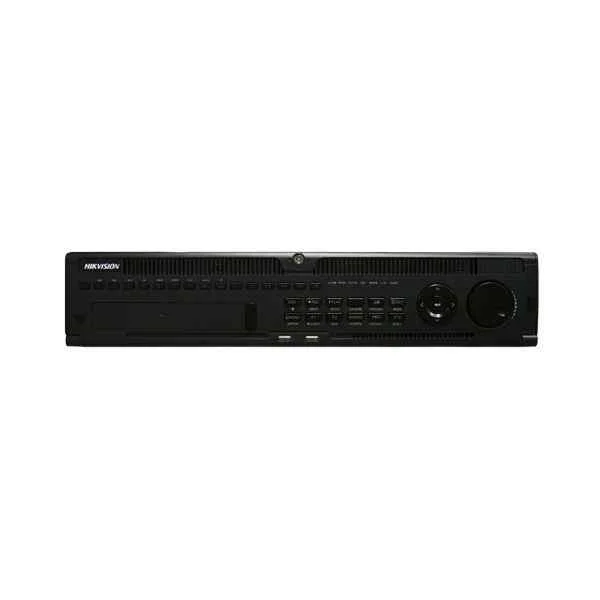
DS-9632NI-I8 (32-ch 2U 4K NVR)
4.6 (5)Est Value In stock
First-Time Buyer Discount – Get up to 2% additional off on your first order
ORM Rewards Earn $50 in Rewards + Free Expedited Delivery – Join Now!
Use eCoupon ORMSAVE10
eCoupon limited to 5 units
- BEST SELLING
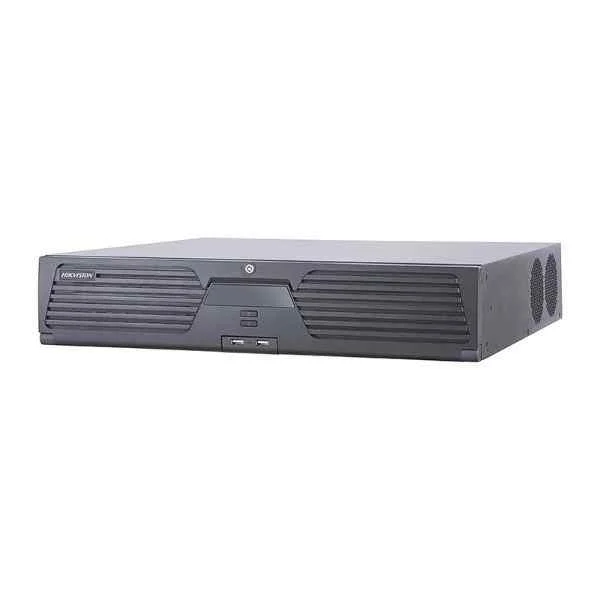
iDS-9632NXI-I816S (DeepinMind NVR)
4.2 (5)Est Value In stockFirst-Time Buyer Discount – Get up to 2% additional off on your first order
ORM Rewards Earn $50 in Rewards + Free Expedited Delivery – Join Now!
Use eCoupon ORMSAVE10
eCoupon limited to 5 units

ORM Sales Advisors
Buying for your business? Get a personalised quote in under 2 hours. Talk to an expert
LEARNFilters (2) 
Questions & Answers
What are the key features of the Hikvision NVR 9600 Series?
The Hikvision NVR 9600 Series delivers 4K recording, up to 256-channel support, built-in PoE, RAID storage, AI analytics and S.M.A.R.T. health monitoring for enterprise-grade video management.
How many channels does the Hikvision NVR 9600 Series support?
The Hikvision NVR 9600 Series supports up to 256 IP camera channels, enabling large-scale surveillance deployments with flexible decoding and recording options.
What storage capacity options are available in the Hikvision NVR 9600 Series?
The Hikvision NVR 9600 Series accommodates up to 12 SATA drives with capacities up to 10 TB each, plus RAID 0/1/5/6/10 configurations for scalable, redundant storage.
Does the Hikvision NVR 9600 Series support RAID configurations?
Yes. The Hikvision NVR 9600 Series supports RAID 0, 1, 5, 6 and 10, ensuring data redundancy, high availability and fault tolerance for mission-critical video archives.
What maximum video resolution does the Hikvision NVR 9600 Series support?
The Hikvision NVR 9600 Series supports recording and playback at up to 4K (3840×2160) resolution per channel, delivering crystal-clear detail for forensic analysis.
How do I set up remote access on the Hikvision NVR 9600 Series?
Configure DDNS or Hik-Connect in the NVR web interface, forward port 8000/554 on your router, then log in via the Hik-Connect app or browser for secure remote viewing.
Does the Hikvision NVR 9600 Series offer Power over Ethernet (PoE)?
Certain models of the Hikvision NVR 9600 Series include built-in PoE+ ports (up to 30 W each), simplifying installation by powering cameras directly through Ethernet cables.
Which camera brands and models are compatible with the Hikvision NVR 9600 Series?
The Hikvision NVR 9600 Series is fully compatible with all Hikvision IP cameras and ONVIF-compliant third-party cameras, ensuring seamless integration and plug-and-play operation.
How do I update the firmware on my Hikvision NVR 9600 Series?
Download the latest firmware from Hikvision’s official website, upload it via the NVR web interface under Maintenance → Firmware Upgrade, then reboot to complete the update.
How can I configure motion detection and alerts on the Hikvision NVR 9600 Series?
In the NVR menu, navigate to Configuration → Event → Basic Event, enable motion detection per channel, set sensitivity, and configure email or push notifications for real-time alerts.
Which network protocols does the Hikvision NVR 9600 Series support?
The Hikvision NVR 9600 Series supports TCP/IP, UDP, HTTP, HTTPS, RTSP, ONVIF, SNMP and SDK protocols for flexible integration with network management and third-party systems.
What are the installation requirements for the Hikvision NVR 9600 Series?
Install the NVR in a well-ventilated rack or cabinet, connect LAN and camera feeds, allocate PoE power if needed, attach storage drives and configure network settings per user manual.
Can the Hikvision NVR 9600 Series integrate with Video Management Systems (VMS)?
Yes. The Hikvision NVR 9600 Series integrates with major VMS platforms via ONVIF, ISAPI and Hikvision SDK, enabling centralized monitoring and unified alarm management.
What are the minimum system requirements to view Hikvision NVR 9600 Series footage?
For optimal playback, use a PC running Windows 10 or later, Chrome/Edge browser, dual-core CPU 2 GHz+, 4 GB RAM and a stable broadband connection of at least 5 Mbps.
How do I back up recordings from the Hikvision NVR 9600 Series?
Access Playback → Export in the NVR interface, select camera, time range and file format, then save to USB storage or network share for secure off-site archiving.
What warranty and technical support options are available for the Hikvision NVR 9600 Series?
Hikvision offers a 2-year limited warranty on the NVR 9600 Series. Technical support is available via Hikvision’s online portal, email and authorized service centers.