 United States
Network Video Recorder – Uniview NVR316
The Uniview NVR316 Series delivers advanced surveillance technology with robust performance, seamless scalability, and superior reliability for professional video monitoring, empowering comprehensive security management.
Talk to an expert
2 Matching results
- BEST SELLING
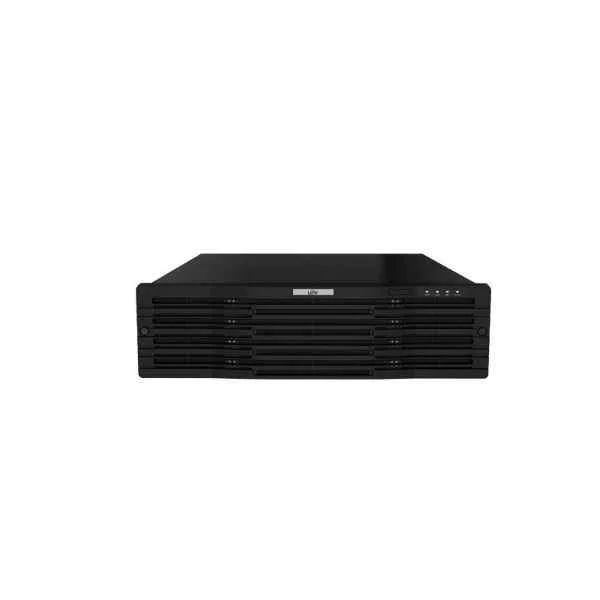
NVR316-32R-B (320Mbps, 16 x 1080P, 8 x 4MP, 4 x 4K)
4.6 (5)Est Value In stock
First-Time Buyer Discount – Get up to 2% additional off on your first order
ORM Rewards Earn $50 in Rewards + Free Expedited Delivery – Join Now!
Use eCoupon ORMSAVE10
eCoupon limited to 5 units
- BEST SELLING
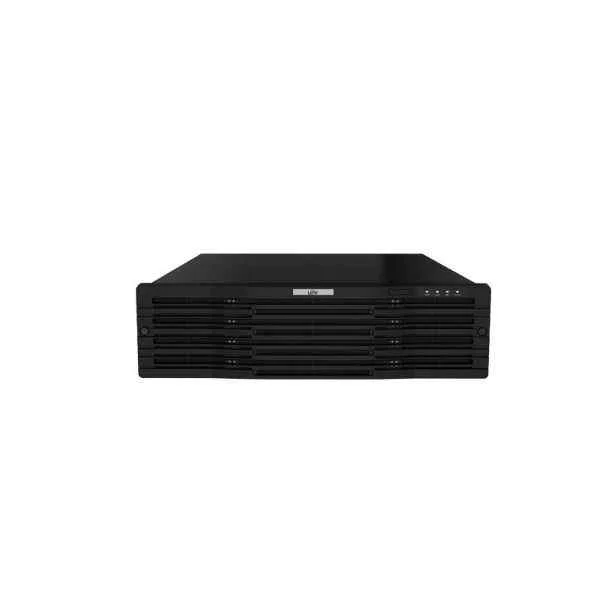
NVR316-64R-B (320Mbps 16 x 1080P 8 x 4MP 4 x 4K)
4.2 (5)Est Value In stockFirst-Time Buyer Discount – Get up to 2% additional off on your first order
ORM Rewards Earn $50 in Rewards + Free Expedited Delivery – Join Now!
Use eCoupon ORMSAVE10
eCoupon limited to 5 units

ORM Sales Advisors
Buying for your business? Get a personalised quote in under 2 hours. Talk to an expert
LEARNFilters (2) 
Questions & Answers
What is the Uniview NVR316 series?
The Uniview NVR316 series is a mid-range network video recorder supporting up to 32-channel HD recording, advanced H.265+ compression, and flexible multi-bay storage for scalable surveillance solutions.
Which models are available in the Uniview NVR316 series?
Uniview offers NVR316-16-4KS2 and NVR316-32-4KS2 models, with “E” variants (NVR316-16-4KS2E and NVR316-32-4KS2E) providing extended PoE and enhanced remote management capabilities.
How many channels can the Uniview NVR316 series record?
The NVR316 series supports recording on 16 or 32 IP camera channels depending on the selected model, ensuring comprehensive coverage for medium to large-scale installations.
What video resolutions and frame rates does the Uniview NVR316 series support?
The series supports up to 8MP (4K) resolution per channel at 30 fps, with flexible downscaling to CIF for optimized bandwidth and storage efficiency.
What compression formats are supported by the Uniview NVR316 series?
It supports H.265+, H.265, H.264+, and H.264 codecs to minimize bandwidth and storage consumption without compromising image clarity.
How many HDDs can I install in the Uniview NVR316 recorder?
The NVR316 series features four SATA slots, each supporting up to 10 TB drives for a total raw capacity of up to 40 TB.
Does the Uniview NVR316 series support RAID configurations?
Yes, it offers RAID 0, 1, 5, and 10 modes for data redundancy and performance optimization, safeguarding critical recordings.
Which network protocols and features are supported by the Uniview NVR316?
Supported protocols include TCP/IP, DHCP, DNS, NTP, PPPoE, UPnP, RTSP, and ONVIF Profile S for seamless integration and flexible deployment.
Can I access the Uniview NVR316 series remotely?
Yes, you can access it remotely via the EZView mobile app, EZStation desktop client, or any modern web browser with HTTPS/SSL encryption.
Is the Uniview NVR316 series compatible with third-party IP cameras?
Yes, ONVIF Profile S compliance ensures interoperability with a wide range of third-party IP cameras and third-party VMS platforms.
What smart analytics features are available on the Uniview NVR316 series?
The series offers motion detection, line crossing, intrusion detection, tampering alarms, and fast smart search for efficient event analysis.
How do I perform a firmware upgrade on the Uniview NVR316 series?
Download the latest firmware from Uniview’s support portal and upload it via the NVR web interface under System > Maintenance, then follow the on-screen instructions.
What is the power consumption of the Uniview NVR316 series?
Typical power consumption is ≤15 W (excluding hard drives), providing energy-efficient operation in 24/7 surveillance environments.
What are the physical dimensions and weight of the Uniview NVR316 recorder?
The NVR316 measures 260 × 218 × 45 mm and weighs approximately 1.2 kg (excluding HDDs), fitting standard desktop or 1U rack configurations.
How do I configure HDD management and overwrite settings on the Uniview NVR316 series?
Navigate to Storage > HDD Management in the web interface to view disk status, perform smart formatting, and set automatic overwrite schedules.
What warranty and technical support does Uniview provide for the NVR316 series?
Uniview offers a two-year warranty, global technical support, and free firmware updates through its authorized distributors and service centers.