 United States
Router Series HP Msr1000
Elevate your enterprise network with the HP Msr1000 Router Series, featuring advanced security protocols, seamless connectivity, and scalable performance designed for high-demand, mission-critical applications.
Talk to an expert
3 Matching results
- BEST SELLING
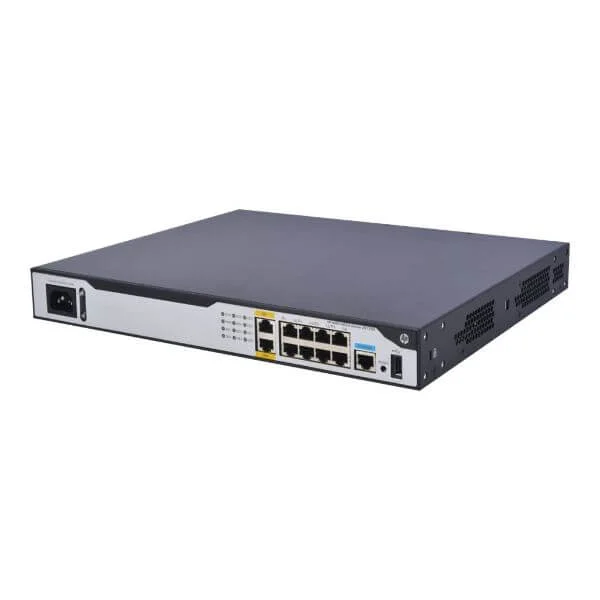
JG732A (HP MSR1003-8 AC Router)
4.4 (5)- Enterprise Router
- Hpe
- IPSec / SSL VPN
- AC Power Supply / Redundant
- OSPF / BGP / Static Routing
- Modular
Est Value $386.90
$330.28
14.6% offIn stockRefurbishedFirst-Time Buyer Discount – Get up to 2% additional off on your first order
ORM Rewards Earn $50 in Rewards + Free Expedited Delivery – Join Now!
Use eCoupon ORMSAVE10
eCoupon limited to 5 units
- BEST SELLING
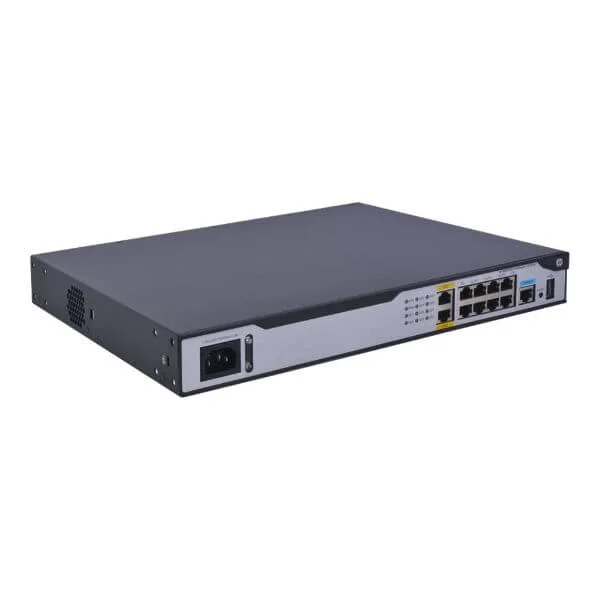
JG875A (HP MSR1002-4 AC Router)
4.6 (5)- Enterprise Router
- Hpe
- IPSec / SSL VPN
- AC Power Supply / DC Power Supply / Redundant
- OSPF / BGP / EIGRP / Static Routing
- Fiber Optic / DSL
- Modular
Est Value $500.00$477.75
4.5% offIn stockRefurbishedFirst-Time Buyer Discount – Get up to 2% additional off on your first order
ORM Rewards Earn $50 in Rewards + Free Expedited Delivery – Join Now!
Use eCoupon ORMSAVE10
eCoupon limited to 5 units
- BEST SELLING
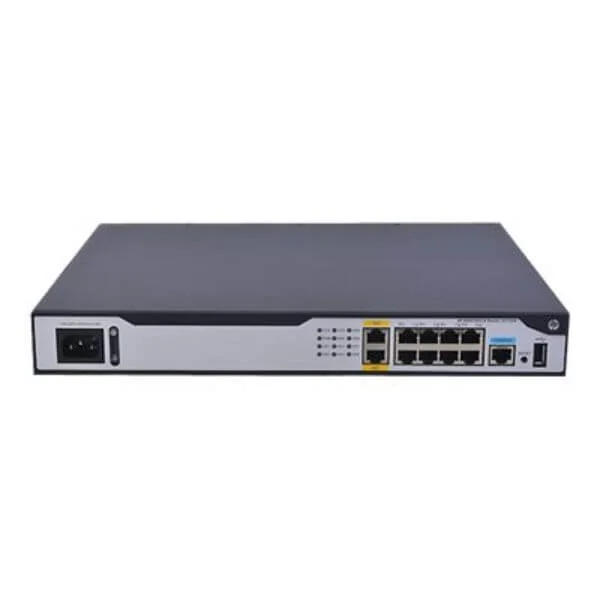
JH060A (HPE FlexNetwork MSR1003 8S AC Router)
4.6 (5)- Enterprise Router
- Hpe
- IPSec / SSL VPN
- AC Power Supply / DC Power Supply / Redundant
- OSPF / BGP / EIGRP / Static Routing
- Fiber Optic / LTE
- Modular
Est Value $1,226.00$570.52
53.5% offIn stockRefurbishedFirst-Time Buyer Discount – Get up to 2% additional off on your first order
ORM Rewards Earn $50 in Rewards + Free Expedited Delivery – Join Now!
Use eCoupon ORMSAVE10
eCoupon limited to 5 units

ORM Sales Advisors
Buying for your business? Get a personalised quote in under 2 hours. Talk to an expert
LEARNFilters (3) 
Questions & Answers
What is the HP MSR1000 Router Series?
The HP MSR1000 Router Series is a family of enterprise-class edge routers delivering high-performance WAN connectivity, multi-service integration and advanced security for branch and campus networks.
What are the key features of HP MSR1000 routers?
Key features include modular interface slots, multi-core forwarding, integrated firewall and VPN acceleration, extensive QoS capabilities and support for IPv4/IPv6 routing protocols.
Which models are available in the HP MSR1000 series?
The series includes models such as MSR1003, MSR1005 and MSR1010, each offering varying interface densities, throughput levels and power supply options to fit diverse deployment needs.
What throughput performance can I expect from HP MSR1000 routers?
Depending on the model, the MSR1000 series delivers from 200 Mbps up to 1 Gbps of forwarding throughput with hardware-accelerated services enabled.
How scalable is the HP MSR1000 Router Series?
The MSR1000 series is highly scalable via hot-swappable modules for additional ports, memory and optional expansion blades supporting evolving bandwidth and service requirements.
What types of ports and interfaces do HP MSR1000 routers support?
MSR1000 routers support Gigabit Ethernet RJ-45, SFP/SFP+ optical modules, serial WAN links and USB ports for storage and 4G/LTE backup.
Which routing protocols are supported by the MSR1000 series?
The series supports dynamic routing protocols including OSPF, BGP, RIP, ISIS, VRRP and MPLS-TE for robust WAN and campus deployments.
How do I configure an HP MSR1000 router?
Configuration is available via the intuitive CLI or Web GUI, and can be centrally managed through HP Intelligent Management Center (IMC) using standardized configuration templates.
What security features are built into the HP MSR1000 series?
Built-in security includes stateful firewall, IPSec VPN acceleration, DoS protection, ACL enforcement, MAC address filtering and integrated intrusion prevention.
How can I update firmware on an HP MSR1000 router?
Firmware can be updated via TFTP/FTP or the Web GUI: back up the current configuration, upload the new image to flash, and reboot to apply.
What are the power and environmental specifications?
MSR1000 routers support redundant AC/DC power supplies, consume between 45–150 W depending on modules, and operate in 0–45 °C ambient temperatures.
Does the MSR1000 series support VPN connectivity?
Yes, it supports IPSec, GRE, SSL VPN, MPLS VPN and dynamic VPN establishment for secure site-to-site and remote access connectivity.
How do I troubleshoot common issues on HP MSR1000 routers?
Use built-in diagnostic commands (display interface, display logbuffer, debug), review syslogs, verify physical links and consult HP support documentation for error codes.
What management options are available for MSR1000 routers?
Management options include CLI, Web GUI, SNMP v2/v3, NetConf/YANG, RESTful APIs and integration with HP Intelligent Management Center (IMC).
Where can I find documentation and support for the MSR1000 series?
Official documentation, firmware downloads, release notes and technical support are available on the HPE Support Center website under Networking Routers.
What are the ideal use cases for HP MSR1000 routers?
Ideal use cases include branch office WAN aggregation, secure VPN concentrator, campus edge routing, IoT gateway deployments and managed service provider edge routing.