 United States
Trusted by the Highest-Stakes Buyers
Federal agencies and Fortune 500 operations source through ORM Systems.
US Government & Defense
Enterprise Clients

Featured Deal
Hand-picked by our procurement team for standout value. This unit is offered at our sharpest price on current stock, verified against live market rates.
Name:

Added to cart 28 times recently
Ready to Ship
Certified Refurbished
Professionally inspected, bench-tested, and firmware-verified, with configurations wiped. Restored to full working order and backed by our warranty.


3 Year Extended Warranty


Same-day Shipping

30-Day Money Back Guarantee
Shipping:
Payment:
3 Year Extended Warranty
Same-day Shipping
30-Day Money Back Guarantee
Need Additional Discount on Product?
Request a quote below - Get Exclusive Pricing and Support.
Shipping:
Payment:
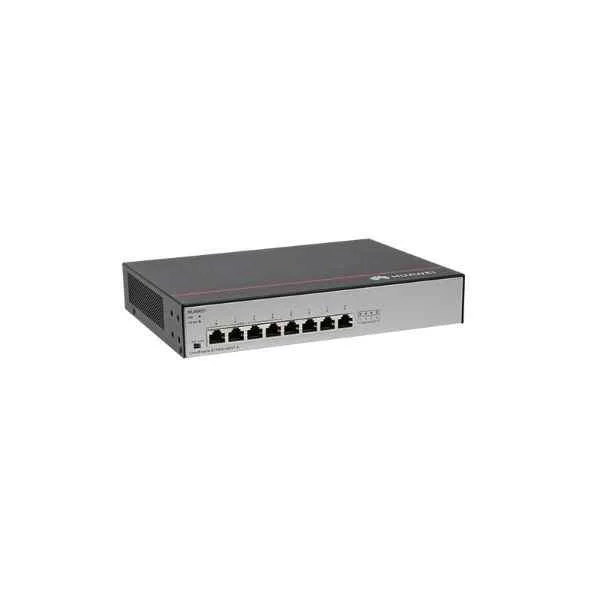
S1730S-L4P4T-A
S1730S-L4P4T-A (8 10/100/1000BASE-T Ethernet ports, 4-port P...
Trusted by the Highest-Stakes Buyers
Federal agencies and Fortune 500 operations source through ORM Systems.
US Government & Defense




Enterprise Clients



Built Global. Stocked Local.
Regional teams and 25+ distribution partners keep stock near you and accountability in your time zone.
Buyer Protection on Every Order
Pay by PayPal or Revolut with full chargeback rights. Order on PO terms, Net-30 for government.
Verified By Federal Bodies
Every registration we claim is public record — check our federal contractor status yourself before you spend a dollar.



Since 2016, Enterprise-Trusted
Ten years serving buyers who audit their vendors. From federal agencies to 20,000+ enterprise clients worldwide.
Overview of S1730S-L4P4T-A
S1730S-L4P4T-A is a highly efficient managed switch designed with a fixed, rack-mount architecture that supports stacking for seamless scalability in growing network environments. It offers versatile power options using an AC power supply and features a mix of copper and combo ports to deliver reliable 10/100/1000 Ethernet connectivity along with dedicated SFP uplink capabilities.
S1730S-L4P4T-A is engineered for high-performance deployments, ensuring rapid packet switching and robust throughput for mission‐critical applications. Its proven design makes it ideal for small to medium-sized businesses, branch offices, and secure campus environments where reliability, efficient stacking, and expanded connectivity are essential.
S1730S-L4P4T-A price is is available on request. Get immediate quote.
Request bulk order quote for S1730S-L4P4T-A for additional pricing. Browse the full Huawei S1700 Series Switches series or explore all Huawei products.
Mon–Fri: [09:00-16:00]
Avg. response under 30 mins

| S1730S-L4P4T-A | 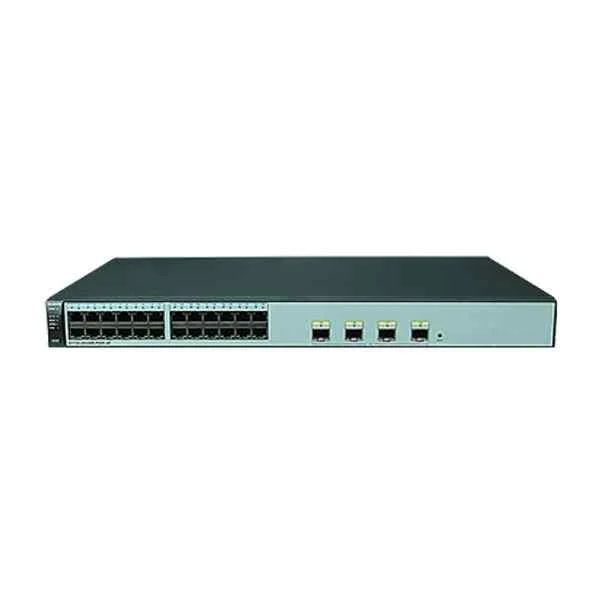 S1720-28GWR-PWR-4P S1720-28GWR-PWR-4P |  S1720-10GW-PWR-2P S1720-10GW-PWR-2P |  S1730S-L8T-A S1730S-L8T-A | 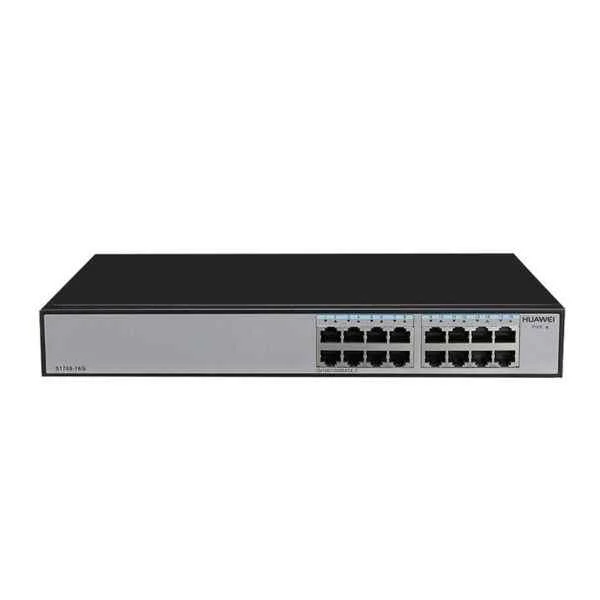 S1700-16G S1700-16G | |
|---|---|---|---|---|---|
| Ethernet Technology | 10/100/1000 | 10/100/1000 | 10/100/1000 | 10/100/1000 | 10/100/1000 |
| Flash Memory | 64 MB | 64 MB | 64 MB | 32 MB | 64 MB |
| Form Factor | Rack-mount | Rack-mount | Rack-mount | Rack-mount | Rack-mount |
| IOS | LAN Lite | LAN Lite | LAN Base | LAN Lite | LAN Lite |
| Interface Ports | 10/100/1000 | 10/100/1000 | 10/100/1000 | 10/100/1000 | 10/100/1000 |
| Layer Supported | Layer 2 | Layer 2 | Layer 2 | Layer 2 | Layer 2 |
| Manageable | Managed | Managed | Managed | Managed | Managed |
| Manufacturer Part Number | S1730S-L4P4T-A | S1720-28GWR-PWR-4P | S1720-10GW-PWR-2P | S1730S-L8T-A | S1700-16G |
| Media Type Supported | Combo | Twisted Pair / Fiber / Combo | Twisted Pair | Twisted Pair | Twisted Pair |
| Memory | 256 MB | 128 MB | 256 MB | 128 MB | 256 MB |
| Number of Downlink Ports | 8 Ports | 24–48 Ports | 8 Ports | 8 Ports | 16 Ports |
| Number of Ethernet Ports | Under 12 Ports | 24–48 Ports | Under 12 Ports | Under 12 Ports | 12–24 Ports |
| POE Support | POE | POE+ | POE+ | Non POE | Non POE |
| Power Source | AC Power Supply | AC Power Supply | Redundant Power Supply / AC Power Supply | AC Power Supply | AC Power Supply |
| Product Name | Cisco 1730 Series Managed Switch - S1730S-L4P4T-A | Cisco S1720-28GWR-PWR-4P Intelligent Gigabit Switch | Zyxel S1720-10GW-PWR-2P Managed Gigabit Switch | Cisco Small Business 1730S L8T Managed Switch | S1700-16G Gigabit Managed Switch |
| Product Type | Switch | Switch | Switch | Switch | Switch |
| Rack Units | 1 RU | 1 RU | 1 RU | 1 RU | 1 RU |
| Redundant Power Supply Supported | No | No | Yes | No | No |
| Uplink Configuration | 1G | 1G | 1G | 1G | 1G |


Every unit is authentic, sourced through trusted and authorised channels, and serial-verified on request. Genuine networking and IT hardware, guaranteed, or your money back.

New products are backed by up to 3 years of extended warranty, and certified refurbished units by up to 3 months, for dependable protection on every order. Coverage is clear, honoured in full, and confirmed on each product page.

If a unit ever falls short, our streamlined RMA process gets a replacement to you fast, with advance replacement available to keep your network running. No jargon, no runaround.

Every device is inspected, bench-tested, and firmware-verified, with configurations wiped before dispatch. Additional testing can be arranged to confirm full working condition on request.

Our specialists assist with compatibility, configuration, licensing, and installation, before and after you buy. Real hardware expertise, whenever you need it.

dispatched quickly and shipped worldwide from regional hubs, fully tracked and insured.
Reviewed on the 21 October 2021

Compact PoE+ switch with dependable performance.
Reviewed on the 2 April 2025
Stable connectivity for small business setups.
Reviewed on the 6 January 2025
Reliable power delivery and smooth switching.
Reviewed on the 5 September 2019
Easy to deploy in limited-space environments.
Reviewed on the 15 November 2025
Consistent uptime and practical port mix.
Reviewed on the 6 January 2022
Efficient and stable networking solution.
The S1730S-L4P4T-A is an 8-port Gigabit Ethernet switch with four 802.3at PoE+ ports, an internal AC power supply, Layer 2 switching, VLAN support, QoS, and web/CLI management.
The S1730S-L4P4T-A offers four PoE+ ports delivering up to 30 W per port with a shared maximum budget of 60 W.
Yes, the S1730S-L4P4T-A ships with a built-in, auto-sensing AC power supply compatible with 100–240 VAC, 50/60 Hz sources.
This switch delivers a 20 Gbps switching capacity and up to 14.88 Mpps forwarding rate, ensuring wire-speed performance on all 10/100/1000 Mbps ports.
Yes, the S1730S-L4P4T-A supports up to 256 VLANs (port-based and 802.1Q tagged) for network segmentation and traffic isolation.
Use the web GUI or CLI to enable/disable PoE per port, set power priorities, and monitor real-time power consumption under the PoE Configuration menu.
Management options include a web-based GUI, serial console port, SSH/CLI, SNMP v1/v2/v3, RMON, and optional Aruba AirWave integration.
Yes, the S1730S-L4P4T-A features a fanless design for silent operation, making it ideal for office and conference room deployments.
The S1730S-L4P4T-A is backed by a limited lifetime warranty covering hardware defects and free next-business-day advance replacement.
No, the S1730S-L4P4T-A does not support stacking; however, it can be managed centrally via Aruba AirWave or cloud-based Aruba Central.
This switch is optimized for small offices, retail locations, and branch sites requiring PoE for IP phones, cameras, or wireless access points.
Yes, it offers 8 hardware queues, 802.1p priority, DSCP mapping, and rate limiting to ensure voice, video, and critical data receive appropriate bandwidth.
Press and hold the reset button on the rear panel for 10 seconds until the SYS LED blinks, restoring default username/password and settings.
You can install the S1730S-L4P4T-A on a standard 19″ rack using the included brackets or mount it on a wall using optional accessories.
As a Layer 2 switch, it supports static IP for management, DHCP client/server, ARP management, and limited static routing via management VLAN.
Download the latest ArubaOS-S firmware from the Aruba support portal and apply it via the web GUI’s Firmware Upgrade section or via TFTP/FTP.







