 United States
Storage Systems Dell Powervault MD1200
Experience robust data protection with Dell Powervault MD1200 Storage Solutions, engineered for high-performance enterprise environments. Optimize your storage capacity and scalability with unparalleled reliability and cutting-edge technology.
Talk to an expert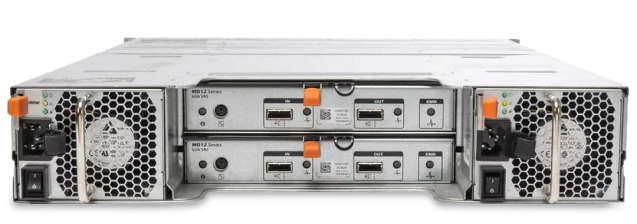
1 Matching results
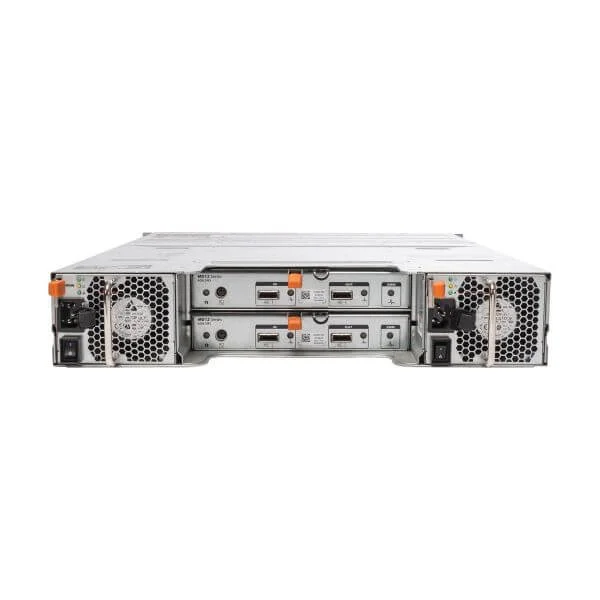
Dell MD1200 Controller*1+H800 (Dell MD1200 controller*1+H800)
0 (0)- Storage System
- Dell
- SAN
- Rackmount
- 12-bay
- SATA HDD / SAS HDD / SATA SSD
- Yes
Est Value In stock
First-Time Buyer Discount – Get up to 2% additional off on your first order
ORM Rewards Earn $50 in Rewards + Free Expedited Delivery – Join Now!
Use eCoupon ORMSAVE10
eCoupon limited to 5 units

ORM Sales Advisors
Buying for your business? Get a personalised quote in under 2 hours. Talk to an expert
LEARNFilters (1) 
Questions & Answers
What is the Dell PowerVault MD1200 storage enclosure?
The Dell PowerVault MD1200 is a direct-attach 2U SAS expansion enclosure that provides high-density, high-performance storage with 12 drive bays and 12Gb/s SAS connectivity for Dell servers.
What are the key features of the Dell PowerVault MD1200?
Key features include twelve hot-swappable 3.5\
What storage capacities are supported by the MD1200?
The MD1200 supports up to 96TB of raw capacity using twelve 8TB NL-SAS drives and allows mixed HDD and SSD configurations for tiered performance.
Which drive types are compatible with the MD1200?
The enclosure supports 3.5\
How does the MD1200 connect to Dell servers?
The MD1200 connects to Dell servers via dual 12Gb/s Mini-SAS ports using a SAS HBA or PERC RAID controller, providing redundant paths for high availability.
Which RAID levels can I use with the MD1200?
When paired with a Dell PERC or MD series controller, the MD1200 supports hardware RAID levels 0, 1, 5, 6, 10, 50, and 60 for balanced performance and data protection.
How do I configure the MD1200 enclosure?
Configuration is performed using the Dell Storage Manager or the RAID controller’s BIOS utility, where you define RAID sets, assign LUNs, and manage volume provisioning.
What is the procedure for installing drives in the MD1200?
To install drives, power down the enclosure, slide each drive into an empty bay until it clicks, then power the system back on to recognize the new modules automatically.
How can I monitor the health of my MD1200?
Use Dell OpenManage Server Administrator or Dell Storage Manager for real-time alerts, predictive failure analytics, and detailed health reports on drives and enclosure components.
Can I mix HDDs and SSDs in the same MD1200 enclosure?
Yes, the MD1200 supports mixed HDD and SSD deployments, though drives should be grouped into separate RAID pools to optimize performance and endurance characteristics.
Is the MD1200 scalable with other PowerVault arrays?
You can chain up to four MD1200 enclosures behind a single Dell storage controller to scale capacity up to 384TB of raw storage in a single pool.
What is the power consumption of the MD1200?
Under full load, the MD1200 consumes up to 550W, and it features redundant hot-swappable power supplies to ensure continuous operation.
Does the MD1200 support hot-swapping of drives and components?
Yes, the MD1200 supports hot-swapping of drives, power supplies, and cooling modules without interrupting storage access or server workloads.
What management software is included with the MD1200?
The MD1200 includes Dell Storage Manager for centralized administration, and integrates with OpenManage and Active Directory for streamlined operations.
Which workloads are best suited for the MD1200?
The MD1200 is ideal for mid-market virtualization, database acceleration, backup target storage, and data archiving where cost-effective, high-capacity expansion is required.
How do I update the firmware on my MD1200?
Firmware updates are applied via the Dell Repository Manager or OpenManage Server Administrator, which guide you through downloading and installing the latest enclosure, drive, and backplane firmware.
What warranty and support options are available for the MD1200?
The MD1200 ships with a three-year limited hardware warranty and offers optional ProSupport for 24/7 onsite service, extended coverage, and proactive health monitoring.