United States




Trusted by the Highest-Stakes Buyers
Federal agencies and Fortune 500 operations source through ORM Systems.
US Government & Defense
Enterprise Clients

Featured Deal
Hand-picked by our procurement team for standout value. This unit is offered at our sharpest price on current stock, verified against live market rates.
Name:

Added to cart times recently
Ready to Ship
Certified Refurbished
Professionally inspected, bench-tested, and firmware-verified, with configurations wiped. Restored to full working order and backed by our warranty.
 upto3Years Warranty
$1,436.94
$724.2249.6% off
Quantity:
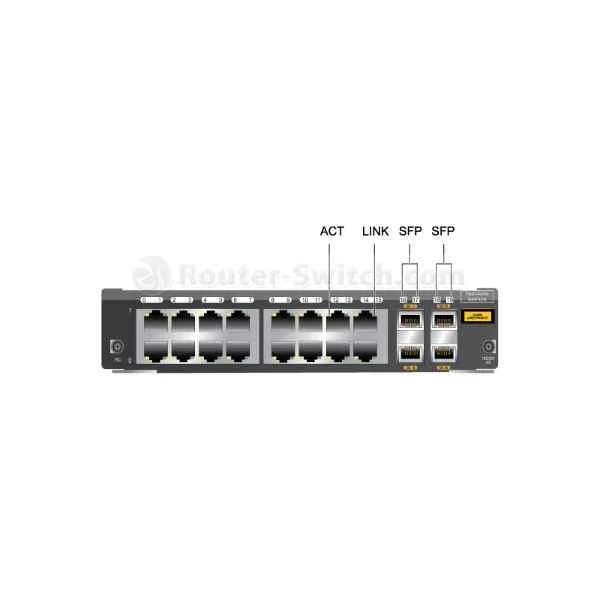
SU2DFG16S400
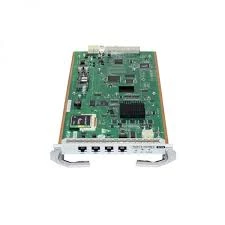
16GE(RJ45)+4GE(SFP) Mixed Interface Card
Trusted by the Highest-Stakes Buyers
Federal agencies and Fortune 500 operations source through ORM Systems.
US Government & Defense




Enterprise Clients



Built Global. Stocked Local.
Regional teams and 25+ distribution partners keep stock near you and accountability in your time zone.
Buyer Protection on Every Order
Pay by PayPal or Revolut with full chargeback rights. Order on PO terms, Net-30 for government.
Verified By Federal Bodies
Every registration we claim is public record — check our federal contractor status yourself before you spend a dollar.



Since 2016, Enterprise-Trusted
Ten years serving buyers who audit their vendors. From federal agencies to 20,000+ enterprise clients worldwide.
Overview of SU2DFG16S400
SU2DFG16S400 is a high-performance Ethernet module engineered for high-speed connectivity and reliability in modern data centers. It supports a maximum data rate of 10Gbps and features SFP+ connector technology, making it ideal for upgrading server network interfaces and connecting high-speed networks. With compatibility across leading platforms such as Cisco, Juniper, Dell, HP, and Arista, this PCIe-based module ensures seamless integration into various network infrastructures while supporting essential protocols like TCP/IP.
The SU2DFG16S400 module is designed for easy installation and robust performance within demanding operating environments. It offers key features including auto-negotiation, wake-on-LAN, jumbo frames, and QoS support, ensuring optimal network traffic management. Its operational temperature range of 0 to 70°C and storage range of -40 to 85°C make it suitable for diverse deployment scenarios, positioning the module as a reliable choice for expanding data center capacity and enhancing network speed.
SU2DFG16S400 price is $724.22, a 49.6% saving from the Huawei list price of $1,436.94. SU2DFG16S400 is in stock and available for free next-day delivery. (terms applied)
Request bulk order quote for SU2DFG16S400 for additional pricing. Browse the full Application Security Gateway Modules series or explore all Huawei products.
Mon–Fri: [09:00-16:00]
Avg. response under 30 mins

| SU2DFG16S400 |  FWGD0MF1SA00 FWGD0MF1SA00 |  SU1D0ME5FE00 SU1D0ME5FE00 | 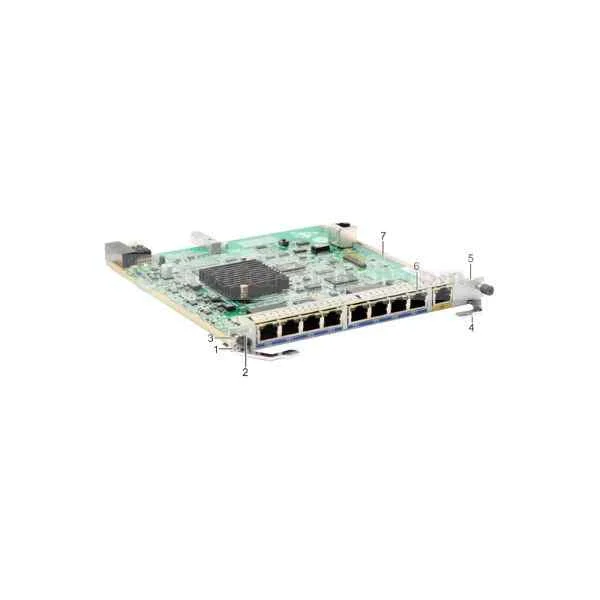 WSIC-8GE WSIC-8GE | 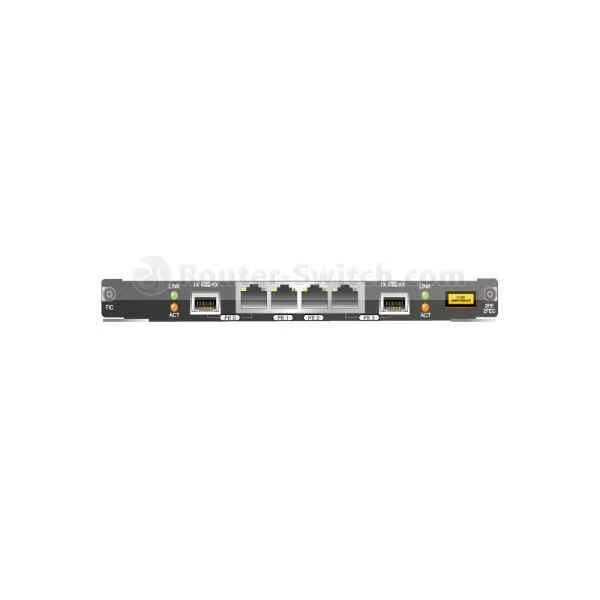 FWGD0F2F2C00 FWGD0F2F2C00 | |
|---|---|---|---|---|---|
| Compatibility | Cisco / Juniper / Arista / Dell / HP | Cisco / Juniper / Arista / Dell / HP | Cisco, Juniper, Arista, Dell, HP | Dell, HP, Cisco, Juniper | Cisco, Juniper, Arista, Dell, HP |
| Connector Type | SFP+ | SFP+ | SFP+ | RJ-45 | SFP+ |
| Data Rate | 10Gbps | 10Gbps | 10G | 1Gbps | 10Gbps |
| Form Factor | PCIe | PCIe | PCIe | PCIe | PCIe |
| Input Voltage | 3.3V | 3.3V | 3.3V | 3.3V | 3.3V |
| Interface Ports | Ethernet / SFP+ | SFP+ | SFP+ | 8 x RJ-45 Ethernet | SFP+ |
| Max Speed | 10Gbps | 10Gbps | 10Gbps | 1Gbps | 10Gbps |
| Module Type | Ethernet | Ethernet | Ethernet | Ethernet | Ethernet |
| Operating Temperature | 0 to 70°C | 0 to 70°C | 0 to 70°C | 0 to 70°C | 0 to 70°C |
| Product Name | SU2DFG16S400 High-Speed Ethernet Module | FWGD0MF1SA00 10Gbps Ethernet Module | SU1D0ME5FE00 High-Performance Network Module | WSIC-8GE Ethernet Module | FWGD0F2F2C00 |
| Product Type | Network Module | Network Module | Network Module / Network Card | Network Card | Network Module |
| Storage Temperature | -40 to 85°C | -40 to 85°C | -40 to 85°C | -40 to 85°C | -40 to 85°C |
| Supported Features | Auto-negotiation / Wake-on-LAN / Jumbo Frames / QoS | Auto-negotiation / Jumbo Frames / QoS | Auto-negotiation, Wake-on-LAN, Jumbo Frames, QoS | Auto-negotiation, Wake-on-LAN, Jumbo Frames, QoS | Auto-negotiation, Wake-on-LAN, Jumbo Frames, QoS |
| Supported Protocols | TCP/IP | TCP/IP | TCP/IP, iSCSI | TCP/IP | TCP/IP |


Every unit is authentic, sourced through trusted and authorised channels, and serial-verified on request. Genuine networking and IT hardware, guaranteed, or your money back.

New products are backed by up to 3 years of extended warranty, and certified refurbished units by up to 90 days, for dependable protection on every order. The exact term is confirmed on your quote, order confirmation and invoice.

If a unit ever falls short, our streamlined RMA process gets a replacement to you fast, with advance replacement available to keep your network running. No jargon, no runaround.

Every device is inspected, bench-tested, and firmware-verified, with configurations wiped before dispatch. Additional testing can be arranged to confirm full working condition on request.

Our specialists assist with compatibility, configuration, licensing, and installation, before and after you buy. Real hardware expertise, whenever you need it.

Same-day dispatch from regional hubs, free next-day delivery*, fully tracked and insured.
Reviewed on the 30 June 2021

Hybrid RJ45 and SFP card offers great deployment flexibility.
Reviewed on the 15 June 2026
Stable connectivity across both copper and fiber ports.
Reviewed on the 30 November 2017
Installed quickly with reliable daily operation.
Reviewed on the 31 August 2018
No link instability observed under load.
Reviewed on the 4 June 2023
Consistent performance for access layer use.
Reviewed on the 1 April 2017
Well balanced interface card for enterprise networks.
The SU2DFG16S400 is a high-performance network expansion card featuring 16 Gigabit Ethernet RJ45 ports and 4 Gigabit Ethernet SFP slots for fiber connectivity.
It supports line-rate 10/100/1000 Mbps on all 16 RJ45 ports and 1000 Mbps on all 4 SFP fiber ports for full Gigabit throughput.
The card is compatible with standard 1000Base-SX/LX and DWDM SFP modules that adhere to the Multi-Source Agreement (MSA) specifications.
It is validated for use in leading rack and blade servers from major vendors including Dell, HPE, Cisco, Lenovo, and Huawei, subject to available PCIe slots.
Simply insert the card into a free PCI Express x8 or x16 slot, secure the retention bracket, and install the appropriate device drivers in your operating system.
Yes, it supports IEEE 802.1Q VLAN tagging for network segmentation and traffic isolation across all ports.
Typical power draw is 6 W under idle conditions and up to 10 W at full port activation, enabling efficient energy usage.
No, the card must be powered down before installation or removal to ensure system stability and avoid hardware damage.
It fully supports TCP/UDP, IPv4/IPv6, LACP (802.3ad), IGMP snooping, and IEEE 802.1p QoS priority tagging.
Management is handled via the host operating system’s network tools; remote configuration is available through standard SSH or web-based interfaces.
Ideal for data center access aggregation, branch office backhaul, IP telephony, video surveillance, and high-density virtualization environments.
Use Cat5e or higher twisted-pair copper cables to achieve Gigabit speeds on the 16 RJ45 ports.
Drivers are available for most Linux distributions (RHEL, CentOS, Ubuntu), Windows Server 2012/2016/2019, and VMware ESXi 6.x/7.x.
Yes, it supports IEEE 802.3x full-duplex flow control and backpressure in half-duplex mode to prevent packet loss.
It holds CE, FCC, RoHS, and VCCI certifications to meet international safety, electromagnetic compatibility, and environmental standards.
The card comes with a standard three-year limited hardware warranty covering defects in materials and workmanship.
Use SNMP-based network monitoring tools or the host OS’s ethtool utility to check link status, speed, and error statistics in real time.