 United States
Networking D-Link 100M Smart Switches
Experience unmatched network stability and seamless performance with D-Link 100M Smart Switches, designed to optimize connectivity and enhance efficient resource management in demanding enterprise environments.
Talk to an expert
1 Matching results
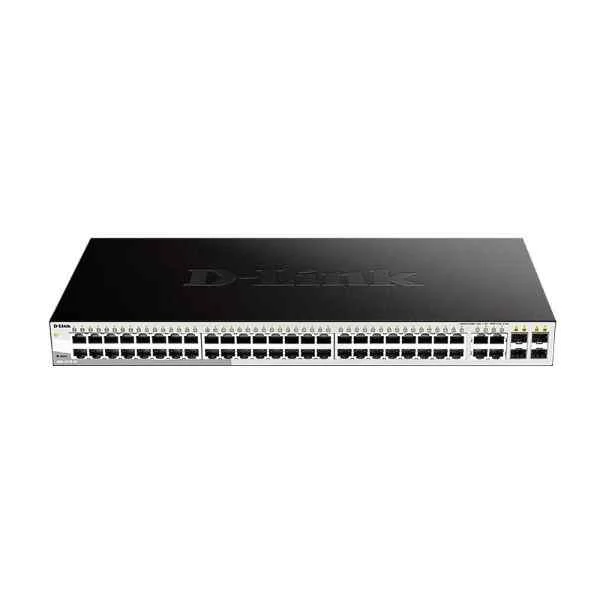
DES-1210-52 (D-Link 48 100M electrical ports + 2 Gigabit electrical ports + 2 Gigabit photoelectric combined ports, switching capacity: 128G, packet forwarding rate: 13.1M, Smart switch, rack type, iron shell, support Web, SNMP management)
4.6 (5)- Switch
- D-Link
- AC Power Supply
- Layer 2
- Rack-mount
- Over 48 Ports
Est Value $343.34
$293.10
14.6% offIn stockRefurbishedFirst-Time Buyer Discount – Get up to 2% additional off on your first order
ORM Rewards Earn $50 in Rewards + Free Expedited Delivery – Join Now!
Use eCoupon ORMSAVE10
eCoupon limited to 5 units

ORM Sales Advisors
Buying for your business? Get a personalised quote in under 2 hours. Talk to an expert
LEARNFilters (1) 
Questions & Answers
What is a D-Link 100M Smart Switch?
A D-Link 100M Smart Switch is a Layer 2 switch offering 100 Mbps Ethernet ports with web-based management, VLAN, QoS and monitoring features for small networks.
How many ports do D-Link 100M Smart Switches support?
D-Link 100M Smart Switch models typically range from 8 to 24 ports, providing flexible port counts to fit home offices and small businesses.
What management interfaces are available on D-Link 100M Smart Switches?
These switches support an intuitive web GUI, SNMP v1/v2c, and command-line interface (CLI) for configuration, monitoring, and firmware updates.
Can I create VLANs on a D-Link 100M Smart Switch?
Yes. D-Link 100M Smart Switches support up to 256 VLANs using 802.1Q trunking for network segmentation and traffic isolation.
Does the switch support Quality of Service (QoS)?
Yes. It offers 8-priority queue QoS with 802.1p and DSCP mapping to prioritize voice, video, and mission-critical data.
How do I update the firmware on a D-Link 100M Smart Switch?
Download the latest firmware from the D-Link support site and use the web GUI’s Firmware Upgrade page to upload and install the file.
What security features are included?
Features include access control lists (ACLs), 802.1X port authentication, storm control and DHCP snooping to protect against unauthorized access and attacks.
Is PoE supported on D-Link 100M Smart Switches?
Most 100M Smart Switch models do not offer PoE. For PoE, consider D-Link’s 802.3af/at-enabled Gigabit Smart Switch lineup.
How do I reset the switch to factory settings?
Press and hold the Reset button for 5–10 seconds until the LEDs blink, then release to restore factory defaults.
Can I mount a D-Link 100M Smart Switch in a rack?
Yes. Many models include rack-mount brackets and support 19-inch rack installation for professional network deployments.
What monitoring features are available?
Supports port mirroring, SNMP traps, RMON, and traffic statistics to monitor performance and troubleshoot network issues.
What are the power consumption specifications?
Power consumption ranges from 5 W for 8-port models to 15 W for 24-port models, with low-power modes to reduce energy usage.
Does it support link aggregation?
Yes. Up to 4 LACP-based link aggregation groups (LAGs) improve bandwidth and provide redundant uplinks.
What warranty does D-Link offer?
D-Link 100M Smart Switches include a limited lifetime warranty on hardware and free technical support for the product’s life.
Which operating temperature range is supported?
These switches operate reliably from 0 °C to 50 °C (32 °F to 122 °F) for indoor environments.
Where can I find the user manual and technical guide?
Visit D-Link’s official support website, enter your switch model, and download the user manual, quick install guide, and datasheet.