 United States
Networking Dell S3000-ON Switches
Designed for high performance computing, Dell Networking S3000-ON Switches combine unparalleled security, efficient energy consumption, modern scalability, and seamless integration ideally suited for complex enterprise networks.
Talk to an expert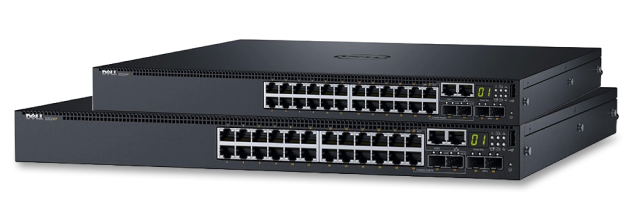
1 Matching results
- BEST SELLING
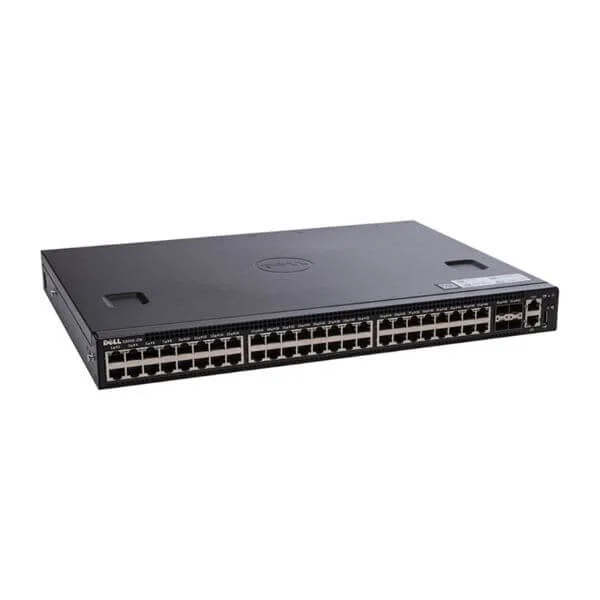
S3048-ON (Dell Networking S3048-ON, 48x 1GbE, 4x SFP + 10GbE ports, stacking, airflow from IO to PSU, 1x AC PSU, DNOS 9)
4.4 (5)- Switch
- Dell
- AC Power Supply
- Layer 2 / Layer 3
- Rack-mount
- 24–48 Ports
Est Value $1,858.95
$157.50
91.5% offIn stockNewRefurbishedFirst-Time Buyer Discount – Get up to 2% additional off on your first order
ORM Rewards Earn $50 in Rewards + Free Expedited Delivery – Join Now!
Use eCoupon ORMSAVE10
eCoupon limited to 5 units

ORM Sales Advisors
Buying for your business? Get a personalised quote in under 2 hours. Talk to an expert
LEARNFilters (1) 
Questions & Answers
What is the Dell Networking S3000-On switch series?
The Dell Networking S3000-On series is a family of fixed-configuration, Layer 2/3 Ethernet switches designed for small to medium enterprise and campus edge deployments, offering high density, low latency, and enterprise-class reliability.
How many ports and what speeds are available on the S3000-On switches?
S3000-On models provide up to 48 RJ-45 ports at 1GbE plus up to 4 SFP+ or 10GbE uplinks, delivering flexible connectivity for diverse access and aggregation requirements.
Do Dell S3000-On switches support Power over Ethernet (PoE)?
Yes, select S3000-On models offer PoE/PoE+ on all 1GbE ports, delivering up to 30W per port to power IP phones, wireless access points, and security cameras without external injectors.
What is the switching capacity and forwarding rate of the S3000-On series?
The S3000-On switches deliver up to 176 Gbps of non-blocking bandwidth and up to 131 million packets per second (mpps) forwarding performance, ensuring wire-speed traffic handling.
Can S3000-On switches be stacked for simplified management?
Yes, they support physical stacking of up to 4 units via dedicated stacking ports, providing unified management, single-IP control, and 1.6 Tbps backplane bandwidth.
Which operating system powers the Dell Networking S3000-On switches?
These switches run Dell Networking OS10 Enterprise Edition, a modern, modular Linux-based NOS that supports open standards, containerized applications, and advanced automation.
What management options are available on the S3000-On series?
You can manage S3000-On switches via the CLI (SSH/Telnet), web GUI, SNMPv2/v3, REST API, and integrations with OpenManage Network Manager for centralized orchestration.
What security features are included in the S3000-On switches?
They provide advanced security with 802.1X port authentication, RADIUS/TACACS+ support, MACsec encryption, ACLs, DHCP snooping, dynamic ARP inspection, and storm control.
Are Dell S3000-On switches SDN-ready?
Yes, with OS10’s Open Networking Foundation (ONF) compliant switch abstraction interface (SAI) and support for OpenFlow, S3000-On switches integrate seamlessly into software-defined networks.
What warranty and support options come with S3000-On switches?
All S3000-On models include a 1-year limited hardware warranty with Next Business Day On-Site Service and optional ProSupport or ProSupport Plus contracts for 24/7 comprehensive coverage.
What are the ideal use cases for Dell Networking S3000-On switches?
They excel at enterprise campus access, branch office aggregation, PoE-powered edge deployments, and small data center top-of-rack scenarios where cost-effective, high-performance switching is required.
How do I upgrade the firmware on a Dell S3000-On switch?
Use the OS10 CLI or web GUI to upload the latest Dell-provided firmware image via TFTP, SCP, or USB and execute the OS10 software install commands for a non-disruptive in-service upgrade.
Can I integrate S3000-On switches with existing Dell Networking infrastructure?
Yes, they interoperate seamlessly with Dell’s campus core/distribution switches, PowerConnect/N-Series products, and higher-end Z and C-series platforms, sharing common management and feature sets.
What Quality of Service (QoS) features do S3000-On switches support?
S3000-On provides classification, marking, hierarchical queuing, traffic shaping, and low-latency priority queuing to ensure predictable performance for voice, video, and critical data.
How many VLANs and advanced Layer 3 protocols are supported?
They support up to 4,094 VLANs, static and dynamic routing (RIP v2, OSPFv2, VRF-lite), inter-VLAN routing, DHCP relay, and PIM for scalable network segmentation and multicast services.
What are the troubleshooting and diagnostic capabilities?
Built-in tools include cable diagnostics, RSPAN, port mirroring, syslog, debug CLI commands, LED status indicators, and integration with Dell OpenManage Network Manager for proactive fault detection.