 United States
Trusted by the Highest-Stakes Buyers
Federal agencies and Fortune 500 operations source through ORM Systems.
US Government & Defense
Enterprise Clients

Featured Deal
Hand-picked by our procurement team for standout value. This unit is offered at our sharpest price on current stock, verified against live market rates.
Name:

Added to cart 28 times recently
Ready to Ship
Certified Refurbished
Professionally inspected, bench-tested, and firmware-verified, with configurations wiped. Restored to full working order and backed by our warranty.


3 Year Extended Warranty


Same-day Shipping

30-Day Money Back Guarantee
Shipping:
Payment:

3 Year Extended Warranty
Same-day Shipping
30-Day Money Back Guarantee
Need Additional Discount on Product?
Request a quote below - Get Exclusive Pricing and Support.
Shipping:
Payment:
AIR-PSU-BLKP1U
PWR SUP BLANKING PANEL FOR C220 M4 SVR
Trusted by the Highest-Stakes Buyers
Federal agencies and Fortune 500 operations source through ORM Systems.
US Government & Defense




Enterprise Clients



Built Global. Stocked Local.
Regional teams and 25+ distribution partners keep stock near you and accountability in your time zone.
Buyer Protection on Every Order
Pay by PayPal or Revolut with full chargeback rights. Order on PO terms, Net-30 for government.
Verified By Federal Bodies
Every registration we claim is public record — check our federal contractor status yourself before you spend a dollar.



Since 2016, Enterprise-Trusted
Ten years serving buyers who audit their vendors. From federal agencies to 20,000+ enterprise clients worldwide.
AIR-PSU-BLKP1U is a high-performance wireless access point designed for modern indoor environments, operating efficiently on both 2.4GHz and 5GHz frequency bands while supporting the latest Wi‑Fi 6 standard. It delivers data rates up to 1Gbps, incorporating essential connectivity features including MU‑MIMO and beamforming to ensure robust and stable connectivity across large office spaces, home networks, and similar settings.
This advanced access point features omnidirectional antennas with 5dBi gain, offering excellent coverage for spaces up to 2,000 square feet. With flexible installation options such as ceiling and wall mounts and a PoE power supply, AIR-PSU-BLKP1U is optimized for quick deployment and reliable performance in environments where seamless wireless connectivity is critical.
AIR-PSU-BLKP1U price is is available on request. Get immediate quote.
Request bulk order quote for AIR-PSU-BLKP1U for additional pricing. Browse the full Wlan Controller: 5500 Series series or explore all Cisco products.
Scenario: A financial services firm deploys half-populated Dell C220 M4 racks with vacant PSU slots, triggering airflow imbalances and hot-spot formation. By installing the AIR-PSU-BLKP1U-PWR SUP Blanking Panel, the firm seals empty power bays, directs cool air through populated servers and containment aisles, and eliminates recirculation. Outcome: 15% reduction in rack inlet temperatures, extended server component life, and a measurable 7% drop in cooling energy consumption.
Scenario: An enterprise IT department manages a high-density VMware cluster on Dell C220 M4 servers. Under-utilized PSU bays allow conditioned air to bypass active modules, forcing fans to spin at higher RPMs. Installing AIR-PSU-BLKP1U-PWR SUP Blanking Panels in empty bays restores balanced airflow, lowers internal chassis pressure, and stabilizes inlet temperatures. Outcome: 5% improvement in Power Usage Effectiveness (PUE), a 10% reduction in server fan noise, and annualized energy cost savings of $20,000.
Scenario: A colocation provider must adhere to ASHRAE 2018 thermal guidelines in its Tier III facility, yet partially populated Dell C220 M4 racks create bypass airflow and uneven cooling. The provider fits AIR-PSU-BLKP1U-PWR SUP Blanking Panels into all unused power supply slots to fulfill prescribed rack sealing recommendations. Outcome: Full compliance with ASHRAE TC 9.9 standards, successful third-party thermal audit, zero non-conformities, and reinforced uptime guarantees for mission-critical workloads.
Mon–Fri: [09:00-16:00]
Avg. response under 30 mins

| AIR-PSU-BLKP1U |  AIR-CT5508FIPSKIT AIR-CT5508FIPSKIT | 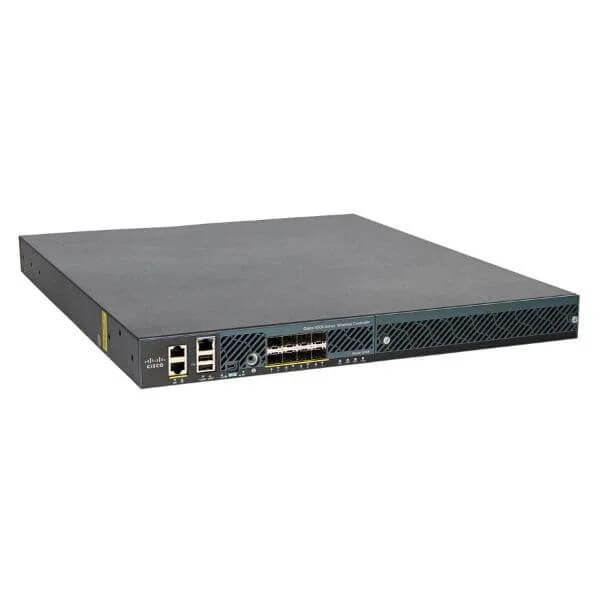 AIR-CT5508-HA-K9 AIR-CT5508-HA-K9 | 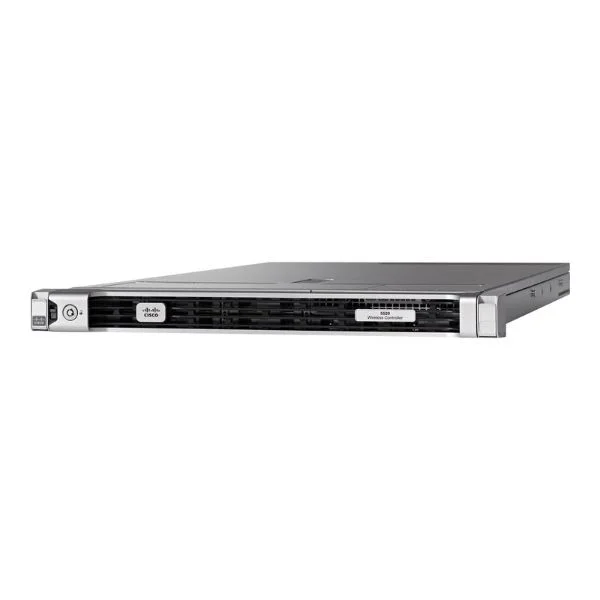 AIR-CT5520-50-K9 AIR-CT5520-50-K9 | 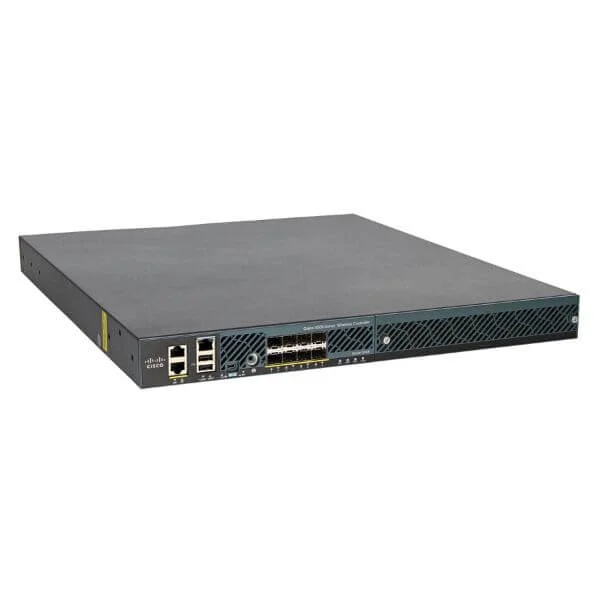 AIR-CT5508-500-2PK AIR-CT5508-500-2PK | |
|---|---|---|---|---|---|
| Product Type | Wireless Access Point | Wireless Product | Wireless Product | Wireless Controller | Wireless Access Point |
| Wi-Fi Standard | Wi-Fi 6 | Wi-Fi 6 | Wi‑Fi 5 | 802.11ac | Wi-Fi 6 |
| Frequency Bands | 2.4GHz / 5GHz | 2.4GHz / 5GHz | 2.4GHz/5GHz | 2.4GHz / 5GHz | 2.4GHz / 5GHz |
| Connector Type | RJ-45 | RJ-45 | RJ-45 | RJ-45 | RJ-45 |
| Mounting Options | Ceiling Mount / Wall Mount | Ceiling Mount / Wall Mount | Ceiling Mount | Rack Mount / Desktop | Outdoor Mount |
| Power Supply | PoE | PoE | PoE | AC Adapter | PoE |
| Mesh Networking | No | Yes | No | No | Yes |
| Ethernet Port | 1x Gigabit | 1x Gigabit | 1x Gigabit | 2x Gigabit | 1x Gigabit |
| Protocols Supported | 802.11a/b/g/n/ac/ax | 802.11a/b/g/n/ac/ax | 802.11a/b/g/n/ac | 802.11a/b/g/n/ac | 802.11a/b/g/n/ac/ax |
| Management Features | Cloud Management / SNMP | Cloud Management | Cloud Management | On-Premises, SNMP | Cloud Management |
| Security Features | WPA2 / WPA3 / 802.1X | WPA2 / WPA3 / 802.1X | WPA2/WPA3/802.1X | WPA2 / WPA3 / 802.1X | WPA2 / WPA3 / 802.1X |
| Compliance | FCC / CE / RoHS | FCC / CE / RoHS | FCC/CE/RoHS | FCC / CE / RoHS | FCC / CE / RoHS |
| Outdoor Use | No | No | No | No | Yes |
| Product Name | AIR-PSU-BLKP1U Wireless Access Point | AIR-CT5508FIPSKIT | AIR-CT5508-HA-K9 | AIR-CT5520-50-K9 | AIR-CT5508-500-2PK |


Every unit is authentic, sourced through trusted and authorised channels, and serial-verified on request. Genuine networking and IT hardware, guaranteed, or your money back.

New products are backed by up to 3 years of extended warranty, and certified refurbished units by up to 3 months, for dependable protection on every order. Coverage is clear, honoured in full, and confirmed on each product page.

If a unit ever falls short, our streamlined RMA process gets a replacement to you fast, with advance replacement available to keep your network running. No jargon, no runaround.

Every device is inspected, bench-tested, and firmware-verified, with configurations wiped before dispatch. Additional testing can be arranged to confirm full working condition on request.

Our specialists assist with compatibility, configuration, licensing, and installation, before and after you buy. Real hardware expertise, whenever you need it.

dispatched quickly and shipped worldwide from regional hubs, fully tracked and insured.
Reviewed on the 9 July 2024

Blanking panel fit perfectly and improved airflow management.
Reviewed on the 23 October 2022
Simple accessory but well built.
Reviewed on the 9 May 2025
Clean finish for unused PSU bay.
Reviewed on the 5 June 2024
Good OEM quality part.
Reviewed on the 23 March 2021
Does exactly what it should.
The AIR-PSU-BLKP1U is a 1U power supply blanking panel designed to cover unused PSU slots on HP C220 M4 servers, preserving airflow and system integrity.
Installing a blanking panel prevents hot air recirculation, maintains proper server cooling, and reduces the risk of component overheating.
Yes. This blanking panel is engineered specifically for all HP ProLiant C220 M4 server chassis with a vacant power supply bay.
Power down the server, align the panel with the empty PSU slot rails, slide it in until it clicks, and secure the retaining screws.
Yes. By optimizing airflow and reducing hot spots, the blanking panel helps maintain stable internal temperatures and extends component lifespan.
The panel is constructed from high-strength steel with a powder-coated finish to ensure durability and EMI shielding.
Absolutely. The AIR-PSU-BLKP1U is designed to coexist alongside active PSUs and maintains consistent airflow patterns throughout the chassis.
No. Using manufacturer-approved blanking panels does not void your HP ProLiant warranty or support agreements.
Install one panel for each empty power supply slot. A dual-PSU chassis with one active PSU requires one blanking panel.
Yes. The blanking panel is fully removable and reusable whenever you upgrade or replace server power supplies.
No special tools are needed. A standard Phillips screwdriver is sufficient to secure or remove the panel.
By ensuring proper airflow, the panel helps reduce fan speed requirements, lowering overall power consumption and cooling costs.
Yes. The panel meets RoHS standards for restricted hazardous substances, ensuring environmental and user safety.
Stock availability varies by region, but typical lead time is 3–5 business days for standard orders.
You can order AIR-PSU-BLKP1U directly from authorized HP resellers or through HP’s official online storefront.







