United States
Router vs Firewall vs Switch: What Actually Controls Your Network?

Prefer listening?
Hear the full blog in audio format
Most business networks don’t break because something suddenly fails. They break quietly over time, when the router, switch, and firewall are forced into roles they were never meant to handle.
Understanding the router vs switch vs firewall difference is critical, especially if your network is already showing signs of strain.
We’ve seen networks that looked perfectly fine on paper… until the moment people actually started using them heavily. That’s when the cracks show.
Industry-wide, this isn’t rare. Studies from Gartner estimate that the average cost of IT downtime is around $5,600 per minute, and in many cases, the root cause traces back to network misconfiguration, not hardware failure.
If your network feels inconsistent, slow during peak hours, or unpredictable, this is usually where the problem starts. Everything looks fine… until peak hours hit and the firewall starts maxing out CPU.
Router vs Switch vs Firewall Difference Explained (Simple Breakdown)
Router vs Switch vs Firewall (Quick Answer)
A router connects different networks and directs traffic between them, a switch connects devices within a network, and a firewall protects the network by filtering and controlling traffic based on security rules.
Understanding the router vs switch vs firewall difference is key to building a network that performs under real-world load.
Here’s the clean separation most people are looking for:
Device | Core Role | What It Controls | When It Becomes Critical |
Router | Connects networks | Traffic direction | When connecting to internet or multiple networks |
Switch | Connects devices | Internal data flow | When multiple devices need fast communication |
Firewall | Secures traffic | Access and security | When protecting against threats and unauthorized access |
That’s the textbook version.
But real networks don’t fail because definitions are wrong. They fail because the wrong device is handling the wrong job under load.
That’s where understanding how these actually work together becomes critical.
Router vs Switch vs Firewall: Which One Should You Use?
If you're trying to decide between a router, switch, or firewall, the answer depends on what problem you're solving.
- Choose a router when you need to connect your network to the internet and manage traffic between networks
- Choose a switch when you need fast, efficient communication between devices inside your network
- Choose a firewall when your priority is controlling access, blocking threats, and securing data
In most real-world setups, you don’t choose one over the other. You use all three together to balance performance, connectivity, and security.
The Hidden Difference Most Businesses Miss
On paper, it looks simple. A router sends traffic, a switch connects devices, and a firewall protects the network.
In real environments, it doesn’t stay that clean.
What actually happens is an overlap. A firewall starts handling routing. A switch carries more traffic than it was sized for. A router gets loaded with services it was never meant to run.
Nothing breaks immediately, which is why most teams miss it.
We’ve seen setups where everything worked fine early in the day… then around 9 or 10 AM, as users logged in and systems synced, latency suddenly spiked, and no one could explain why.
Most teams only notice the issue after users start complaining, not when the problem actually begins. By that point, the network has already been under stress for weeks or months.
That’s not a failure. That’s a design problem showing up under load.
What Is a Router in Networking?
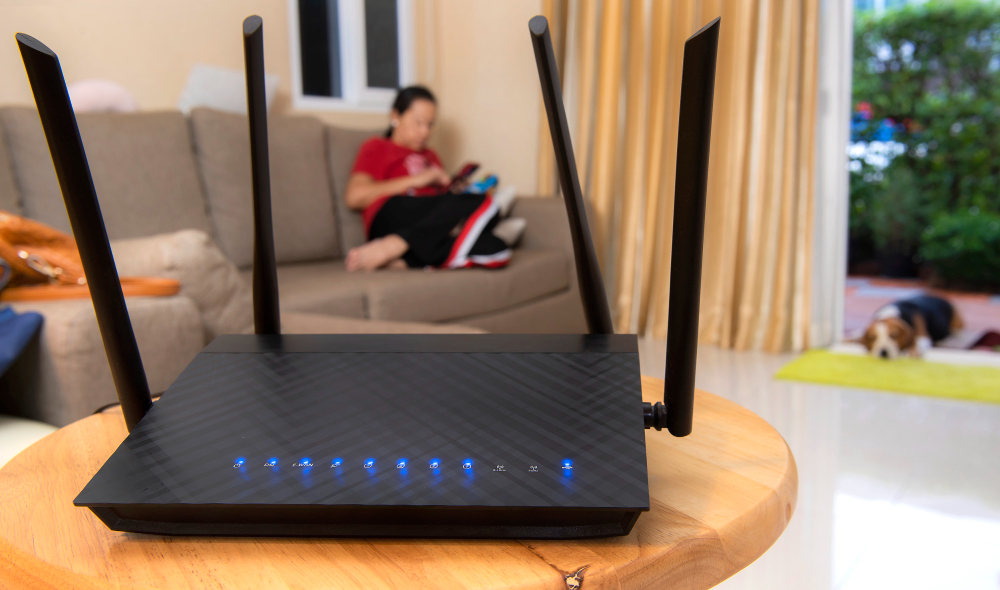
A router is responsible for IP address routing. It decides where your data goes once it leaves your internal network.
Every cloud request, remote login, or external connection passes through it.
Where Routers Start Becoming the Problem
In smaller environments, routers often get stretched beyond this role. VPN traffic, traffic shaping, filtering, and monitoring all get layered on top.
We’ve gone through setups running entry-level enterprise routers from Cisco or Juniper Networks where everything worked fine early on… until remote users and cloud apps scaled together.
At that point, latency doesn’t spike all at once. It builds gradually, which is why it often gets misdiagnosed.
That’s the router hitting its limit, not the internet failing.
Most “slow internet” complaints are actually routing issues in disguise.
What Is a Network Switch?
A switch connects devices inside your local network and keeps traffic moving efficiently between them.
When it’s doing its job properly, you don’t notice it at all.
But when it’s not, things get messy fast.
The Hidden Bottleneck Inside Most Offices
We’ve seen offices where everything seemed fine until one large file transfer or backup kicked off. Suddenly, the entire network slowed down. Not just that task, everything.
That’s what happens in flat networks with no segmentation. One heavy process starts competing with everything else.
What Poor Segmentation Actually Looks Like
We’ve seen flat networks where one large file transfer slows down the entire office. No outage, no alert, just everything dragging at the same time. That’s what poor segmentation looks like in real life.
In other cases, unmanaged switches handle growing traffic for months without issue… until peak usage hits and packets start dropping silently. We’ve seen this even in environments using reliable hardware from Netgear or TP-Link, where the limitation wasn’t the brand, but the lack of segmentation and control.
No alerts. No obvious failure. Just slow systems and frustrated users.
This is one of the most common network bottleneck causes, and it’s usually hiding in plain sight.
What Is a Firewall In Networking?
A firewall controls what traffic is allowed in and out of your network. It’s your security checkpoint.
Every request is inspected, filtered, and either allowed or blocked based on rules.
The problem starts when it’s treated like a do-it-all device.
We have seen firewalls handling security, VPN access, traffic inspection, and routing all at once. It works… until it doesn’t.
When a Firewall Becomes the Bottleneck
A common scenario is during peak usage. Everything looks fine, then users start reporting lag, dropped calls, or slow access. When you check the firewall, CPU usage is maxed out.
At that point, it’s not just a security device anymore. It’s the bottleneck controlling your entire network experience.
How Routers, Switches, and Firewalls Actually Work Together
In a real network, these devices don’t operate in isolation. They work in a sequence that controls how traffic enters, gets secured, and reaches devices.
- The router connects your network to external networks and directs incoming and outgoing traffic
- The firewall sits between networks and inspects traffic, allowing or blocking it based on security rules
- The switch distributes approved traffic to devices inside your network
A typical flow looks like this:
Internet → Router → Firewall → Switch → Devices
When each device handles its role correctly, traffic moves efficiently and securely.
When roles overlap or are misconfigured, problems start to appear.
Security gaps, performance slowdowns, and unpredictable behavior usually come from this breakdown.
What a Poorly Designed Network Feels Like
We’ve experienced environments where the firewall was doing routing, the router was barely used, and the switch had no segmentation. Everything technically worked, but performance felt inconsistent all day.
That’s the difference between a network that functions and one that actually performs.
Performance vs Security: Where Networks Usually Break
Here’s the problem: most people don’t realize.
Upgrading the wrong device won’t fix your network. It will just move the bottleneck somewhere else.
Most network issues don’t come from a single device failing. They come from an imbalance.
- Too much focus on switching speed → security gaps
- Too much focus on firewall filtering → performance bottlenecks
- Weak routing → inefficient traffic flow
A stable network balances all three.
Common Mistakes When Choosing Network Devices
Most network problems don’t come from missing hardware. They come from using the right devices in the wrong way.
Relying Only On a Router
Many setups depend on routers with basic security features, but these are not designed to handle advanced threats or granular access control.
Upgrading Switches When The Firewall is The Bottleneck
Increasing internal speed won’t help if traffic is being slowed down or filtered inefficiently at the firewall level.
Relying On Built-in Firewall Features For Business-Level Security
Basic firewall functions inside routers are limited. As traffic grows, they often fail to provide the visibility and control needed to prevent risks.
In real-world deployments, network performance issues often trace back to misconfigured roles between routers, firewalls, and switches.
Why Your Network Is Slow (Real Causes Most Ignore)
Most people jump straight to bandwidth when something feels slow.
In reality, bandwidth is often the least important factor.
Experienced network teams don’t wait for performance to drop. They look for early signals like uneven traffic distribution, rising latency under normal load, and firewall CPU trends before users ever notice an issue.
According to data from Cisco, over 80% of enterprise traffic now stays within internal networks or data centers. That means most performance issues aren’t coming from the internet. They’re happening inside your own infrastructure.
Many businesses upgrade internet speed, expecting performance gains, but see no improvement because the bottleneck is internal.
It was internal.
Common causes include:
- Traffic is being processed multiple times across devices
- Firewalls overloaded with inspection and VPN traffic
- Switches handling unsegmented traffic during peak hours
- No prioritization for critical applications
More bandwidth won’t fix a poorly designed network. It just hides the problem for a while.
Before You Choose: What Your Business Actually Needs
The right setup depends less on the hardware itself and more on how your network is used.
A small office with basic usage can get away with a simple setup.
But once you introduce cloud apps, VoIP, remote users, and data-heavy operations, things change quickly.
We have seen growing businesses try to stretch entry-level setups longer than they should. It works until one more system, one more user group, or one more integration pushes it over the edge.
That’s usually the point where a redesign becomes unavoidable.
The Real Answer: What Actually Controls Your Network
It’s not the router.
It’s not the switch.
It’s not the firewall.
It’s the design behind how they’re used.
We’ve seen high-end hardware underperform because the structure was wrong. And we’ve seen mid-range setups perform flawlessly because everything was aligned properly.
Most businesses don’t have a hardware problem.
They have a design problem they won’t notice until it starts affecting performance, security, or growth.
How to Know If Your Network Is Already at Risk
Most businesses don’t realize their network is under pressure until users start complaining. But there are early signs you can’t afford to ignore.
If you’re seeing any of these, your network design is already holding you back:
- Performance drops during peak hours
- VPN or remote access slows internal systems
- File transfers impact overall network speed
- Firewall CPU usage spikes under load
- No segmentation between users, systems, or departments
If even one of these is happening in your environment, your network is already under strain. It may still work, but it’s not scaling the way you think it is.
Conclusion
A router, switch, and firewall don’t compete. They complete each other.
Most network failures aren’t caused by missing hardware. They’re caused by a misunderstanding of roles.
Get that right, and performance, security, and scalability follow.
Most networks don’t fail because of bad hardware. They fail because the design behind routers, switches, and firewalls doesn’t match real-world usage. That’s where performance issues begin.
Networks rarely break overnight. They degrade until slowdowns, inconsistencies, and bottlenecks start affecting productivity. By then, the cost is already building.
At ORM Systems, we help businesses design networks that perform under real conditions, not just on paper.
If your network slows under load, it’s already under strain. The fastest way to find out where the problem is is a proper network assessment.
Frequently Asked Questions
What Is The Difference Between A Router, Switch, and Firewall?
A router connects different networks and directs traffic, a switch connects devices within a local network, and a firewall controls and filters traffic for security. Each plays a separate role, and mixing them incorrectly often leads to performance issues.
Do I Need A Router, Switch, and Firewall For My Business Network?
In most business setups, yes. Each device handles a specific function. Removing one or relying too heavily on a single device usually creates bottlenecks, security gaps, or scalability problems as your network grows.
Why Is My Network Slow Even With Fast Internet?
In many cases, the issue isn’t your internet speed. It’s internal. Poor routing, overloaded firewalls, or a lack of segmentation inside your network often cause slow performance, especially during peak usage.
What Causes Network Bottlenecks in Businesses?
Common causes include overloaded switches, poor network design, lack of VLAN segmentation, and devices handling more traffic than they were designed for. These issues usually build up gradually rather than appearing suddenly.
What Is The Best Network Setup For A Small Business?
A typical small business setup includes a router, a managed switch, and a firewall. As the business grows, adding segmentation, better routing, and dedicated security layers becomes important for performance and scalability.
Can a Router Replace a Firewall?
Basic routers include built-in firewall features, but they are limited. For business environments or higher security needs, a dedicated firewall provides better protection, visibility, and control.