 United States
Routers Cisco RV100 Secure
Harness robust, secure networking with Cisco RV100 router. Engineered for small business environments, it delivers high-performance connectivity, advanced threat protection, and reliable scalability to enhance your network infrastructure.
Talk to an expert
2 Matching results
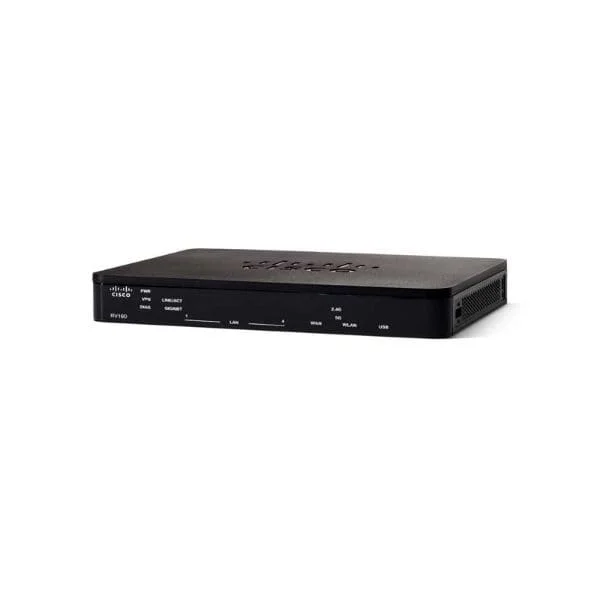
RV160-K9-NA (Cisco RV160 5-Ports Gigabit VPN Router)
5 (5)- Small Business Router
- Cisco
- IPSec / SSL VPN
- AC Power Supply
- Static Routing
- Fixed
Est Value $467.46
$233.73
50% offIn stockRefurbishedFirst-Time Buyer Discount – Get up to 2% additional off on your first order
ORM Rewards Earn $50 in Rewards + Free Expedited Delivery – Join Now!
Use eCoupon ORMSAVE10
eCoupon limited to 5 units
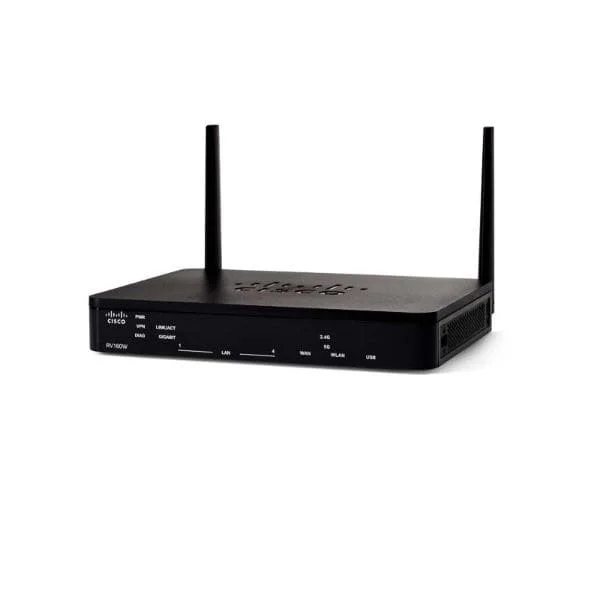
RV160W-E-K9-G5 (Cisco RV160W IEEE 802.11ac Ethernet Wireless Router)
4.4 (5)- Enterprise Router
- Cisco
- IPSec / SSL VPN / N/A
- AC Power Supply
- Static Routing / N/A
- Fixed
Est Value In stockFirst-Time Buyer Discount – Get up to 2% additional off on your first order
ORM Rewards Earn $50 in Rewards + Free Expedited Delivery – Join Now!
Use eCoupon ORMSAVE10
eCoupon limited to 5 units

ORM Sales Advisors
Buying for your business? Get a personalised quote in under 2 hours. Talk to an expert
LEARNFilters (2) 
Questions & Answers
What is the Cisco RV100 Router?
The Cisco RV100 is a compact, single-WAN, multi-LAN VPN router designed to deliver secure, high-performance connectivity and integrated firewall protection for small offices and home offices.
How many Ethernet ports does the Cisco RV100 provide?
The RV100 offers one 10/100 Mbps WAN port and four 10/100 Mbps LAN ports to support Internet access and internal network segmentation.
Which VPN protocols does the Cisco RV100 support?
The RV100 supports up to five simultaneous IPsec VPN tunnels using DES, 3DES and AES encryption to ensure secure site-to-site and remote-access connectivity.
What is the default IP address of the Cisco RV100?
The default management IP address for the Cisco RV100 is 192.168.1.1.
What are the default login credentials for the Cisco RV100?
By default, the Cisco RV100 uses the username “cisco” and the password “cisco,” which should be changed immediately after first login.
How do I update the firmware on my Cisco RV100?
To update firmware, log in to the web GUI, navigate to Administration > Firmware Upgrade, upload the latest .img file from Cisco’s website, then reboot the router.
How can I configure a site-to-site VPN on the Cisco RV100?
Use the VPN Wizard in the RV100 web interface: select Site-to-Site, enter peer IP, pre-shared key and encryption settings, then apply to establish the tunnel.
What firewall features are built into the Cisco RV100?
The RV100 includes a Stateful Packet Inspection (SPI) firewall, Denial-of-Service (DoS) attack prevention, and customizable access-control lists for enhanced network security.
How do I set up port forwarding on the Cisco RV100?
In the web GUI, go to NAT > Port Forwarding, create a new rule by specifying the service, private IP, private port and protocol, then save and apply.
Does the Cisco RV100 support VLAN segmentation?
Yes. The RV100 supports basic VLAN grouping by mapping LAN ports to separate virtual networks to isolate traffic between departments or services.
How do I perform a factory reset on the Cisco RV100?
Press and hold the reset button on the back panel for 10 seconds until all LEDs blink, then release to restore factory defaults.
What troubleshooting steps should I take if the Cisco RV100 loses Internet connectivity?
Verify physical cable connections, confirm WAN LED status, review system logs via System Management > Logs, and reboot the router if necessary.
Does the Cisco RV100 support Quality of Service (QoS)?
Yes. The RV100 provides basic QoS controls for bandwidth prioritization by application, enabling smooth VoIP and video performance.
What is the maximum throughput of the Cisco RV100?
The Cisco RV100 delivers up to 100 Mbps firewall throughput and supports sustained VPN performance of up to 20 Mbps per tunnel.
Is the Cisco RV100 still supported by Cisco?
The RV100 has reached end-of-life status but continues to receive limited support and may be eligible for extended hardware service through Cisco partners.