 United States
Trusted by the Highest-Stakes Buyers
Federal agencies and Fortune 500 operations source through ORM Systems.
US Government & Defense
Enterprise Clients

Featured Deal
Hand-picked by our procurement team for standout value. This unit is offered at our sharpest price on current stock, verified against live market rates.
Name:

Added to cart 28 times recently
Ready to Ship
Certified Refurbished
Professionally inspected, bench-tested, and firmware-verified, with configurations wiped. Restored to full working order and backed by our warranty.


3 Year Extended Warranty


Same-day Shipping

30-Day Money Back Guarantee
Shipping:
Payment:

3 Year Extended Warranty
Same-day Shipping
30-Day Money Back Guarantee
Need Additional Discount on Product?
Request a quote below - Get Exclusive Pricing and Support.
Shipping:
Payment:
VC6S01ADPT05
Huawei VP9660-1 forwarding ports (8Mbps network port bandwid...
Trusted by the Highest-Stakes Buyers
Federal agencies and Fortune 500 operations source through ORM Systems.
US Government & Defense




Enterprise Clients



Built Global. Stocked Local.
Regional teams and 25+ distribution partners keep stock near you and accountability in your time zone.
Buyer Protection on Every Order
Pay by PayPal or Revolut with full chargeback rights. Order on PO terms, Net-30 for government.
Verified By Federal Bodies
Every registration we claim is public record — check our federal contractor status yourself before you spend a dollar.



Since 2016, Enterprise-Trusted
Ten years serving buyers who audit their vendors. From federal agencies to 20,000+ enterprise clients worldwide.
VC6S01ADPT05-Huawei VP9660-1 forwarding ports (8Mbps network port bandwidth / 1 AAC-LD stereo audio) is an integral component designed for advanced video conferencing solutions. This device serves as a key element within a video conferencing endpoint, seamlessly integrating into systems that support popular platforms such as Zoom, Microsoft Teams, Webex, and Google Meet. Although it does not feature a dedicated camera module—resulting in camera resolution and field of view being marked as N/A—it offers robust audio performance through its integrated AAC-LD stereo audio.
Engineered for diverse environments including huddle rooms, boardrooms, hybrid offices, and classrooms, this unit delivers reliable connectivity with options such as USB-A, HDMI, Ethernet, and PoE. Its control interfaces support both remote and app-based operation, ensuring easy integration into modern conference room kits and video conferencing endpoints. With PoE as its primary power source and designed for optimal data transmission via an 8Mbps network port bandwidth, this product elevates communication quality in professional settings.
VC6S01ADPT05 price is is available on request. Get immediate quote.
Request bulk order quote for VC6S01ADPT05 for additional pricing. Browse the full Video Conferencing Services Platform series or explore all Huawei products.
Mon–Fri: [09:00-16:00]
Avg. response under 30 mins

| VC6S01ADPT05 | 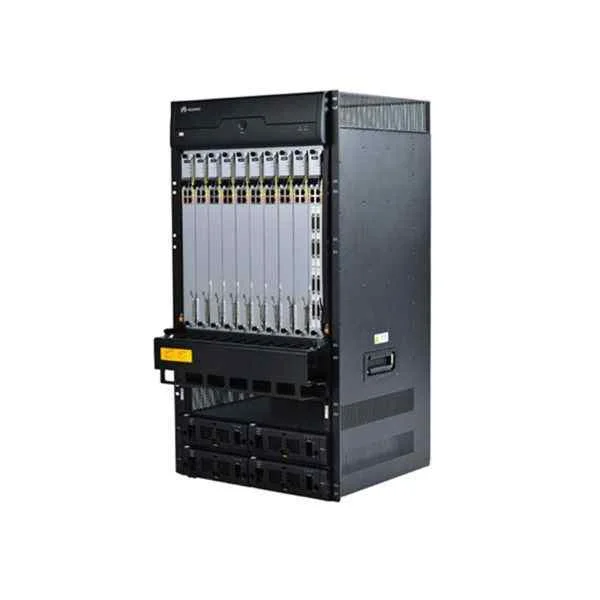 VC9MTCSC1000 VC9MTCSC1000 | 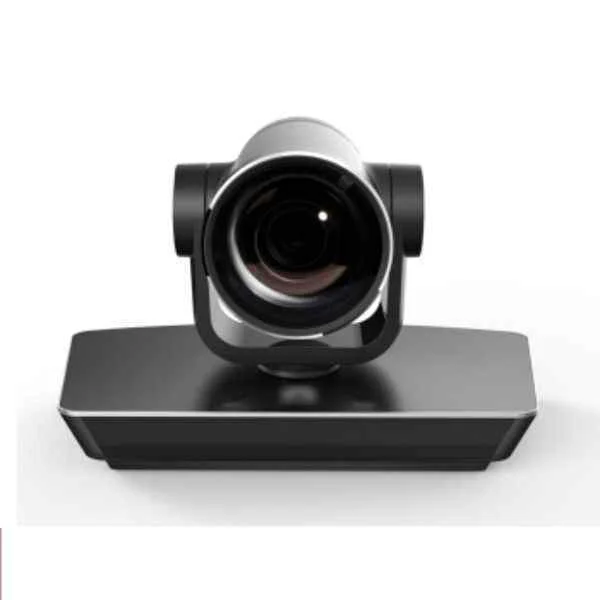 MAX-00 MAX-00 |  Ethernet Connector(sheilded) Ethernet Connector(sheilded) | 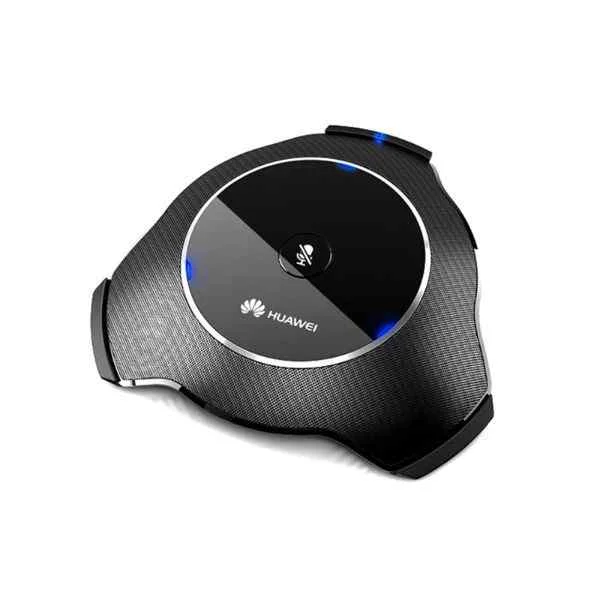 VC6SMP16SP01 VC6SMP16SP01 | |
|---|---|---|---|---|---|
| Product Type | Video Conferencing Solution | Video Conferencing Solution | Video Conferencing Solution | Video Conferencing Solution | Video Conferencing Solution |
| Device Type | Video Conferencing Endpoints | All-in-One Video Bar / Conference Room Kit | Room Kit | Room Kit | Video Conferencing Endpoints |
| Use Case | Huddle Room / Boardroom / Hybrid Office / Classroom | Huddle Room / Boardroom / Hybrid Office / Classroom | Huddle Room / Boardroom / Hybrid Office / Classroom | Huddle Room / Boardroom / Hybrid Office / Classroom | Huddle Room / Boardroom / Hybrid Office / Classroom |
| Speaker Integration | Built-in Speaker | Built-in Speaker | None | None | Built-in Speaker |
| Connectivity | USB-A / HDMI / Ethernet / PoE | USB-A / HDMI / Ethernet / PoE | USB-A / HDMI / PoE | Ethernet | USB-C / HDMI / PoE / Wi-Fi |
| Wireless Support | No | Wi-Fi | No | No | Wi-Fi |
| PoE Support | Yes | Yes | Yes | Yes | Yes |
| Control Interface | Remote Control / App-Based | Remote Control / Touchscreen / App-Based | Remote Control / Touchscreen / App-Based | App-Based | Remote Control / Touchscreen / App-Based |
| Platform Compatibility | Zoom / Microsoft Teams / Webex / Google Meet | Zoom / Microsoft Teams / Google Meet / Webex / Skype for Business | Zoom / Microsoft Teams / Webex | Zoom / Microsoft Teams / Webex | Zoom / Microsoft Teams / Webex |
| Power Source | PoE | External Adapter / PoE | PoE | PoE | PoE |
| Product Name | VC6S01ADPT05-Huawei VP9660-1 forwarding ports (8Mbps network port bandwidth / 1 AAC-LD stereo audio) | VC9MTCSC1000-VP9660 switch complete machine, including: chassis, AC power, fan, a media board | MAX-00-Huawei VC9M321VCT04 ViewPoint 9030 HD codec(1080P),VPC600 HD camera(12x),VPM210 microphone,France Telecom customized version. | Ethernet Connector(sheilded)-Huawei VP9650-1 Forwarding Ports (4Mbps Ethernet Bandwidth / 1 AAC-LD Dual Channel Audio) | VC6SMP16SP01-Huawei VC6SRMP4SP01 ViewPoint 8660 Multi-Picture process module-4 Sub-Picture |


Every unit is authentic, sourced through trusted and authorised channels, and serial-verified on request. Genuine networking and IT hardware, guaranteed, or your money back.

New products are backed by up to 3 years of extended warranty, and certified refurbished units by up to 3 months, for dependable protection on every order. Coverage is clear, honoured in full, and confirmed on each product page.

If a unit ever falls short, our streamlined RMA process gets a replacement to you fast, with advance replacement available to keep your network running. No jargon, no runaround.

Every device is inspected, bench-tested, and firmware-verified, with configurations wiped before dispatch. Additional testing can be arranged to confirm full working condition on request.

Our specialists assist with compatibility, configuration, licensing, and installation, before and after you buy. Real hardware expertise, whenever you need it.

dispatched quickly and shipped worldwide from regional hubs, fully tracked and insured.
Reviewed on the 20 February 2025

Adapter works seamlessly with video endpoints.
Reviewed on the 13 June 2018
Reliable connectivity without interruptions.
Reviewed on the 8 October 2023
Easy installation and use.
Reviewed on the 7 May 2017
Consistent performance.
Reviewed on the 4 July 2022
Good build quality.
Reviewed on the 20 December 2018
Meets deployment needs.
The Huawei VP9660-1 forwarding ports adapter is a network interface module designed to extend and manage video-conferencing traffic with eight 8 Mbps forwarding ports and built-in AAC-LD stereo audio support.
The Huawei VP9660-1 supports up to 8 Mbps per network port, ensuring stable video and audio streaming for medium-to-large conference rooms.
The Huawei VP9660-1 employs AAC-LD stereo audio codec, delivering low-delay, high-fidelity audio optimized for real-time conferencing.
Access the web GUI at the adapter’s IP, navigate to Network > Port Forwarding, add a new rule for the desired external and internal ports, and apply the configuration.
Open TCP/UDP ports 5060–5061 for SIP signaling, UDP ports 16384–32767 for media streams, and any custom ports you define in the VP9660-1 port-forwarding rules.
Yes. Download the latest firmware from Huawei Support, upload it via the web GUI under System > Firmware Upgrade, and reboot the device to complete the update.
Press and hold the recessed Reset button for 10 seconds until LEDs flash, then release. The device will restart with factory default settings.
Yes. The VP9660-1 is fully interoperable with Huawei TE Series and VP Series endpoints, enabling seamless integration in unified conferencing deployments.
Log in to the web GUI, go to Status > Traffic Statistics to view real-time bandwidth usage per port, historical graphs, and packet counters.
The VP9660-1 supports TLS/SRTP encryption for signaling and media, IP-based ACLs, user authentication, and secure firmware verification to protect conferencing data.
The Huawei VP9660-1 operates on 100–240 VAC at 50/60 Hz, consuming up to 20 W. It also supports redundant DC input via optional power modules.
Use dedicated VLANs, QoS priority for SDP/RTP streams, and a stable WAN link with ≥10 Mbps guaranteed bandwidth per VP9660-1 port for optimal 8 Mbps delivery.
Yes. The VP9660-1 supports IGMP v2/v3 snooping and PIM-SM to forward multicast video streams efficiently across your network.
The Huawei VP9660-1 measures 44 mm × 440 mm × 260 mm and weighs approximately 3 kg, making it rack-mountable in a standard 1U chassis.
Huawei provides a one-year limited hardware warranty, with options to extend support through Huawei Enterprise Premium Services for software updates and 24/7 technical assistance.
The Huawei VP9660-1 is available through Huawei’s authorized channel partners and distributors. Contact your local Huawei sales office or visit Huawei’s official website to locate a reseller.







