 United States
Trusted by the Highest-Stakes Buyers
Federal agencies and Fortune 500 operations source through ORM Systems.
US Government & Defense
Enterprise Clients

Featured Deal
Hand-picked by our procurement team for standout value. This unit is offered at our sharpest price on current stock, verified against live market rates.
Name:

Added to cart 28 times recently
Ready to Ship
Certified Refurbished
Professionally inspected, bench-tested, and firmware-verified, with configurations wiped. Restored to full working order and backed by our warranty.


3 Year Extended Warranty


Same-day Shipping

30-Day Money Back Guarantee
Shipping:
Payment:
3 Year Extended Warranty
Same-day Shipping
30-Day Money Back Guarantee
Need Additional Discount on Product?
Request a quote below - Get Exclusive Pricing and Support.
Shipping:
Payment:
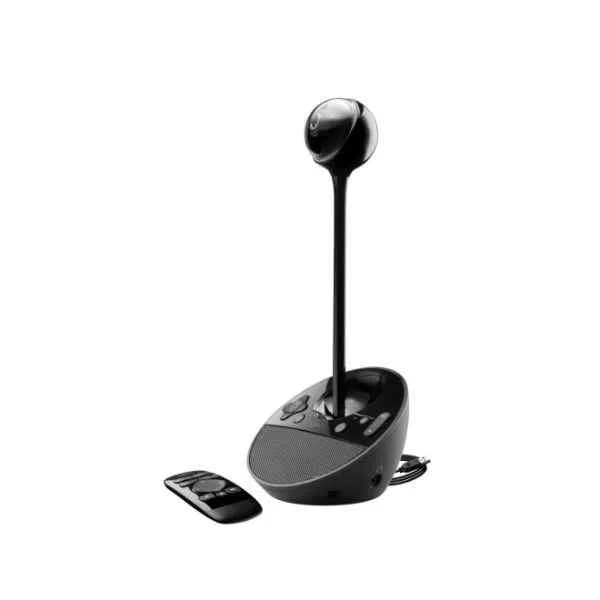
960-000867
Logitech BCC950 ConferenceCam Webcam 1920 x 1080 pixels USB...
Trusted by the Highest-Stakes Buyers
Federal agencies and Fortune 500 operations source through ORM Systems.
US Government & Defense




Enterprise Clients



Built Global. Stocked Local.
Regional teams and 25+ distribution partners keep stock near you and accountability in your time zone.
Buyer Protection on Every Order
Pay by PayPal or Revolut with full chargeback rights. Order on PO terms, Net-30 for government.
Verified By Federal Bodies
Every registration we claim is public record — check our federal contractor status yourself before you spend a dollar.



Since 2016, Enterprise-Trusted
Ten years serving buyers who audit their vendors. From federal agencies to 20,000+ enterprise clients worldwide.
960-000867-Logitech BCC950 ConferenceCam Webcam 1920 x 1080 pixels USB 2.0 Black (960-000867) delivers high-definition 1080p video with a 90° field of view, making it ideal for capturing all participants in small to medium conference settings. This versatile webcam integrates a built-in microphone array and speaker, and it supports popular video conferencing platforms such as Zoom, Microsoft Teams, and Webex via a simple USB 2.0 connection, ensuring reliable performance in huddle rooms, boardrooms, hybrid workspaces, and classrooms.
Engineered for modern meeting environments, the ConferenceCam offers an easy plug-and-play setup while powering clear audio and video communication. Its user-friendly design and straightforward control features simplify integration into existing workplace systems, positioning it as an effective solution for dynamic, collaborative spaces that demand high-quality video conferencing.
960-000867 price is is available on request. Get immediate quote.
Request bulk order quote for 960-000867 for additional pricing. Browse the full Logitech Video Conferencing series or explore all Logitech products.
Mon–Fri: [09:00-16:00]
Avg. response under 30 mins

| 960-000867 | 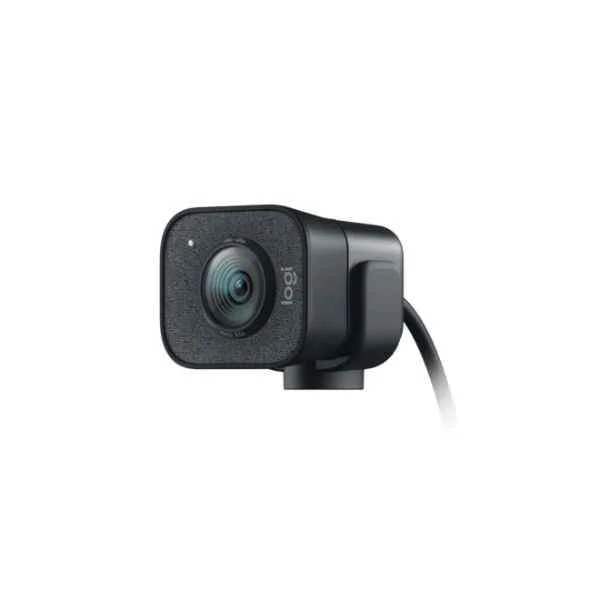 960-001281 960-001281 | 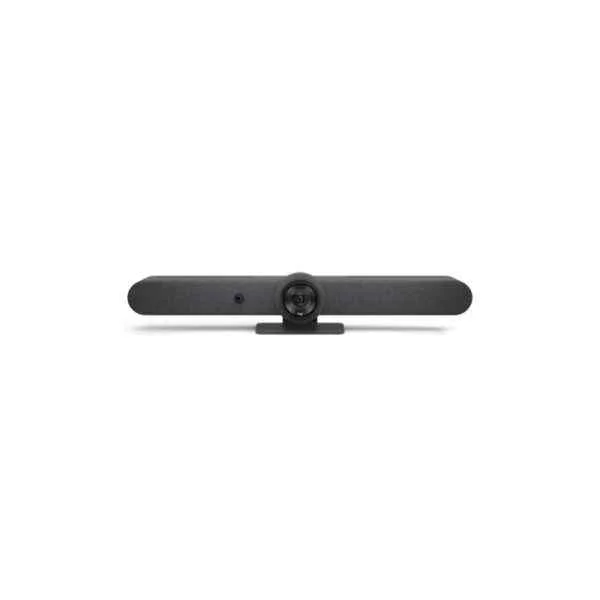 960-001311 960-001311 | 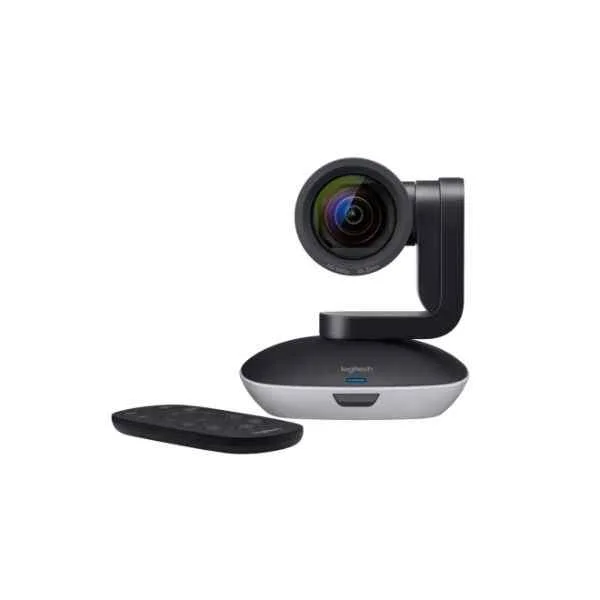 960-001186 960-001186 | 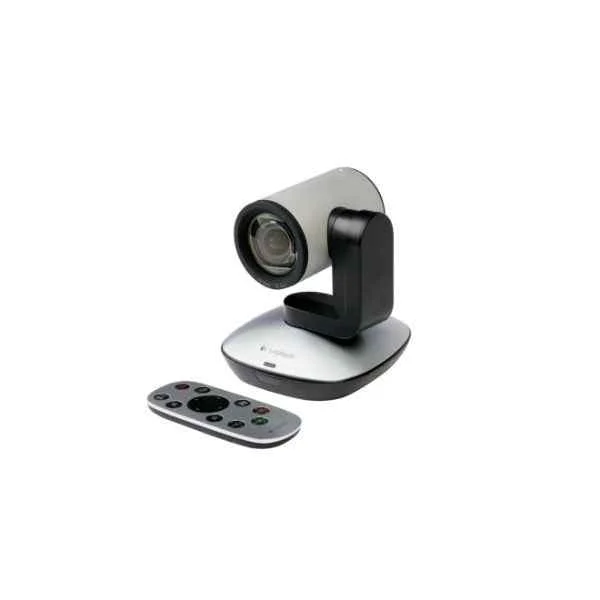 960-001022 960-001022 | |
|---|---|---|---|---|---|
| Product Type | Video Conferencing Solution | Video Conferencing Solution | Video Conferencing Solution | Video Conferencing Solution | Video Conferencing Solution |
| Device Type | Webcam | Webcam | All-in-One Video Bar | PTZ Camera | PTZ Camera |
| Use Case | Huddle Room / Medium Room / Large Conference Room / Boardroom / Hybrid Office / Classroom | Hybrid Office | Boardroom / Hybrid Office / Classroom | Boardroom | Huddle Room / Boardroom / Hybrid Office / Classroom |
| Camera Resolution | 1080p | 1080p | 4K | 1080p | 1080p |
| Frame Rate | 30 FPS | 60 FPS | 30 FPS | 30 FPS | 30 FPS |
| Auto Framing | No | No | Yes | No | No |
| Speaker Integration | Built-in Speaker | None | Built-in Speaker | None | None |
| Connectivity | USB-A | USB-C | USB-A / HDMI / PoE / Wi-Fi | USB-A | USB-A |
| Wireless Support | No | No | Wi-Fi | No | No |
| PoE Support | No | No | Yes | No | No |
| Platform Compatibility | Zoom / Microsoft Teams / Webex | Zoom / Microsoft Teams / Webex | Zoom / Microsoft Teams / Webex | Zoom / Microsoft Teams / Webex | Zoom / Microsoft Teams / Webex |
| Mounting Option | Tabletop | Tabletop | Tabletop / Display Mount | Tripod | Tripod |
| Power Source | USB | USB | PoE | USB | USB |
| Product Name | 960-000867-Logitech BCC950 ConferenceCam Webcam 1920 x 1080 pixels USB 2.0 Black (960-000867) | 960-001281-StreamCam - 1920 x 1080 pixels - 60 fps - 1080p - 2 - 3.7 mm - 0.1 m - 78° | 960-001311-Rally Bar - Group video conferencing system - 4K Ultra HD - 30 fps - 90° - 5x - 3x | 960-001186-Logitech PTZ PRO 2 Black, Grey 30 fps (960-001186) | 960-001022-PTZ Pro Camera - 1920 x 1080 pixels - 30 fps - H.264 - 10x - USB - Black - Grey |


Every unit is authentic, sourced through trusted and authorised channels, and serial-verified on request. Genuine networking and IT hardware, guaranteed, or your money back.

New products are backed by up to 3 years of extended warranty, and certified refurbished units by up to 3 months, for dependable protection on every order. Coverage is clear, honoured in full, and confirmed on each product page.

If a unit ever falls short, our streamlined RMA process gets a replacement to you fast, with advance replacement available to keep your network running. No jargon, no runaround.

Every device is inspected, bench-tested, and firmware-verified, with configurations wiped before dispatch. Additional testing can be arranged to confirm full working condition on request.

Our specialists assist with compatibility, configuration, licensing, and installation, before and after you buy. Real hardware expertise, whenever you need it.

dispatched quickly and shipped worldwide from regional hubs, fully tracked and insured.
Reviewed on the 23 April 2021

Logitech BCC950 provides clear 1080p video for small meeting rooms.
Reviewed on the 24 November 2025
Reliable USB conferencing solution with integrated speakerphone.
Reviewed on the 1 February 2026
Stable video performance and easy setup.
Reviewed on the 27 April 2026
Professional entry-level conference camera with dependable clarity.
Reviewed on the 26 December 2022
Consistent audio and video quality for team meetings.
The Logitech BCC950 ConferenceCam delivers Full HD 1080p video at 30 frames per second for crisp, professional-quality video conferences.
The device uses a standard USB 2.0 interface for reliable plug-and-play connectivity with Windows and macOS systems.
Yes. The BCC950 is fully compatible with Windows 7 or later and macOS 10.7 or later, including most popular video-conferencing applications.
The integrated camera offers a 78° diagonal field of view, ideal for small conference rooms and huddle spaces.
Yes. It features a built-in speakerphone with full-duplex audio and noise cancellation for clear two-way communication.
You can place it on a tabletop or mount it on a tripod via the standard 1/4" thread mount included with the unit.
Absolutely. The BCC950 is plug-and-play—simply connect the USB cable to your computer and open your preferred conferencing software.
Yes. The bundled remote allows you to pan, tilt, and zoom the camera up to 180°/260° pan range and 55° tilt range.
The camera offers 4× digital zoom to focus on specific participants or whiteboard details during your meeting.
Yes. It is certified and optimized for Skype for Business, Microsoft Teams, and works seamlessly with Zoom, Webex, Google Meet, and other platforms.
The camera’s RightLight™ 2 technology automatically balances exposure and contrast to improve image quality in dim lighting.
The omnidirectional microphone captures voice clearly within a 10-foot radius, making it ideal for small group meetings.
Logitech provides free Logitech Camera Settings and Logitech ConferenceCam software for advanced control and firmware updates.
The package includes the ConferenceCam, remote control with CR2032 battery, power adapter, USB cable, tripod mount, and user documentation.
Logitech provides a two-year limited hardware warranty covering defects in materials and workmanship.
Yes. Its Full HD 1080p output at 30 fps makes it suitable for professional live streaming, webinars, and content creation.
Use a soft, dry microfiber cloth to gently wipe the lens and housing. Avoid liquid cleaners and abrasive materials to prevent damage.







