 United States
Trusted by the Highest-Stakes Buyers
Federal agencies and Fortune 500 operations source through ORM Systems.
US Government & Defense
Enterprise Clients

Featured Deal
Hand-picked by our procurement team for standout value. This unit is offered at our sharpest price on current stock, verified against live market rates.
Name:

Added to cart 28 times recently
Ready to Ship
Certified Refurbished
Professionally inspected, bench-tested, and firmware-verified, with configurations wiped. Restored to full working order and backed by our warranty.


3 Year Extended Warranty


Same-day Shipping

30-Day Money Back Guarantee
Shipping:
Payment:
3 Year Extended Warranty
Same-day Shipping
30-Day Money Back Guarantee
Need Additional Discount on Product?
Request a quote below - Get Exclusive Pricing and Support.
Shipping:
Payment:
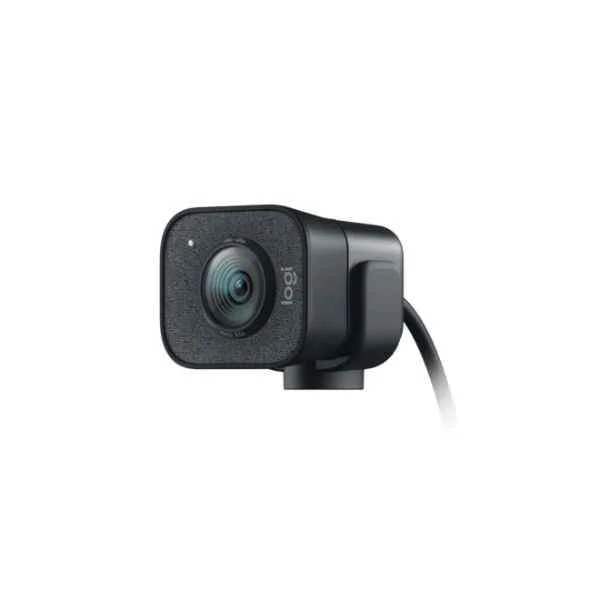
960-001281
StreamCam - 1920 x 1080 pixels - 60 fps - 1080p - 2 - 3.7 mm...
Trusted by the Highest-Stakes Buyers
Federal agencies and Fortune 500 operations source through ORM Systems.
US Government & Defense




Enterprise Clients



Built Global. Stocked Local.
Regional teams and 25+ distribution partners keep stock near you and accountability in your time zone.
Buyer Protection on Every Order
Pay by PayPal or Revolut with full chargeback rights. Order on PO terms, Net-30 for government.
Verified By Federal Bodies
Every registration we claim is public record — check our federal contractor status yourself before you spend a dollar.



Since 2016, Enterprise-Trusted
Ten years serving buyers who audit their vendors. From federal agencies to 20,000+ enterprise clients worldwide.
960-001281-StreamCam - 1920 x 1080 pixels - 60 fps - 1080p - 2 - 3.7 mm - 0.1 m - 78° offers a robust webcam solution designed for high-quality video streaming and conferencing. With a full HD resolution of 1920 x 1080 pixels at 60 fps, this device delivers smooth, clear video and features a 2x optical zoom paired with a 3.7 mm lens to capture detailed imagery over a wide 78° field of view. Its compact build—with a 0.1 m (approximately 3.94 inches) depth—ensures a minimal footprint that fits perfectly on any desktop.
Engineered for modern hybrid workspaces and professional streaming, the 960-001281-StreamCam integrates seamlessly with major platforms such as Zoom, Microsoft Teams, and Webex. Connectivity via USB-C and an intuitive app-based control interface allow for quick, hassle-free setup, making it ideal for huddle rooms, boardrooms, and classrooms. The built-in dual microphone array further enhances its performance by ensuring clear audio capture during video calls and live broadcasts.
960-001281 price is is available on request. Get immediate quote.
Request bulk order quote for 960-001281 for additional pricing. Browse the full Logitech Video Conferencing series or explore all Logitech products.
Mon–Fri: [09:00-16:00]
Avg. response under 30 mins

| 960-001281 |  960-001038 960-001038 | 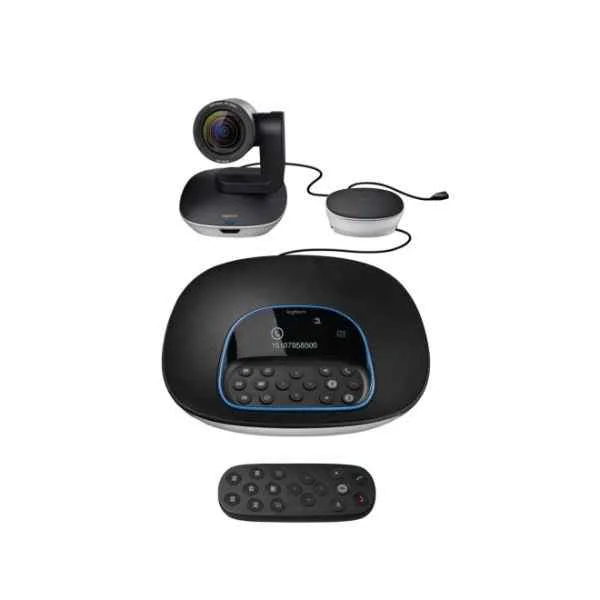 960-001057 960-001057 | 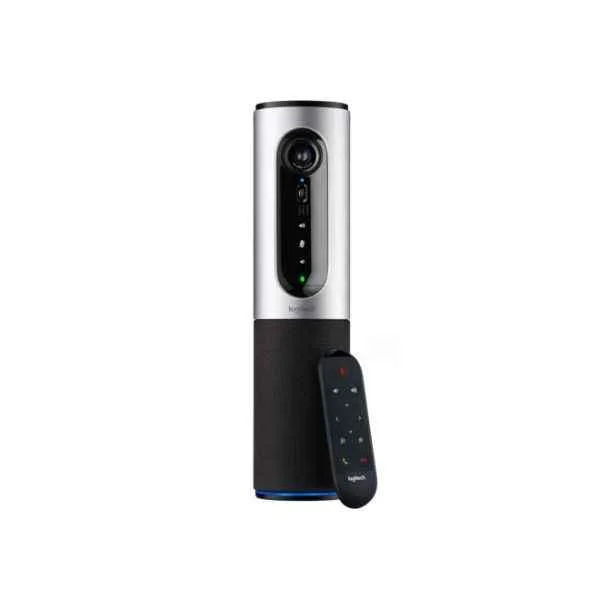 960-001034 960-001034 |  960-001035 960-001035 | |
|---|---|---|---|---|---|
| Product Type | Video Conferencing Solution | Video Conferencing Solution | Video Conferencing Solution | Video Conferencing Solution | Video Conferencing Solution |
| Device Type | Webcam | Display-Integrated System | Room Kit | Room Kit | Webcam |
| Use Case | Hybrid Office | Boardroom | Boardroom | Huddle Room / Boardroom / Hybrid Office / Classroom | Huddle Room / Boardroom / Hybrid Office / Classroom |
| Camera Resolution | 1080p | 1080p | 1080p | 1080p | 1080p |
| Camera Zoom | 2x | 4x Zoom | Optical | Digital | 4x |
| Auto Framing | No | No | No | No | No |
| Connectivity | USB-C | USB-A | USB-A, HDMI | USB-A | USB |
| Wireless Support | No | No | No | No | No |
| PoE Support | No | No | No | No | No |
| Platform Compatibility | Zoom / Microsoft Teams / Webex | Zoom / Microsoft Teams / Webex | Zoom, Microsoft Teams, Google Meet, Webex, Skype for Business | Zoom / Microsoft Teams / Google Meet / Webex / Skype for Business / BlueJeans / RingCentral | Zoom / Microsoft Teams / Webex |
| Power Source | USB | External Adapter | External Adapter | USB | USB |
| Product Name | 960-001281-StreamCam - 1920 x 1080 pixels - 60 fps - 1080p - 2 - 3.7 mm - 0.1 m - 78° | 960-001038-Logitech 960-001038 ConferenceCam: Con NEC Displayt 1920 x 1080 pixels black,Silver : 1920 x 1080, H.264, 4x Zoom, ZEISS | 960-001057-Logitech GROUP video conferencing system Group video conferencing system (960-001057) | 960-001034-Logitech ConferenceCam Connect Video Conferencing System 3 MP (960-001034) | 960-001035-CONNECT - 1920 x 1080 pixels - 720p,1080p - H.264 - 4x - 34 dB - USB |


Every unit is authentic, sourced through trusted and authorised channels, and serial-verified on request. Genuine networking and IT hardware, guaranteed, or your money back.

New products are backed by up to 3 years of extended warranty, and certified refurbished units by up to 3 months, for dependable protection on every order. Coverage is clear, honoured in full, and confirmed on each product page.

If a unit ever falls short, our streamlined RMA process gets a replacement to you fast, with advance replacement available to keep your network running. No jargon, no runaround.

Every device is inspected, bench-tested, and firmware-verified, with configurations wiped before dispatch. Additional testing can be arranged to confirm full working condition on request.

Our specialists assist with compatibility, configuration, licensing, and installation, before and after you buy. Real hardware expertise, whenever you need it.

dispatched quickly and shipped worldwide from regional hubs, fully tracked and insured.
Reviewed on the 18 April 2025

StreamCam provides smooth 1080p at 60 fps for professional streaming.
Reviewed on the 5 August 2021
Excellent autofocus and vibrant color accuracy.
Reviewed on the 19 September 2024
Reliable USB-C connectivity with consistent performance.
Reviewed on the 10 February 2019
High-quality HD video for webinars and content creation.
Reviewed on the 1 April 2026
Stable frame rates and sharp detail.
Reviewed on the 19 December 2024
Professional streaming camera for business use.
The StreamCam delivers Full HD 1920×1080 resolution at a smooth 60 fps, ensuring crisp, fluid video ideal for streaming and content creation.
The StreamCam features a 78° diagonal field of view, providing a balanced perspective that captures you and your background with minimal distortion.
With a close-focus capability of just 0.1 meters, the StreamCam allows sharp detail capture even when positioned very near to the subject.
The StreamCam is equipped with a premium 3.7 mm fixed-focus lens, optimized for clear, accurate image reproduction in all lighting conditions.
The StreamCam supports Windows 10 or later and macOS 10.14 or later, ensuring broad compatibility with popular streaming and video conferencing software.
Simply connect the StreamCam to your computer’s USB-C port or an adapter, install Logitech Capture software, and select StreamCam as your video source.
No, StreamCam is designed for high-quality streaming and recording; it does not support Windows Hello facial recognition.
Yes, the StreamCam features fast, reliable autofocus that consistently maintains sharp focus on your face during live streams and recordings.
The StreamCam uses a USB-C connection for high-speed data transfer; a USB-A adapter is included for backward compatibility.
Yes, it includes dual front-facing beamforming microphones that deliver clear, natural stereo audio without external mics.
Absolutely—the StreamCam features a universal tripod thread, allowing you to attach it to standard tripods or studio mounts.
Logitech Capture software unlocks advanced features such as HD auto-framing, exposure control, and multi-source recording for professional results.
Yes, StreamCam is certified for seamless integration with OBS, XSplit, Streamlabs, Twitch, YouTube, Microsoft Teams, Zoom, and more.
Yes, the StreamCam automatically switches to portrait mode when rotated, ideal for Instagram, TikTok, and other mobile-first platforms.
For optimal image quality, use the StreamCam with balanced, diffuse lighting; Logitech Capture also offers on-screen lighting controls to fine-tune brightness.
Use a soft, lint-free microfiber cloth to gently wipe the lens; avoid liquids or harsh chemicals to preserve the optical coating.







