 United States
Trusted by the Highest-Stakes Buyers
Federal agencies and Fortune 500 operations source through ORM Systems.
US Government & Defense
Enterprise Clients

Featured Deal
Hand-picked by our procurement team for standout value. This unit is offered at our sharpest price on current stock, verified against live market rates.
Name:

Added to cart 28 times recently
Ready to Ship
Certified Refurbished
Professionally inspected, bench-tested, and firmware-verified, with configurations wiped. Restored to full working order and backed by our warranty.

$332.00
$160.9851.5% off
Quantity:


3 Year Extended Warranty


Same-day Shipping

30-Day Money Back Guarantee
Shipping:
Payment:
3 Year Extended Warranty
Same-day Shipping
30-Day Money Back Guarantee
Need Additional Discount on Product?
Request a quote below - Get Exclusive Pricing and Support.
Shipping:
Payment:
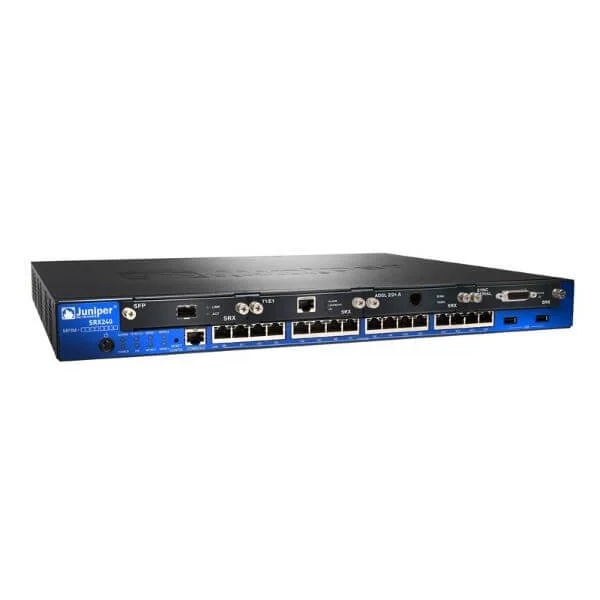
SRX240-RMK
SRX240 Rack mount kit for 19" rack. Holds one unit.
Trusted by the Highest-Stakes Buyers
Federal agencies and Fortune 500 operations source through ORM Systems.
US Government & Defense




Enterprise Clients



Built Global. Stocked Local.
Regional teams and 25+ distribution partners keep stock near you and accountability in your time zone.
Buyer Protection on Every Order
Pay by PayPal or Revolut with full chargeback rights. Order on PO terms, Net-30 for government.
Verified By Federal Bodies
Every registration we claim is public record — check our federal contractor status yourself before you spend a dollar.



Since 2016, Enterprise-Trusted
Ten years serving buyers who audit their vendors. From federal agencies to 20,000+ enterprise clients worldwide.
SRX240-RMK is a high-performance, rack-mounted security appliance engineered for branch office and mid-market enterprise environments. Built on purpose-designed hardware, it delivers robust firewall capabilities with a throughput capacity of up to 2 Gbps, and is equipped with a versatile port configuration that includes dedicated LAN, WAN, and SFP interfaces. The appliance features dual AC power supplies with redundant options to ensure continuous operation and supports a suite of security services such as IPS, antivirus, web filtering, and VPN.
SRX240-RMK is optimized for scalable, high availability network deployments, making it ideal for SMBs, branch offices, and cloud-integrated enterprise environments. With centralized management and deployment flexibility, it supports real-time threat protection, secure remote access, and clustering options that cater to dynamic business requirements while delivering reliable performance and easy operational management.
SRX240-RMK price for new stock is is available on request. Get immediate quote. SRX240-RMK refurb price is $160.98.
Request bulk order quote for SRX240-RMK for additional pricing. Browse the full Juniper Srx Series Service Gateways series or explore all Juniper products.
Scenario: A global enterprise integrates SRX240 firewalls into a high-density 42U network rack. The SRX240-RMK-SRX240 rack mount kit for 19
Scenario: A retail chain rolls out uniform security appliances across 200 regional stores with constrained rack space. The SRX240-RMK-SRX240 rack mount kit for 19
Scenario: An MSP deploys SRX240 firewalls into multi-tenant racks at a colocation facility. The SRX240-RMK-SRX240 rack mount kit for 19
Mon–Fri: [09:00-16:00]
Avg. response under 30 mins

| SRX240-RMK | 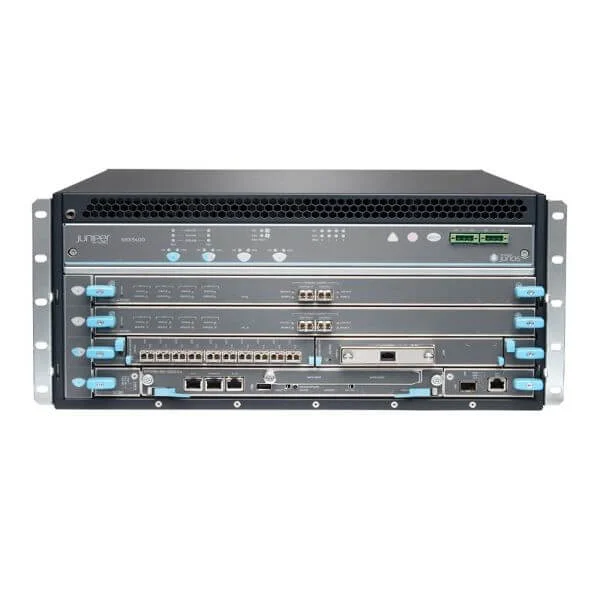 SRX5400E-B2-AC SRX5400E-B2-AC | 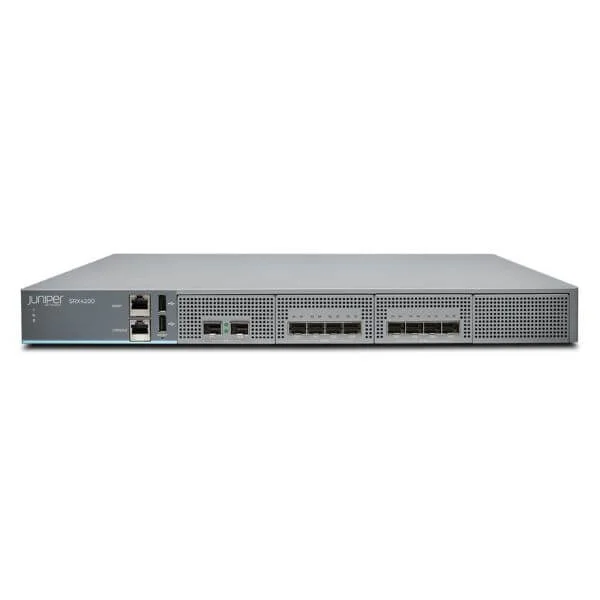 SRX4200-SYS-JB-DC SRX4200-SYS-JB-DC | 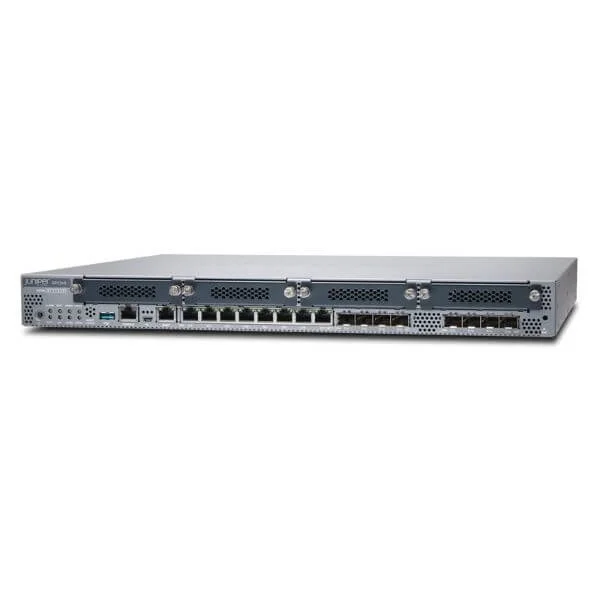 SRX345-SYS-JE-DC SRX345-SYS-JE-DC | 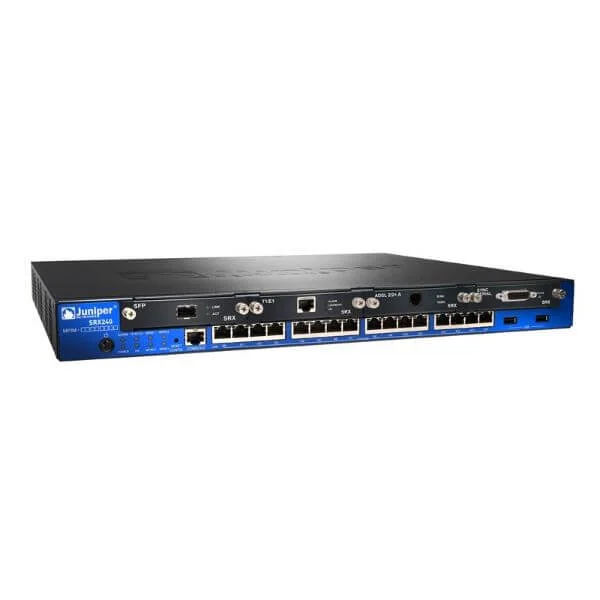 SRX240H2-DC SRX240H2-DC | |
|---|---|---|---|---|---|
| Product Type | Firewall Appliance | Firewall Appliance | Firewall Appliance | Firewall Appliance | Firewall Appliance |
| Architecture | Rack-mount | Rack-mount | Rack-mount | Rack-mount | Rack-mount |
| Deployment Type | Branch Office | Enterprise / Data Center / Branch Office | Data Center / Enterprise | Enterprise / Data Center | Data Center / Enterprise |
| Use Case | VPN / Secure Access / UTM | VPN / Secure Access / Segmentation / UTM | VPN / Secure Access / UTM | VPN / Secure Access / Segmentation / UTM | NGFW / VPN / Secure Access |
| Firewall Layer Supported | Layer 3 / Layer 4 / Layer 7 | Layer 3 / Layer 4 / Layer 7 | Layer 3 / Layer 4 / Layer 7 | Layer 3 / Layer 4 / Layer 7 | Layer 3 / Layer 4 / Layer 7 |
| Power Source | AC Power Supply | AC Power Supply | AC Power Supply | AC Power Supply | DC Power Supply |
| Redundant Power Supply Supported | Yes | Yes | Yes | Yes | Yes |
| Firewall Throughput | 2 Gbps | 100 Gbps | 10 Gbps | 4 Gbps | 5 Gbps |
| Threat Protection Throughput | 1 Gbps | 50 Gbps | 8 Gbps | 3 Gbps | 3 Gbps |
| IPS Throughput | 1 Gbps | 50 Gbps | 8 Gbps | 2 Gbps | 1 Gbps |
| VPN Throughput | 1 Gbps | 30 Gbps | 9 Gbps | 1.5 Gbps | 2 Gbps |
| Centralized Configuration & Reporting | Yes | Yes | Yes | Yes | Yes |
| Feature | Next-Generation Firewall (NGFW) | Integrated Threat Intelligence | Next-Generation Firewall, IPS, Antivirus, Web Filtering, VPN | Next-Generation Firewall | Advanced Threat Protection, IPS, Antivirus, VPN, and Web Filtering |
| Concurrent Sessions | 50000 | 2000000 | 1000000 | 250,000 | 500000 |
| Maximum Concurrent Sessions | 100000 | 2000000 | 1500000 | 500,000 | 1000000 |
| Users/Nodes | Unlimited | Unlimited | Unlimited | Unlimited | Unlimited |
| Integrated I/O | 6 | 8 | 4 | 8 | 8 |
| New Sessions Per Second | 8000 | 150000 | 75000 | 30,000 | 50000 |
| Supported VPN Types | IPSec / SSL VPN | IPSec / SSL VPN / GRE | IPSec / SSL VPN / L2TP | IPSec / SSL VPN | IPSec / SSL VPN |
| Routing Protocols Supported | OSPF / BGP / Static Routing | OSPF / BGP / RIP / Static Routing | OSPF / BGP / RIP / Static Routing | OSPF / BGP / Static Routing | OSPF / BGP / RIP / Static Routing |
| Security Services | Antivirus / Web Filtering / Application Control / IPS / VPN | Antivirus / Web Filtering / Application Control / IPS / VPN | Antivirus / Web Filtering / Application Control / IPS / VPN | Antivirus / Web Filtering / Application Control / IPS / VPN | Antivirus / Web Filtering / Application Control / IPS / VPN |
| High Availability | Active-Passive | Active-Passive | Active-Passive | Active-Passive | Active-Passive |
| Interfaces | RJ-45 / SFP | SFP / SFP+ / RJ-45 | RJ-45 / SFP / SFP+ | RJ-45 / SFP | RJ-45 / SFP |
| WAN Ports | 2 WAN | 4 WAN | 2 WAN | 2 WAN | 2 WAN |
| LAN Ports | 8 LAN Ports | 8 LAN Ports | 8 LAN Ports | 8 LAN Ports | 8 LAN Ports |
| Switch Ports | Yes | Yes | No | Yes | Yes |
| POE Ports | No | No | No | No | No |
| Management Options | Cloud / CLI / GUI / Centralized / REST API / SNMP | Cloud / CLI / GUI / Centralized / REST API / SNMP | Cloud / CLI / GUI / Centralized / REST API / SNMP | CLI / GUI / SNMP | CLI / GUI / Centralized / REST API / SNMP |
| Logging & Monitoring | Built-in / Syslog / Cloud Logging | Built-in / External / Syslog / Cloud Logging | Built-in / Syslog / Cloud Logging | Built-in / Syslog | Built-in / Syslog / Cloud Logging |
| Firewall Policies Supported | 200 | 5000 | 250 | 200 | 1000 |
| Memory | 8 GB | 16 GB | 16 GB | 8 GB | 4 GB |
| Flash Storage | 64 GB | 64 GB | 128 GB | 128 GB | 32 GB |
| Expansion Slots | SFP | SFP | SFP | SFP | SFP |
| Form Factor | 1 RU | 2 RU | 2 RU | 1 RU | 1 RU |
| Rack Units | 1 RU | 2 RU | 2 RU | 1 RU | 1 RU |
| Device Type | NGFW | NGFW | NGFW | NGFW | NGFW |
| Product Name | SRX240-RMK | SRX5400E-B2-AC | SRX4200-SYS-JB-DC | SRX345-SYS-JE-DC | SRX240H2-DC |
| Height | 1 inch | 3.5 inches | 3.5 inches | 1.75 inches | 1.75 inches |
| Width | 17 inches | 17.2 inches | 17 inches | 17.5 inches | 17.5 inches |
| Depth | 12 inches | 29.5 inches | 18 inches | 15 inches | 18 inches |
| Weight | 15 lbs | 55 lbs | 45 lbs | 15 lbs | 15 lbs |


Every unit is authentic, sourced through trusted and authorised channels, and serial-verified on request. Genuine networking and IT hardware, guaranteed, or your money back.

New products are backed by up to 3 years of extended warranty, and certified refurbished units by up to 3 months, for dependable protection on every order. Coverage is clear, honoured in full, and confirmed on each product page.

If a unit ever falls short, our streamlined RMA process gets a replacement to you fast, with advance replacement available to keep your network running. No jargon, no runaround.

Every device is inspected, bench-tested, and firmware-verified, with configurations wiped before dispatch. Additional testing can be arranged to confirm full working condition on request.

Our specialists assist with compatibility, configuration, licensing, and installation, before and after you buy. Real hardware expertise, whenever you need it.

dispatched quickly and shipped worldwide from regional hubs, fully tracked and insured.
Reviewed on the 21 February 2024

Rack mount kit fit perfectly and felt sturdy.
Reviewed on the 9 February 2026
Easy installation in standard racks.
Reviewed on the 20 November 2023
Good build quality.
Reviewed on the 10 August 2025
Did the job well.
Reviewed on the 10 January 2019
Useful accessory.
The SRX240-RMK is a factory-tested bracket assembly designed to securely mount a single Juniper SRX240 Services Gateway in a standard 19-inch equipment rack.
The SRX240-RMK is specifically engineered to support only the Juniper Networks SRX240 Services Gateway chassis.
Yes, the SRX240-RMK conforms to EIA-310-D standards and fits all standard 19-inch racks with square or round mounting holes.
The SRX240-RMK is constructed from high-strength, powder-coated steel to ensure durability and long-term rack stability.
The bracket assembly measures 19 inches in width, occupies one rack unit (1.75 inches) in height, and provides up to 8 inches of depth for chassis support.
The SRX240-RMK is rated to support the fully populated SRX240 chassis, accommodating loads up to 50 lbs (22.7 kg).
Yes, the kit ships complete with all required rack-mount screws, cage nuts, and installation brackets necessary for a single unit.
A Phillips screwdriver is the only tool needed to secure the SRX240-RMK brackets and fasten the chassis to the rack.
Position the rack brackets at the desired U-space, insert the included screws through the bracket holes into the rack posts, slide the SRX240 chassis into the brackets, and secure it with the provided screws.
Yes, you can mount multiple SRX240-RMK kits in adjacent rack units, provided you allocate at least one U per SRX240 chassis.
The SRX240-RMK provides sufficient rear clearance for standard cable routing, and it can be paired with optional cable management accessories if needed.
No, the SRX240-RMK is designed to maintain front-to-back airflow through the SRX240 chassis without obstruction.
The SRX240-RMK is CE and FCC certified, meeting international safety and electromagnetic compatibility standards.
The SRX240-RMK is backed by Juniper Networks’ one-year limited hardware warranty for defects in materials and workmanship.
Install the SRX240-RMK in a controlled environment between 32 °F and 104 °F (0 °C to 40 °C) with 10%–85% non-condensing humidity.
No additional accessories are required; the kit includes all necessary brackets and hardware to mount one SRX240 unit.
You can download the complete installation guide and technical documentation from the Juniper Networks website at https://www.juniper.net/documentation.







