 United States
Cisco Catalyst 3560 Switches For Enterprise Connectivity
Designed for professional environments, Cisco Catalyst 3560 switches deliver scalable, secure, and reliable networking. Shop all catalyst 3560, including 3560-X and 3560-CX models online.
Talk to an expert
Cisco 3560X Catalyst Switches
(21)Catalyst 3560-X switches for high-density campus access closets using StackPower, PoE+, Gigabit Ethernet ports, and 10GbE uplink modules
Cisco 3560CX Catalyst Switches
(7)Catalyst 3560-CX switches for compact branch access spaces needing fanless Gigabit Ethernet, PoE pass-through, and local Layer 2 segmentation
66 Matching results
- BEST SELLING
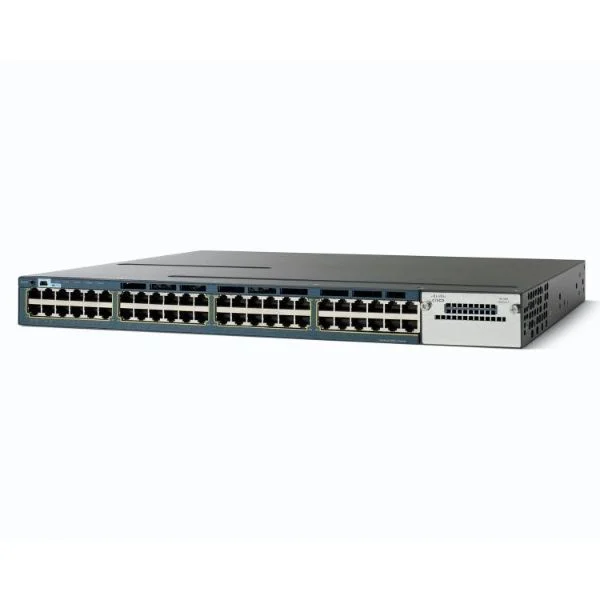
WS-C3560X-48PF-E (Cisco WS-C3560X-48PF-E Catalyst 3560-X 48-Port Gigabit PoE+ Switch, Modular Uplinks, IP Services)
4.8 (5)- WS-C3560X-48PF-E
- Cisco
- Catalyst 3560-X
- Enterprise Access
- Managed
- IP Services
- Layer 3
Est Value $16,100.00
$183.33
98.9% offIn stockNewRefurbishedFirst-Time Buyer Discount – Get up to 2% additional off on your first order
ORM Rewards Earn $50 in Rewards + Free Expedited Delivery – Join Now!
Use eCoupon ORMSAVE10
eCoupon limited to 5 units
- BEST SELLING
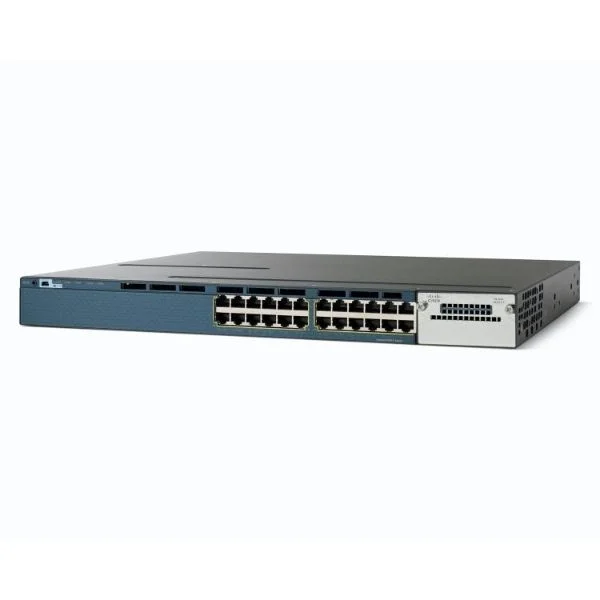
WS-C3560X-24P-L (Cisco WS-C3560X-24P-L Catalyst 3560-X 24-Port Gigabit PoE+ Switch, Modular Uplinks, LAN Base)
4.6 (5)- WS-C3560X-24P-L
- Cisco
- Catalyst 3560-X
- Enterprise Access
- Managed
- LAN Base
- Layer 2+
Est Value $126.00
In stockNewRefurbishedFirst-Time Buyer Discount – Get up to 2% additional off on your first order
ORM Rewards Earn $50 in Rewards + Free Expedited Delivery – Join Now!
Use eCoupon ORMSAVE10
eCoupon limited to 5 units
- BEST SELLING
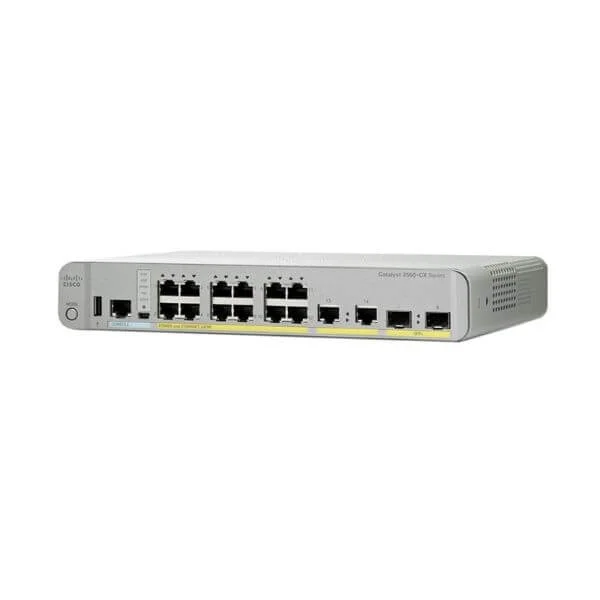
WS-C3560CX-12PD-S (Cisco WS-C3560CX-12PD-S Catalyst 3560-CX 12-Port Gigabit PoE+ Desktop Switch, 2x10G SFP+ and 2x1G Copper Uplinks, IP Base)
4.8 (5)- WS-C3560CX-12PD-S
- Cisco
- Catalyst 3560-CX
- Enterprise Access
- Managed
- IP Base
- Layer 3
Est Value $3,454.00$577.50
83.3% offIn stockNewRefurbishedFirst-Time Buyer Discount – Get up to 2% additional off on your first order
ORM Rewards Earn $50 in Rewards + Free Expedited Delivery – Join Now!
Use eCoupon ORMSAVE10
eCoupon limited to 5 units
- BEST SELLING
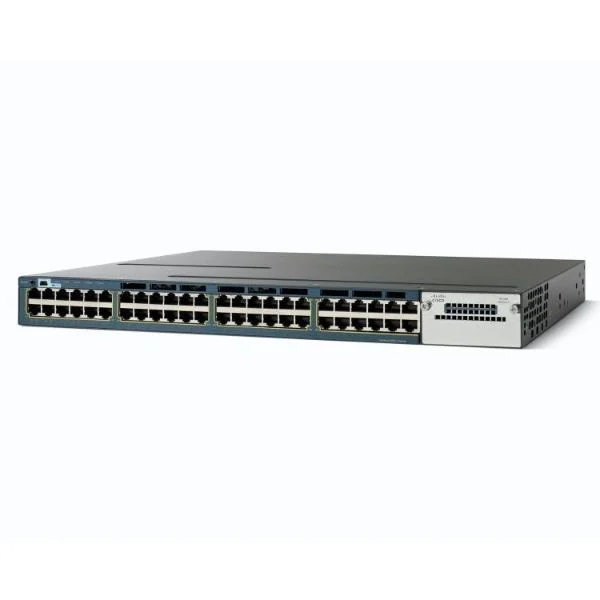
WS-C3560X-48P-S (Cisco WS-C3560X-48P-S Catalyst 3560-X 48-Port Gigabit PoE+ Switch, Modular Uplinks, IP Base)
4.4 (5)- WS-C3560X-48P-S
- Cisco
- Catalyst 3560-X
- Enterprise Access
- Managed
- IP Base
- Layer 3
Est Value $110.88
In stockNewRefurbishedFirst-Time Buyer Discount – Get up to 2% additional off on your first order
ORM Rewards Earn $50 in Rewards + Free Expedited Delivery – Join Now!
Use eCoupon ORMSAVE10
eCoupon limited to 5 units
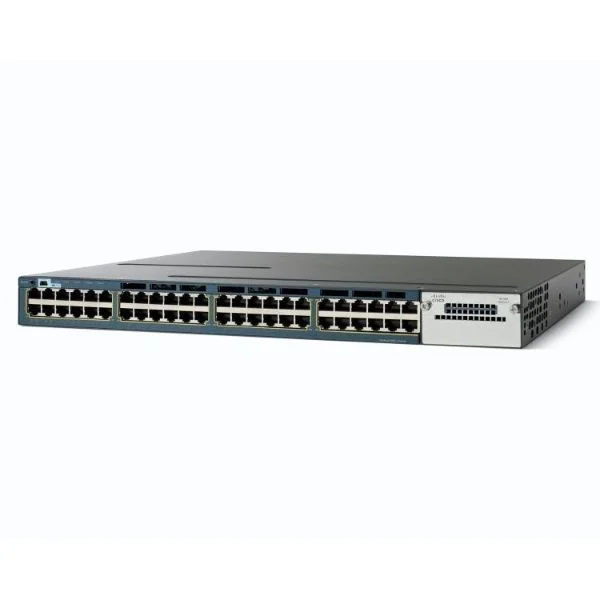
WS-C3560X-48U-S (Cisco WS-C3560X-48U-S Catalyst 3560-X 48-Port Gigabit UPOE Switch, Modular 10G Uplinks, IP Base)
4.6 (5)- WS-C3560X-48U-S
- Cisco
- Catalyst 3560-X
- Enterprise Access
- Managed
- IP Base
- Layer 3
Est Value $294.30$204.75
30.4% offIn stockRefurbishedFirst-Time Buyer Discount – Get up to 2% additional off on your first order
ORM Rewards Earn $50 in Rewards + Free Expedited Delivery – Join Now!
Use eCoupon ORMSAVE10
eCoupon limited to 5 units
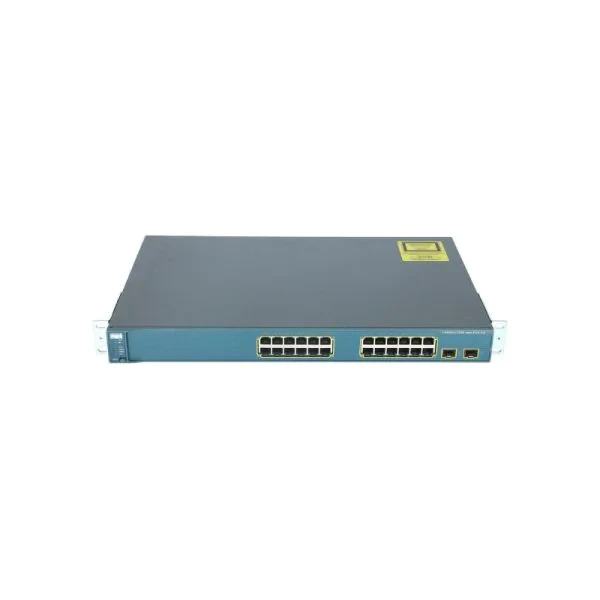
WS-C3560-24PS-S (Cisco WS-C3560-24PS-S Catalyst 3560 24-Port Fast Ethernet PoE Switch, 2x1G Uplinks, IP Base)
4.7 (7)- WS-C3560-24PS-S
- Cisco
- Catalyst 3560
- Enterprise Access
- Managed
- IP Base
- Layer 2+
Est Value $310.50$109.17
64.8% offIn stockNewRefurbishedFirst-Time Buyer Discount – Get up to 2% additional off on your first order
ORM Rewards Earn $50 in Rewards + Free Expedited Delivery – Join Now!
Use eCoupon ORMSAVE10
eCoupon limited to 5 units
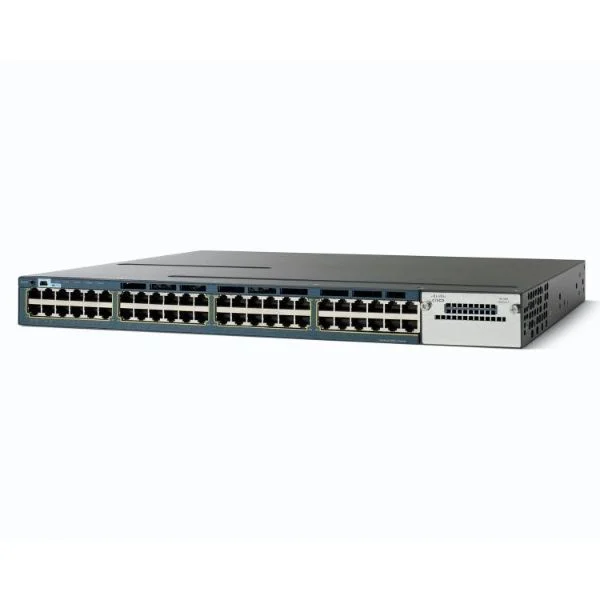
WS-C3560X-48U-L (Cisco WS-C3560X-48U-L Catalyst 3560-X 48-Port Gigabit UPOE Switch, Modular 10G Uplinks, LAN Base)
4.8 (5)- WS-C3560X-48U-L
- Cisco
- Catalyst 3560-X
- Enterprise Access
- Managed
- LAN Base
- Layer 2+
Est Value $492.75$375.59
23.8% offIn stockRefurbishedFirst-Time Buyer Discount – Get up to 2% additional off on your first order
ORM Rewards Earn $50 in Rewards + Free Expedited Delivery – Join Now!
Use eCoupon ORMSAVE10
eCoupon limited to 5 units
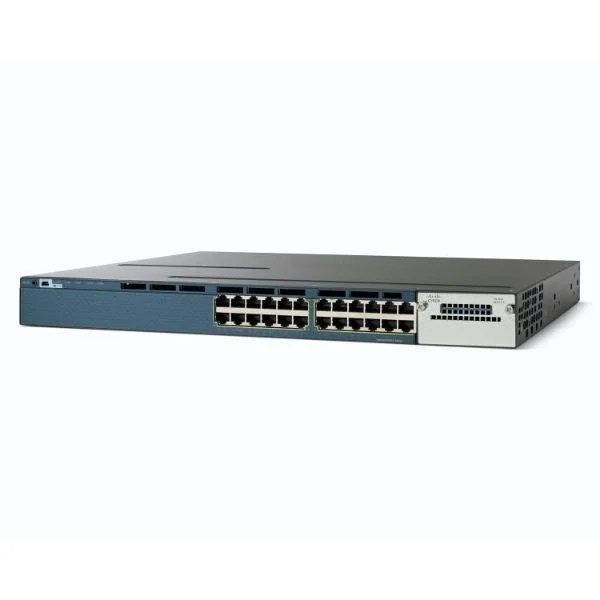
WS-C3560X-24T-L (Cisco WS-C3560X-24T-L Catalyst 3560-X 24-Port Gigabit Switch, Modular Uplinks, LAN Base)
4.8 (5)- WS-C3560X-24T-L
- Cisco
- Catalyst 3560-X
- Enterprise Access
- Managed
- LAN Base
- Layer 2+
Est Value $3,900.00$168.05
95.7% offIn stockNewRefurbishedFirst-Time Buyer Discount – Get up to 2% additional off on your first order
ORM Rewards Earn $50 in Rewards + Free Expedited Delivery – Join Now!
Use eCoupon ORMSAVE10
eCoupon limited to 5 units
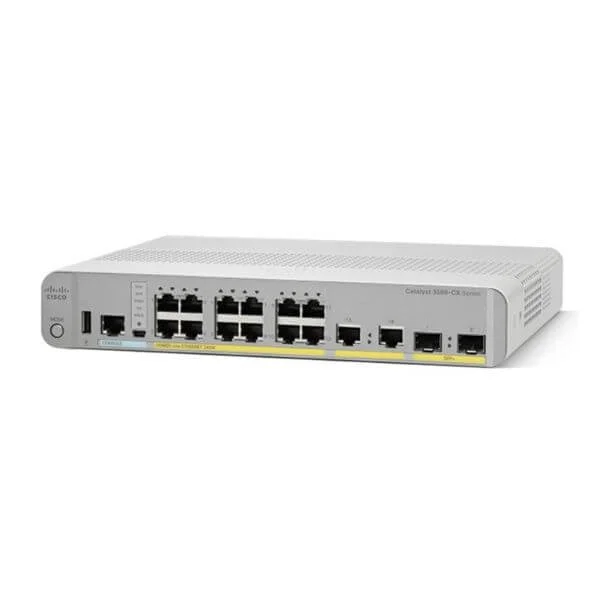
WS-C3560CX-12PC-S (Cisco WS-C3560CX-12PC-S Catalyst 3560-CX 12-Port Gigabit PoE+ Desktop Switch, 4x1G Uplinks, IP Base)
4.2 (5)- WS-C3560CX-12PC-S
- Cisco
- Catalyst 3560-CX
- Enterprise Access
- Managed
- IP Base
- Layer 3
Est Value $3,020.00$162.75
94.6% offIn stockNewRefurbishedFirst-Time Buyer Discount – Get up to 2% additional off on your first order
ORM Rewards Earn $50 in Rewards + Free Expedited Delivery – Join Now!
Use eCoupon ORMSAVE10
eCoupon limited to 5 units
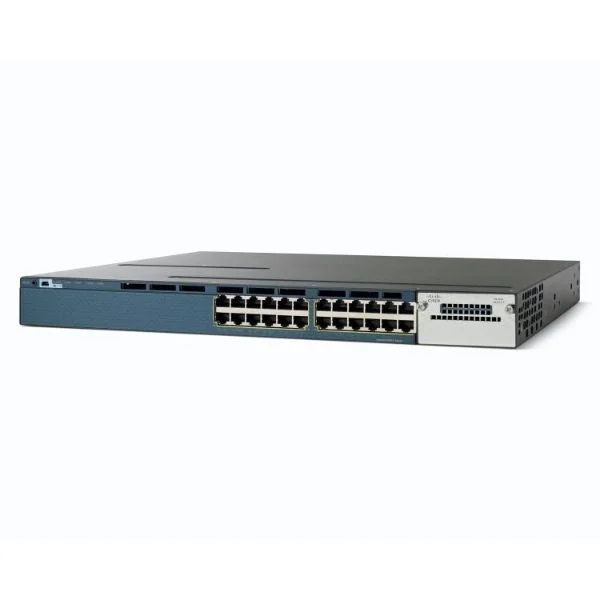
WS-C3560X-24U-S (Cisco WS-C3560X-24U-S Catalyst 3560-X 24-Port Gigabit UPOE Switch, Modular Uplinks, IP Base)
4.4 (5)- WS-C3560X-24U-S
- Cisco
- Catalyst 3560-X
- Enterprise Access
- Managed
- IP Base
- Layer 3
Est Value $641.25$530.88
17.2% offIn stockRefurbishedFirst-Time Buyer Discount – Get up to 2% additional off on your first order
ORM Rewards Earn $50 in Rewards + Free Expedited Delivery – Join Now!
Use eCoupon ORMSAVE10
eCoupon limited to 5 units
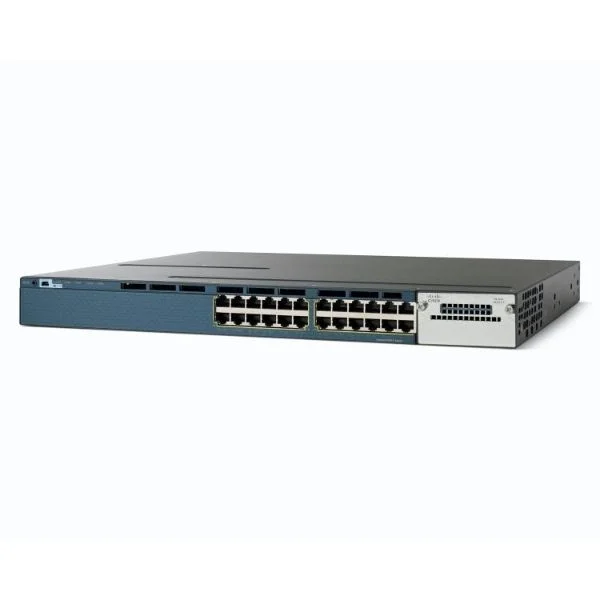
WS-C3560X-24T-S (Cisco WS-C3560X-24T-S Catalyst 3560-X 24-Port Gigabit Switch, Modular 10G Uplinks, IP Base)
4.6 (5)- WS-C3560X-24T-S
- Cisco
- Catalyst 3560-X
- Enterprise Access
- Managed
- IP Base
- Layer 3
Est Value $4,900.00$110.88
97.7% offIn stockNewRefurbishedFirst-Time Buyer Discount – Get up to 2% additional off on your first order
ORM Rewards Earn $50 in Rewards + Free Expedited Delivery – Join Now!
Use eCoupon ORMSAVE10
eCoupon limited to 5 units
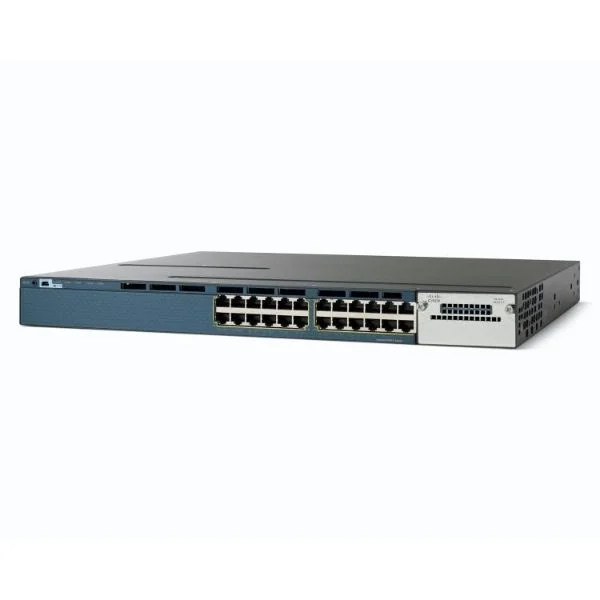
WS-C3560X-24U-L (Cisco WS-C3560X-24U-L Catalyst 3560-X 24-Port Gigabit UPOE Switch, Modular 1G/10G Uplinks, LAN Base)
4.4 (5)- WS-C3560X-24U-L
- Cisco
- Catalyst 3560-X
- Enterprise Access
- Managed
- LAN Base
- Layer 2+
Est Value $1,242.00$621.00
50% offIn stockRefurbishedFirst-Time Buyer Discount – Get up to 2% additional off on your first order
ORM Rewards Earn $50 in Rewards + Free Expedited Delivery – Join Now!
Use eCoupon ORMSAVE10
eCoupon limited to 5 units
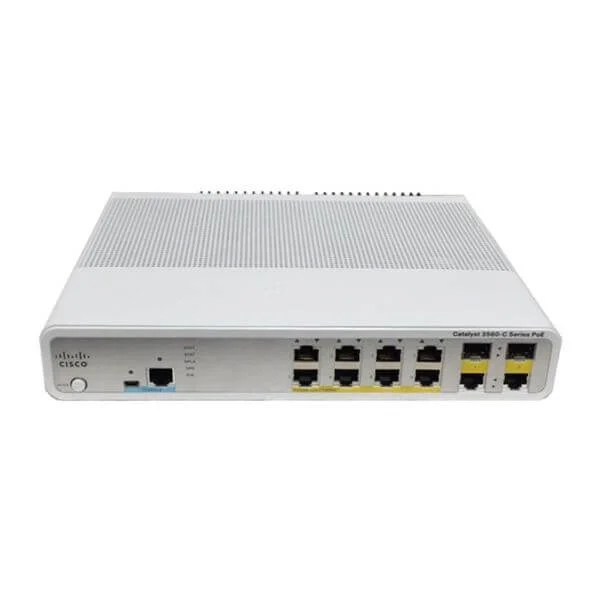
WS-C3560C-8PC-S (Cisco WS-C3560C-8PC-S Catalyst 3560-C 8-Port Fast Ethernet PoE+ Desktop Switch, 2x1G Combo Uplinks, IP Base)
5 (5)- WS-C3560C-8PC-S
- Cisco
- Catalyst 3560-C
- Enterprise Access
- Managed
- IP Base
- Layer 3
Est Value $1,600.00$178.50
88.8% offIn stockNewRefurbishedFirst-Time Buyer Discount – Get up to 2% additional off on your first order
ORM Rewards Earn $50 in Rewards + Free Expedited Delivery – Join Now!
Use eCoupon ORMSAVE10
eCoupon limited to 5 units
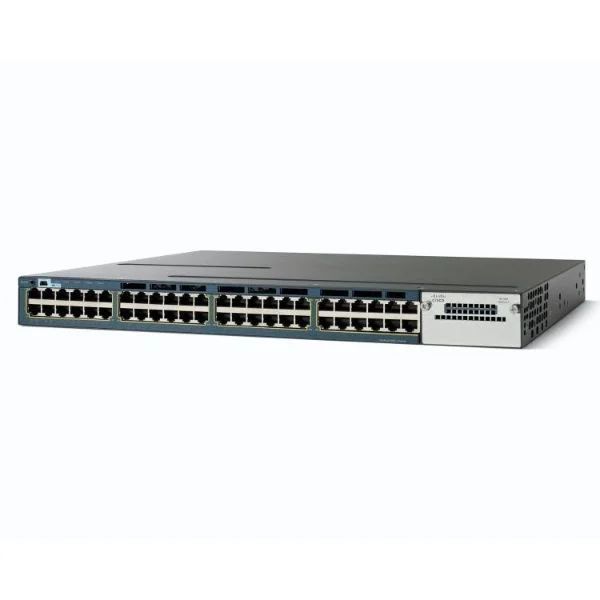
WS-C3560X-48U-E (Cisco WS-C3560X-48U-E Catalyst 3560-X 48-Port Gigabit UPOE Switch, Modular 1G/10G Uplinks, IP Services)
4.2 (5)- WS-C3560X-48U-E
- Cisco
- Catalyst 3560-X
- Enterprise Access
- Managed
- IP Services
- Layer 3
Est Value $863.46$649.69
24.8% offIn stockRefurbishedFirst-Time Buyer Discount – Get up to 2% additional off on your first order
ORM Rewards Earn $50 in Rewards + Free Expedited Delivery – Join Now!
Use eCoupon ORMSAVE10
eCoupon limited to 5 units
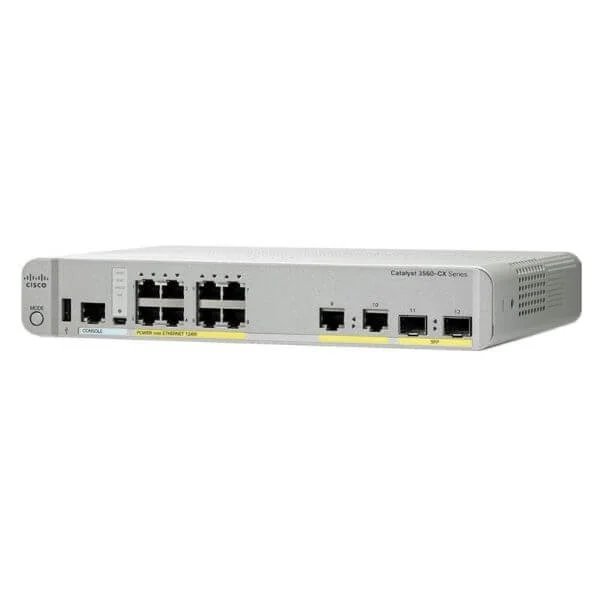
WS-C3560CX-8PC-S (Cisco WS-C3560CX-8PC-S Catalyst 3560-CX 8-Port Gigabit PoE+ Desktop Switch, 2x1G SFP and 2x1G Copper Uplinks, IP Base)
4.4 (5)- WS-C3560CX-8PC-S
- Cisco
- Catalyst 3560-CX
- Enterprise Access
- Managed
- IP Base
- Layer 3
Est Value $2,523.00$248.85
90.1% offIn stockNewRefurbishedFirst-Time Buyer Discount – Get up to 2% additional off on your first order
ORM Rewards Earn $50 in Rewards + Free Expedited Delivery – Join Now!
Use eCoupon ORMSAVE10
eCoupon limited to 5 units
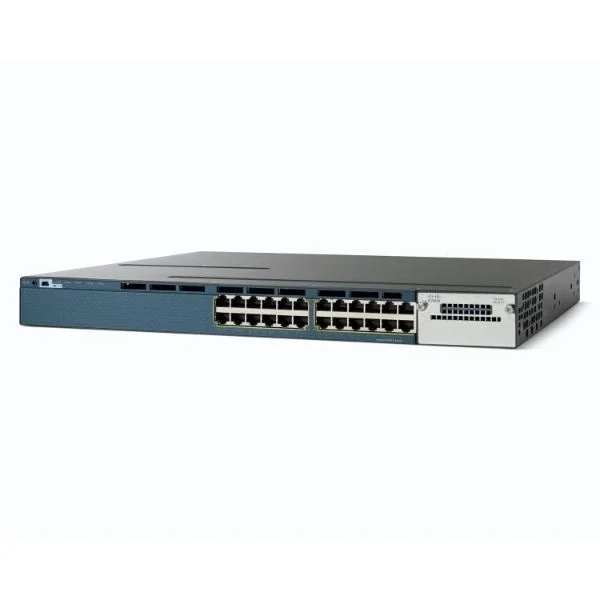
WS-C3560X-24U-E (Cisco WS-C3560X-24U-E Catalyst 3560-X 24-Port Gigabit UPOE Switch, Modular 10G Uplinks, IP Services)
5 (5)- WS-C3560X-24U-E
- Cisco
- Catalyst 3560-X
- Enterprise Access
- Managed
- IP Services
- Layer 3
Est Value $904.50$703.50
22.2% offIn stockRefurbishedFirst-Time Buyer Discount – Get up to 2% additional off on your first order
ORM Rewards Earn $50 in Rewards + Free Expedited Delivery – Join Now!
Use eCoupon ORMSAVE10
eCoupon limited to 5 units
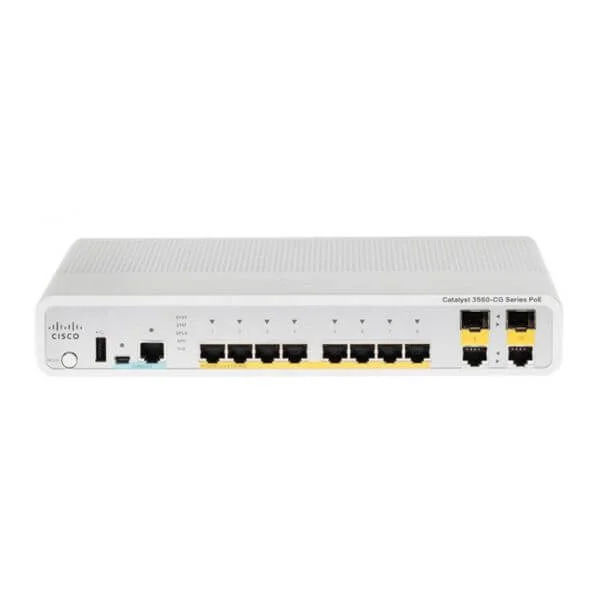
WS-C3560CG-8PC-S (Cisco WS-C3560CG-8PC-S Catalyst 3560-C 8-Port Gigabit PoE+ Desktop Switch, 2x1G Combo Uplinks, IP Base)
4.6 (5)- WS-C3560CG-8PC-S
- Cisco
- Catalyst 3560-C
- Enterprise Access
- Managed
- IP Base
- Layer 3
Est Value $2,050.00$174.69
91.5% offIn stockNewRefurbishedFirst-Time Buyer Discount – Get up to 2% additional off on your first order
ORM Rewards Earn $50 in Rewards + Free Expedited Delivery – Join Now!
Use eCoupon ORMSAVE10
eCoupon limited to 5 units
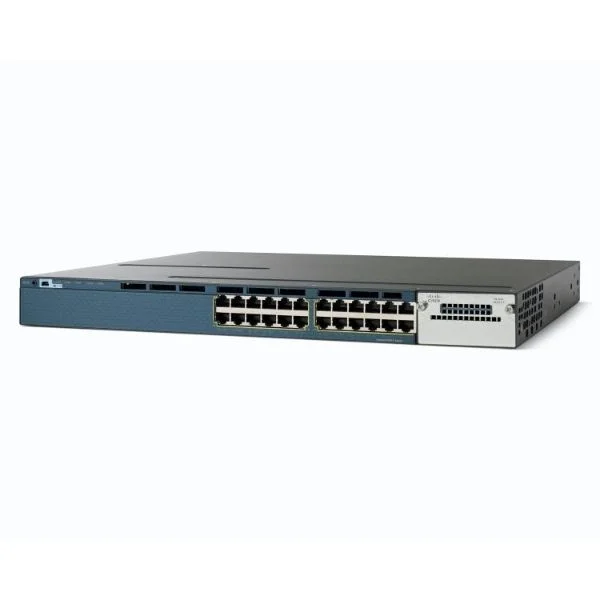
WS-C3560X-24P-S (Cisco WS-C3560X-24P-S Catalyst 3560-X 24-Port Gigabit PoE+ Switch, Modular Uplinks, IP Base)
4.8 (5)- WS-C3560X-24P-S
- Cisco
- Catalyst 3560-X
- Enterprise Access
- Managed
- IP Base
- Layer 3
Est Value $110.25
In stockNewRefurbishedFirst-Time Buyer Discount – Get up to 2% additional off on your first order
ORM Rewards Earn $50 in Rewards + Free Expedited Delivery – Join Now!
Use eCoupon ORMSAVE10
eCoupon limited to 5 units
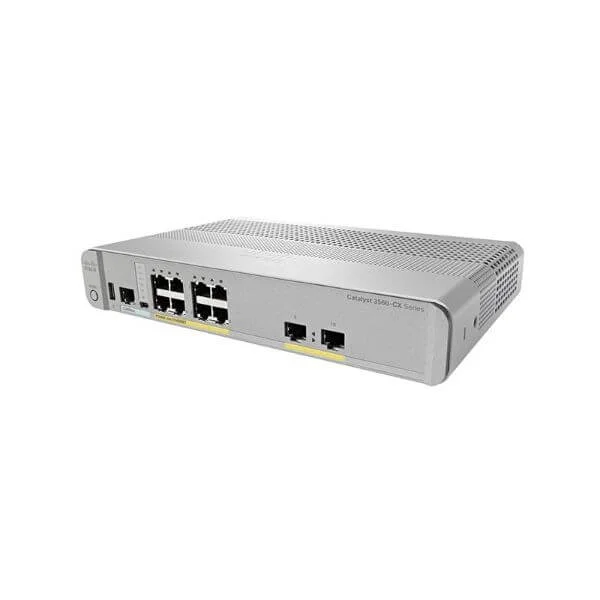
WS-C3560CX-8PT-S (Cisco WS-C3560CX-8PT-S Catalyst 3560-CX 8-Port Gigabit PoE+ Desktop Switch, 2x1G Copper Uplinks, IP Base)
4.8 (5)- WS-C3560CX-8PT-S
- Cisco
- Catalyst 3560-CX
- Enterprise Access
- Managed
- IP Base
- Layer 3
Est Value $2,039.00$299.25
85.3% offIn stockNewRefurbishedFirst-Time Buyer Discount – Get up to 2% additional off on your first order
ORM Rewards Earn $50 in Rewards + Free Expedited Delivery – Join Now!
Use eCoupon ORMSAVE10
eCoupon limited to 5 units
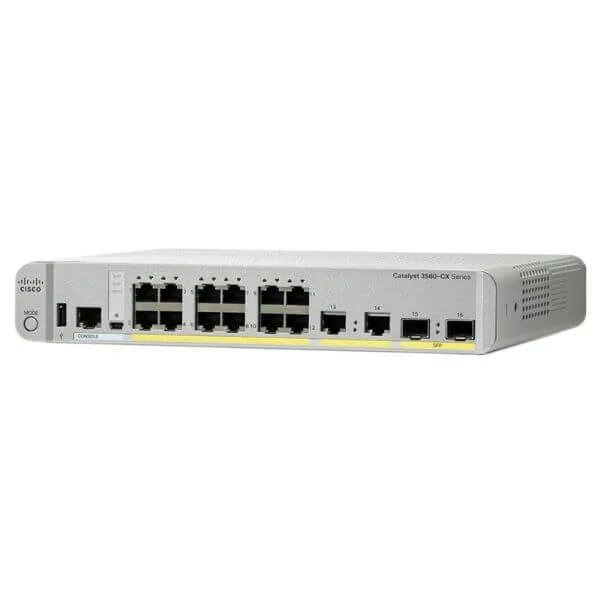
WS-C3560CX-12TC-S (Cisco WS-C3560CX-12TC-S Catalyst 3560-CX 12-Port Gigabit Desktop Switch, 2x1G SFP Uplinks, 2x1G Copper Uplinks, IP Base)
4.6 (5)- WS-C3560CX-12TC-S
- Cisco
- Catalyst 3560-CX
- Enterprise Access
- Managed
- IP Base
- Layer 3
Est Value $2,632.00$266.72
89.9% offIn stockNewRefurbishedFirst-Time Buyer Discount – Get up to 2% additional off on your first order
ORM Rewards Earn $50 in Rewards + Free Expedited Delivery – Join Now!
Use eCoupon ORMSAVE10
eCoupon limited to 5 units

ORM Sales Advisors
Buying for your business? Get a personalised quote in under 2 hours. Talk to an expert
LEARNFilters (66) 
Questions & Answers
What is a Cisco Catalyst 3560 Switch?
The Cisco Catalyst 3560 Switch is a fixed-configuration, Layer 2/3 enterprise access switch offering advanced QoS, security, and optional PoE/PoE+ for converged networks.
What are the key features of Cisco Catalyst 3560 Switches?
Catalyst 3560 switches deliver 24 or 48 Gigabit Ethernet ports, optional 10Gb SFP+ uplinks, IEEE 802.3af/at PoE, IPv4/IPv6 routing, MPLS, advanced QoS, and StackWise stacking up to nine units.
Does the Catalyst 3560 support Power over Ethernet?
Yes. The Catalyst 3560 series supports IEEE 802.3af PoE on all ports and optional IEEE 802.3at PoE+ on select models, delivering up to 30 W per port.
How do I configure VLANs on a Catalyst 3560 Switch?
In CLI mode enter global config, define VLAN IDs with “vlan ”, assign ports via “interface /” and “switchport access vlan ”, then save with “write memory”.
Can I stack multiple Catalyst 3560 Switches?
Yes. Catalyst 3560 Switches use Cisco StackWise to stack up to nine units with a virtual backplane bandwidth of 32 Gbps for simplified management and redundancy.
Which IOS versions are supported on the Catalyst 3560?
Catalyst 3560 supports Cisco IOS releases from 12.2(25)SE up to 15.0(2)SE, varying by feature set. Verify compatibility in the Cisco Feature Navigator.
How do I upgrade the IOS on a Catalyst 3560 Switch?
Download the proper IOS image from Cisco, transfer it via TFTP/USB to flash, set the boot variable to the new image, and reload the switch to apply the update.
What security features does the Catalyst 3560 offer?
It includes IEEE 802.1X port authentication, access control lists, DHCP snooping, Dynamic ARP Inspection, IP Source Guard, and secure management via SSH and SNMPv3.
How does the Catalyst 3560 handle Quality of Service (QoS)?
The switch provides per-port classification, marking, policing, and scheduling with up to four hardware queues to prioritize voice, video, and data traffic.
What ports and interfaces are available on Catalyst 3560 models?
Models offer 24 or 48 Gigabit Ethernet ports, optional 10 Gb SFP+ uplinks, RJ-45 console, and USB for configuration and image transfers.
Is the Catalyst 3560 End-of-Sale or End-of-Life?
Cisco announced Catalyst 3560 End-of-Sale in March 2018 and End-of-Support in March 2024; customers should plan migration to newer Catalyst platforms.
How do I troubleshoot a Catalyst 3560 that won’t power on?
Confirm AC mains power, inspect PSU LEDs, check voltage ratings, reseat or replace the power supply, and test with a known-good power cable.
What is the stacking bandwidth of Catalyst 3560 with StackWise?
StackWise on Catalyst 3560 delivers a dedicated 32 Gbps bi-directional stack bandwidth across all member switches.
Can the Catalyst 3560 be used in a data center?
While designed for enterprise access, Catalyst 3560 can serve in small data centers for aggregation, but lacks higher uplink density of core/data-center switches.
What is the Cisco warranty coverage for Catalyst 3560?
Cisco provides a limited lifetime hardware warranty with next-business-day advance replacement, subject to Cisco’s hardware warranty terms.
What are the main differences between Catalyst 3560 and 2960 switches?
Catalyst 3560 offers Layer 3 routing, higher stacking bandwidth, PoE+, and advanced QoS, whereas the 2960 series is a Layer 2 PoE switch without native routing.
Why Buy Cisco Catalyst 3560 Switches from ORM Systems
ORM Systems is a trusted global supplier of genuine Cisco networking hardware, offering high-quality enterprise equipment with professional guidance and worldwide delivery. Each Cisco Catalyst 3560 switch sold by ORM Systems undergoes rigorous inspection to ensure long-term reliability and performance.
- Certified & Authentic Hardware: All Catalyst 3560 models are 100% genuine Cisco products with warranty and optional Cisco SmartNet Support for maintenance and updates.
- Competitive Pricing: Save up to 70% on select new and refurbished 3560-X and 3560-CX models without compromising quality or performance.
- Expert Cisco Support: Cisco-certified engineers assist with model selection, deployment design, and after-sales technical support.
- Fast, Insured Delivery: Global shipping from regional warehouses in the US, UK, and UAE with priority processing.
- Trusted by Enterprises: ORM Systems partners with SMBs, IT resellers, and data centers to provide scalable, secure network infrastructure solutions.
Compare Cisco Catalyst 3560 Models
| Model | Ports | PoE Support | Layer | Uplink Type | Form Factor | Typical Price |
|---|---|---|---|---|---|---|
| WS-C3560X-24T-L | 24 × Gigabit Ethernet | No | Layer 3 | 4 × SFP Uplinks | Rack-mount | $399 – $499 |
| WS-C3560X-48P-E | 48 × Gigabit Ethernet | Yes (370 W PoE) | Layer 2 / Layer 3 | 4 × SFP / SFP+ | Rack-mount | $849 – $1,099 |
| WS-C3560CX-12PC-S | 12 × Gigabit Ethernet | Yes (PoE+) | Layer 2 | 2 × SFP Uplinks | Compact / Fanless | $799 – $889 |
| WS-C3560CX-8PC-S | 8 × Gigabit Ethernet | Yes (PoE+) | Layer 2 | 2 × SFP Uplinks | Compact / Silent Fanless | $659 – $749 |
Need a different configuration? Explore more Cisco Switches, including the Catalyst 2960 Series and Catalyst 3750 Series.
Deployment Scenarios for Cisco Catalyst 3560 Switches
The Cisco Catalyst 3560 Series delivers scalable, reliable, and secure switching across multiple business environments. From small office setups to enterprise-grade networks, it ensures optimal connectivity, power efficiency, and advanced Layer 2 / Layer 3 functionality.
- Small & Medium Business Networks: Perfect for growing organizations that need dependable Gigabit performance with PoE for IP phones and APs. Explore Cisco Small Business Switches.
- Campus & Enterprise Access Layers: Commonly deployed at the edge of enterprise networks for VLAN, QoS, and routing control. See also Cisco Catalyst 9300 Switches for next-generation performance.
- Branch & Retail Deployments: Fanless Catalyst 3560-CX models are ideal for quiet environments. For modern replacements, view Cisco 9200 Switches.
- Data Center Edge Integration: Combine with Cisco Nexus 9000 Switches to extend high-performance routing to the aggregation layer.
- SmartNet-Enabled Continuity: Protect uptime with Cisco SmartNet Service for proactive support, software updates, and next-business-day hardware replacement.
Need help choosing the right model? Contact ORM Systems to discuss your requirements and receive expert guidance on the best Cisco Catalyst 3560 solution for your network.
Frequently Asked Questions About Cisco Catalyst 3560 Switches
1. What is the Cisco Catalyst 3560 switch used for?
The Cisco Catalyst 3560 switch is designed for enterprise and SMB networks, delivering secure Layer 2 and Layer 3 connectivity with advanced management and PoE features.
2. What are the differences between Cisco Catalyst 3560-X and 3560-CX models?
The 3560-X series provides higher port density and modular uplinks for enterprise networks, while the 3560-CX series is compact, fanless, and suited for branch or retail environments.
3. Are Cisco Catalyst 3560 switches still supported by Cisco?
Yes. Most Catalyst 3560 models remain eligible for Cisco SmartNet support, offering software updates, security patches, and hardware replacement coverage.
4. Do Catalyst 3560 switches support Power over Ethernet (PoE)?
Yes. Models such as WS-C3560X-48P-E and WS-C3560CX-12PC-S feature PoE / PoE+ support for powering IP phones, cameras, and wireless access points.
5. Where can I buy Cisco Catalyst 3560 switches online?
You can purchase new and refurbished Catalyst 3560 switches directly from ORM Systems with fast delivery, genuine certification, and expert Cisco technical support.