United States




Trusted by the Highest-Stakes Buyers
Federal agencies and Fortune 500 operations source through ORM Systems.
US Government & Defense
Enterprise Clients

Featured Deal
Hand-picked by our procurement team for standout value. This unit is offered at our sharpest price on current stock, verified against live market rates.
Name:

Added to cart times recently
Ready to Ship
Certified Refurbished
Professionally inspected, bench-tested, and firmware-verified, with configurations wiped. Restored to full working order and backed by our warranty.

$313.98
$156.9950% off
Quantity:
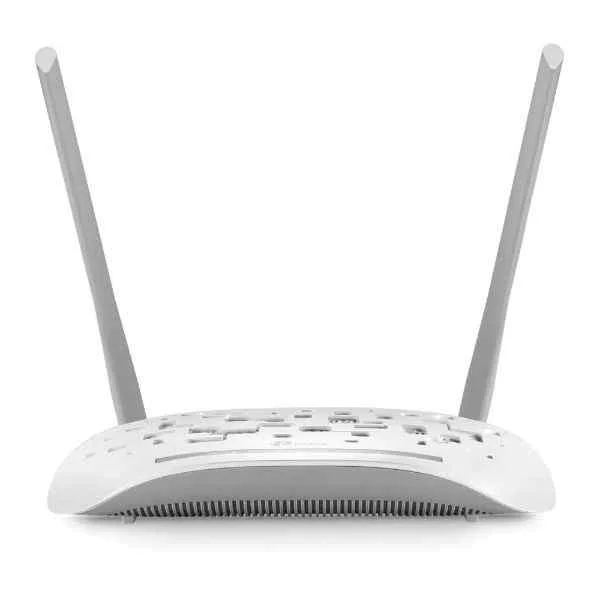
TD-W8961N
TD-W8961N - Wi-Fi 4 (802.11n) - Single-band (2.4 GHz) - Ethe...
Trusted by the Highest-Stakes Buyers
Federal agencies and Fortune 500 operations source through ORM Systems.
US Government & Defense




Enterprise Clients



Built Global. Stocked Local.
Regional teams and 25+ distribution partners keep stock near you and accountability in your time zone.
Buyer Protection on Every Order
Pay by PayPal or Revolut with full chargeback rights. Order on PO terms, Net-30 for government.
Verified By Federal Bodies
Every registration we claim is public record — check our federal contractor status yourself before you spend a dollar.



Since 2016, Enterprise-Trusted
Ten years serving buyers who audit their vendors. From federal agencies to 20,000+ enterprise clients worldwide.
TD-W8961N is a fixed wireless ADSL2+ gateway that delivers integrated DSL modem functionality with wireless N connectivity, powered by an AC adapter. It features one WAN port and four LAN ports with 10/100 Ethernet technology, ensuring reliable throughput and performance in home and small business environments.
TD-W8961N offers built-in security through a firewall and supports standard network protocols for NAT and DHCP, although it does not support VPN features or modular expansion capabilities. Its non-redundant, non-modular design, combined with cost-effective performance, makes it a practical solution for residential and small office use cases.
TD-W8961N price for new stock is is available on request. Get immediate quote. TD-W8961N refurb price is $156.99.
Request bulk order quote for TD-W8961N for additional pricing. Browse the full Tp-Link Routers series or explore all Tp-Link products.
Mon–Fri: [09:00-16:00]
Avg. response under 30 mins

| TD-W8961N | 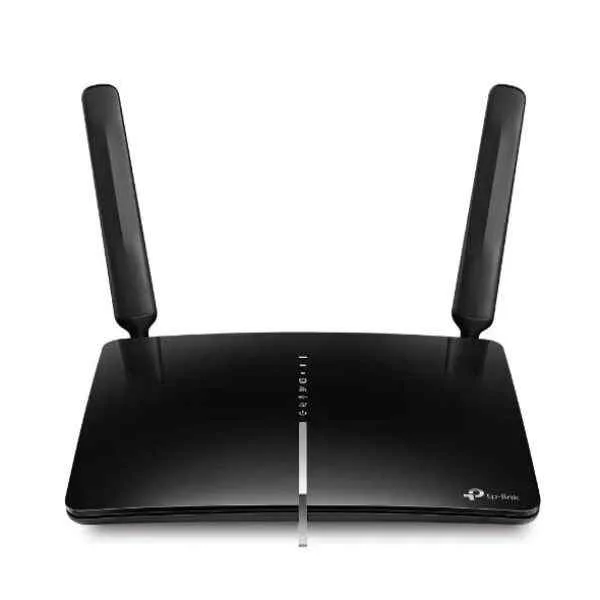 ARCHER MR600 ARCHER MR600 | 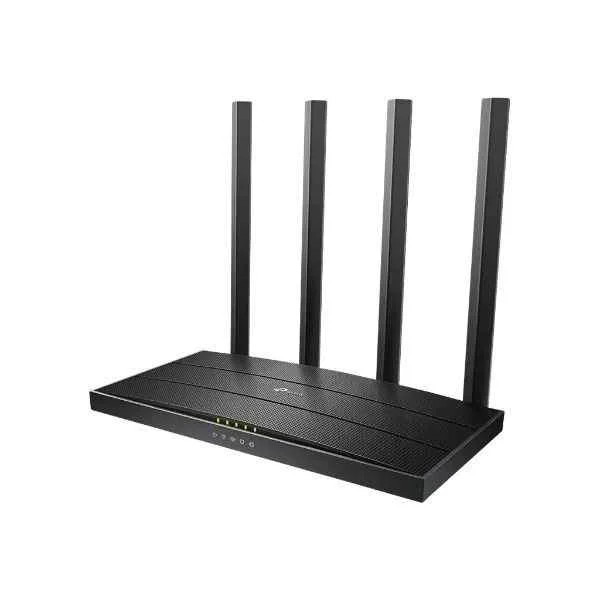 ARCHER C80 ARCHER C80 | 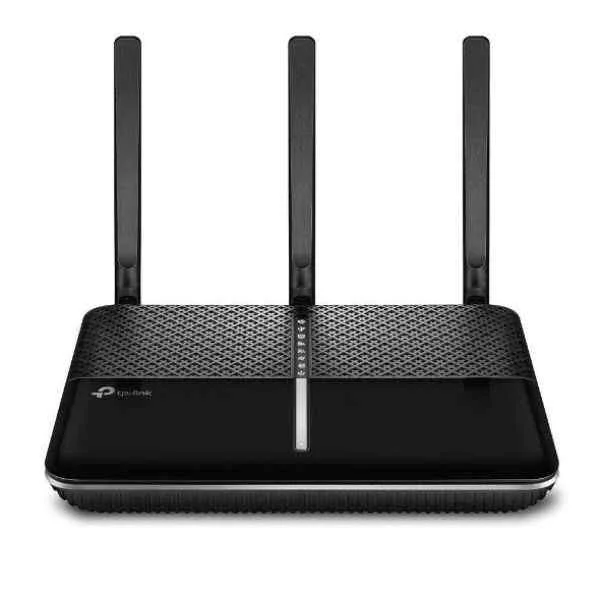 ARCHER VR2100 ARCHER VR2100 | 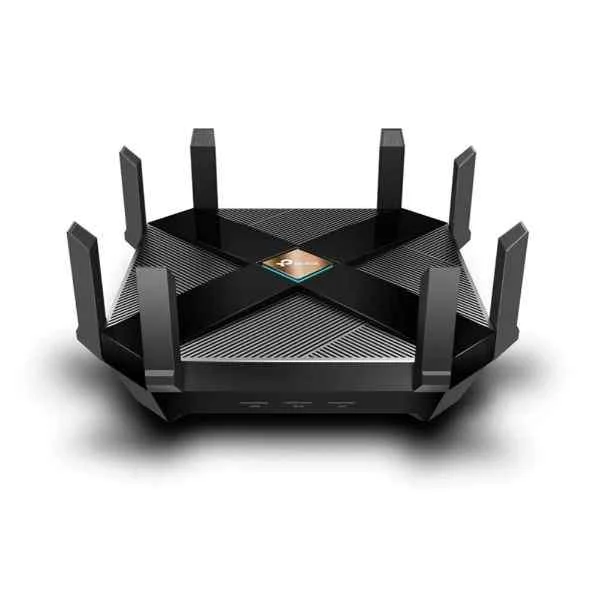 ARCHER AX6000 ARCHER AX6000 | |
|---|---|---|---|---|---|
| 5G Support | No | No | No | No | No |
| Architecture | Fixed | Fixed | Fixed | Modular | Fixed |
| Built-in Security Features | Firewall | Firewall | Firewall, Intrusion Prevention | Firewall / Intrusion Prevention / Malware Protection | Firewall |
| Compliance Standards | CE, FCC | CE, FCC, RoHS | FCC, CE | FCC / CE | FCC, CE, RoHS |
| Connectivity Type | Wired / Wireless | Wired / Wireless / Ethernet | Wired / Wireless | Wired / Wireless | Wired / Wireless / Ethernet |
| Device Type | Modem / Gateway / Router | Router | Router | Router | Router |
| Ethernet Technology | 10/100 | 10/100/1000 | 10/100/1000 | 10/100/1000 | 10/100/1000 |
| Features | Firewall | VPN / Firewall / IPv6 Compatible / NAT | VPN Pass-through, IPv6 Compatible, Firewall | VPN / Firewall / QoS / IPv6 Compatible | VPN, IPv6 Compatible, Firewall |
| Firewall Features | Yes | Yes | Yes | Yes | Yes |
| Form Factor | Desktop | Desktop | Desktop | Rack-mount | Desktop |
| High Availability Support | Not Supported | Not Supported | Not Supported | Supported | Not Supported |
| Interface Ports | RJ-45 | RJ-45 | RJ-45 | RJ-45 / SFP | RJ-45 |
| LAN Ports | 4 LAN Ports | 4 LAN Ports | 4 LAN Ports | 4 LAN Ports | 8 LAN Ports |
| Management | Unmanaged | Managed | Unmanaged | Managed | Managed |
| Network Protocols | TCP/IP, DHCP, NAT, PPPoE | IPv4, IPv6, PPPoE | IPv4, IPv6 | IPv4 / IPv6 | 802.11ax, 802.11ac, 802.11n |
| Power | 12W | 18W | 18W | 150W | 65W |
| Power Source | AC Power Supply | AC Power Supply | AC Power Supply | AC Power Supply / Redundant | AC Power Supply |
| Product Name | TP-Link TD-W8961N Wireless N ADSL2+ Modem Router | ARCHER MR600 | TP-Link Archer C80 AC1900 Wireless Dual Band Gigabit Router | ARCHER VR2100 | TP-Link Archer AX6000 |
| Product Type | Gateway | Router | Enterprise Router | Enterprise Router | Wireless Router |
| QoS Features | Supported | Supported | Supported | Supported | Supported |
| Remote Management | HTTP, HTTPS | HTTP, HTTPS, TR-069 | HTTP, HTTPS | SSH / HTTPS / SNMP | Web Interface, TP-Link Tether App |
| Routing Protocols | Static Routing | Static Routing / N/A | Static Routing | OSPF / BGP / Static Routing | Static Routing / N/A |
| Stacking Capability | No | No | No | Yes | No |
| Throughput Capacity | 0.15 Gbps | 1.17 Gbps | 1.9 | 2 Gbps | 6 Gbps |
| Use Case | Small Business | Home / Small Business | Small Business | Enterprise | Small Business |
| WAN Configuration | WAN | WAN | WAN | Dual WAN | WAN |
| WAN Ports | 1 WAN | 1 WAN | 1 WAN | 2 WAN | 1 WAN |
| Wi-Fi Standard | WiFi 4 | WiFi 5 | WiFi 5 / Dual band | WiFi 6 | WiFi 6 / Dual band |
| Wireless Support | Yes | Yes | Yes | Yes | Yes |


Every unit is authentic, sourced through trusted and authorised channels, and serial-verified on request. Genuine networking and IT hardware, guaranteed, or your money back.

New products are backed by up to 3 years of extended warranty, and certified refurbished units by up to 90 days, for dependable protection on every order. The exact term is confirmed on your quote, order confirmation and invoice.

If a unit ever falls short, our streamlined RMA process gets a replacement to you fast, with advance replacement available to keep your network running. No jargon, no runaround.

Every device is inspected, bench-tested, and firmware-verified, with configurations wiped before dispatch. Additional testing can be arranged to confirm full working condition on request.

Our specialists assist with compatibility, configuration, licensing, and installation, before and after you buy. Real hardware expertise, whenever you need it.

Same-day dispatch from regional hubs, free next-day delivery*, fully tracked and insured.
Reviewed on the 11 February 2023

Reliable ADSL router for legacy lines, stable connection and simple configuration for small offices.
Reviewed on the 16 September 2021
Good for basic broadband, uptime is solid and WiFi is stable for light workloads.
Reviewed on the 17 September 2024
Stable modem router combo, reduced line drops and improved reliability for our branch.
Reviewed on the 29 June 2018
Works well in legacy environments, straightforward admin and consistent signal for basic endpoints.
Reviewed on the 1 August 2023
Easy setup for ADSL2 plus, consistent performance and dependable connectivity for email and browsing.
Reviewed on the 8 November 2024
Dependable ADSL device, stable uptime and easy troubleshooting with clear status indicators.
The TP-Link TD-W8961N is an ADSL2+ modem router with integrated Wi-Fi 4 (802.11n) single-band 2.4 GHz wireless and Ethernet LAN ports, designed for home and small office networks.
The TD-W8961N supports Wi-Fi 4 (802.11n) with a maximum wireless speed of up to 300 Mbps on the 2.4 GHz band.
The TD-W8961N is a single-band router operating exclusively on the 2.4 GHz frequency.
Yes, the TD-W8961N features a built-in ADSL2+ modem compatible with ADSL, ADSL2, and ADSL2+ standards for broadband access.
The TD-W8961N includes four 10/100 Mbps Fast Ethernet LAN ports for wired device connections.
Connect the telephone line to the ADSL port, link your computer to a LAN port, access the web-based setup page at tplinkmodem.net, and follow the Quick Setup wizard to configure your ISP credentials.
The TD-W8961N offers WPA/WPA2 encryption, SPI firewall protection, and access control to secure your network against unauthorized access.
Yes, the TD-W8961N supports a guest network feature that isolates guest traffic from your main network for enhanced security.
Yes, the TD-W8961N provides IPv6 support, enabling compatibility with next-generation internet addressing.
Download the latest firmware from TP-Link’s official website, access the router’s web interface at tplinkmodem.net, navigate to System Tools > Firmware Upgrade, and upload the firmware file.
Coverage ranges up to 100 meters indoors, depending on building materials and interference, offering reliable connectivity in most homes and small offices.
Log in to the web interface, go to Advanced > QoS, enable QoS, set your bandwidth limits, and assign priority rules to optimize traffic.
Yes, the TD-W8961N features a WPS button that allows you to connect compatible devices securely with a single press.
Access the web interface, navigate to Access Control > Parental Controls, add devices by MAC address, and define time and URL restrictions.
Yes, by disabling the built-in ADSL modem in multipoint mode, you can connect the TD-W8961N’s LAN port to a cable or fiber modem to use it as a wireless router.
The TD-W8961N measures 203 × 127 × 34 mm, weighs 220 g, and consumes up to 6 W during operation.
TP-Link provides the Tether app, which allows you to configure and manage your TD-W8961N from iOS and Android devices with ease.