 United States
Trusted by the Highest-Stakes Buyers
Federal agencies and Fortune 500 operations source through ORM Systems.
US Government & Defense
Enterprise Clients

Featured Deal
Hand-picked by our procurement team for standout value. This unit is offered at our sharpest price on current stock, verified against live market rates.
Name:

Added to cart 28 times recently
Ready to Ship
Certified Refurbished
Professionally inspected, bench-tested, and firmware-verified, with configurations wiped. Restored to full working order and backed by our warranty.

$140.34
$119.8114.6% off
Quantity:


3 Year Extended Warranty


Same-day Shipping

30-Day Money Back Guarantee
Shipping:
Payment:
3 Year Extended Warranty
Same-day Shipping
30-Day Money Back Guarantee
Need Additional Discount on Product?
Request a quote below - Get Exclusive Pricing and Support.
Shipping:
Payment:
TL-WR902AC
TL-WR902AC 11AC/N/A 11B/G/N 2.4/5G SPI FW DOS WEP WPA2-PSK
Trusted by the Highest-Stakes Buyers
Federal agencies and Fortune 500 operations source through ORM Systems.
US Government & Defense




Enterprise Clients



Built Global. Stocked Local.
Regional teams and 25+ distribution partners keep stock near you and accountability in your time zone.
Buyer Protection on Every Order
Pay by PayPal or Revolut with full chargeback rights. Order on PO terms, Net-30 for government.
Verified By Federal Bodies
Every registration we claim is public record — check our federal contractor status yourself before you spend a dollar.



Since 2016, Enterprise-Trusted
Ten years serving buyers who audit their vendors. From federal agencies to 20,000+ enterprise clients worldwide.
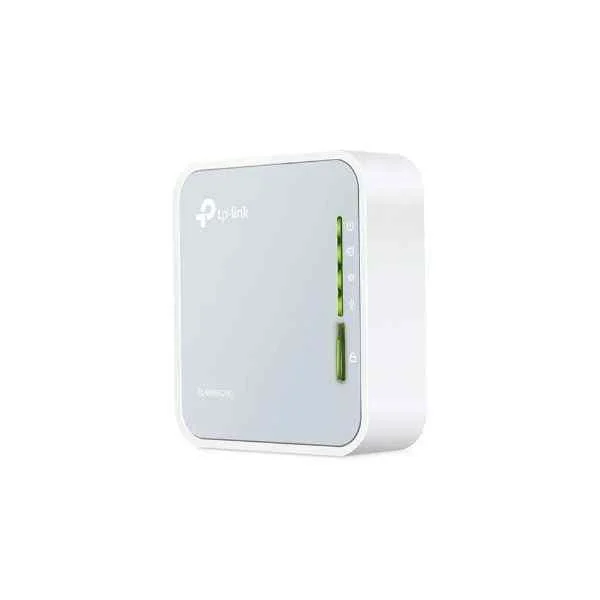
TL-WR902AC is a compact travel router engineered with a fixed architecture and versatile power options, operating via a micro USB DC power supply that supports on-the-go connectivity. It provides a single multifunctional RJ-45 port capable of WAN and LAN configurations alongside dual-band 802.11ac wireless performance, ensuring robust throughput of AC750 (433 Mbps on 5GHz and 300 Mbps on 2.4GHz) for seamless travel and portable networking use cases.
The device integrates multiple operation modes such as router, access point, repeater, client, and bridge while maintaining essential security features like a built-in firewall. Although it does not offer modular capabilities or redundant power and advanced VPN services, its efficient static routing and web-based remote management deliver dependable performance for travelers and portable networking scenarios.
TL-WR902AC price for new stock is $93.45, a 33.4% saving from the Tp-Link list price of $140.34. TL-WR902AC refurb price is $119.81. TL-WR902AC is in stock and available for next-day dispatch. (terms applied)
Request bulk order quote for TL-WR902AC for additional pricing. Browse the full Tp-Link Routers series or explore all Tp-Link products.
Mon–Fri: [09:00-16:00]
Avg. response under 30 mins

| TL-WR902AC | 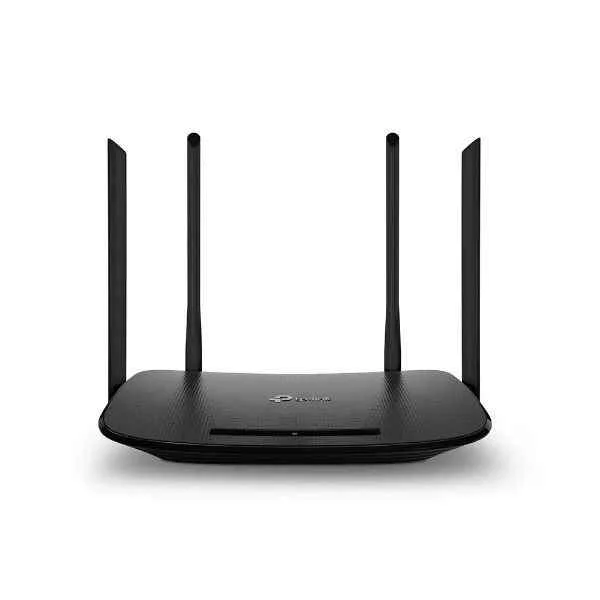 ARCHER VR300 ARCHER VR300 | 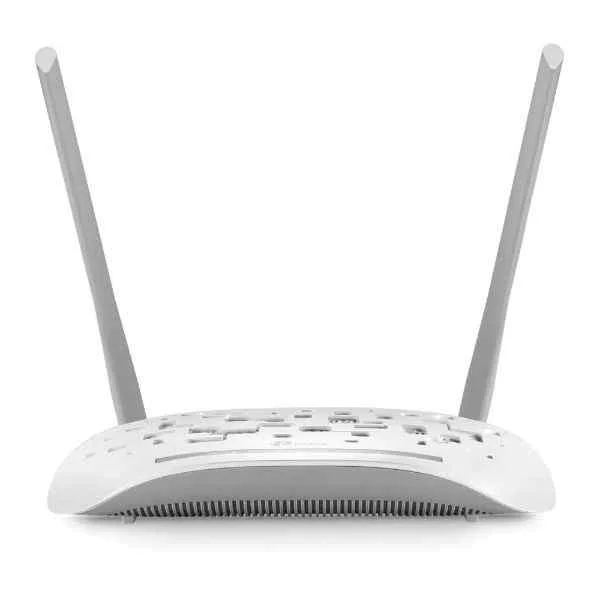 TD-W8961N TD-W8961N | 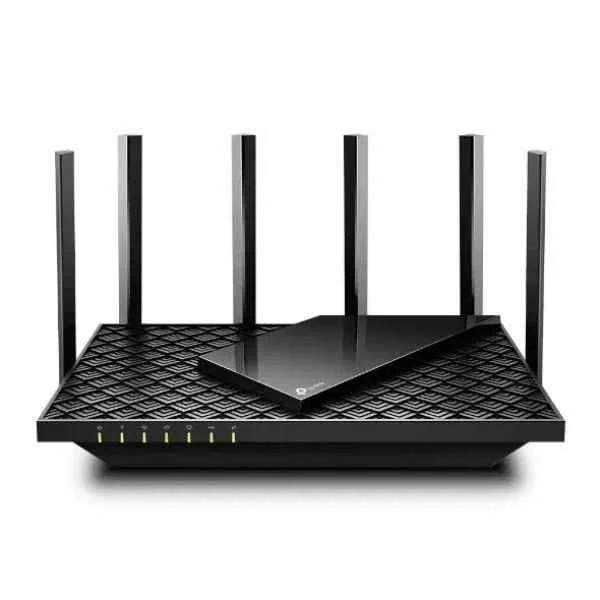 ARCHER AX73 ARCHER AX73 |  TL-MR3420 TL-MR3420 | |
|---|---|---|---|---|---|
| 5G Support | No | No | No | No | No |
| Architecture | Fixed | Fixed | Fixed | Fixed | Fixed |
| Built-in Security Features | Firewall | Firewall | Firewall | Firewall | Firewall |
| Compliance Standards | CE, FCC | FCC, CE, RoHS | CE, FCC | CE, FCC | FCC / CE |
| Connectivity Type | Wired / Wireless | Wired / Wireless / Ethernet | Wired / Wireless | Wired / Wireless / Ethernet | Wired / Wireless / Ethernet |
| Device Type | Router | Modem / Gateway / Router | Modem / Gateway / Router | Router | Router |
| Ethernet Technology | 10/100 Fast Ethernet | 10/100/1000 | 10/100 | 10/100/1000 | 10/100 |
| Features | Router, Access Point, Repeater, Client, Bridge | VPN, IPv6 Compatible, Firewall | Firewall | IPv6 Compatible / Firewall / VPN / QoS | VPN / Firewall / IPv6 Compatible |
| Firewall Features | Yes | Yes | Yes | Yes | Yes |
| Form Factor | Mini | Desktop | Desktop | Desktop | Desktop |
| High Availability Support | Not Supported | Not Supported | Not Supported | Not Supported | Not Supported |
| Interface Ports | RJ-45 | RJ-45 | RJ-45 | RJ-45 / USB | RJ-45 |
| LAN Ports | 1 LAN | 4 LAN Ports | 4 LAN Ports | 4 LAN Ports | 4 LAN Ports |
| Management | Unmanaged | Managed | Unmanaged | Managed | Unmanaged |
| Network Protocols | TCP/IP, DHCP, NAT | IPv4, IPv6, DHCP, NAT | TCP/IP, DHCP, NAT, PPPoE | 802.11a/b/g/n/ac/ax | TCP/IP, DHCP, DNS, NAT |
| Power | 5V/1A via Micro USB | 12 Watt | 12W | 18W | 12W |
| Power Source | DC Power Supply (via Micro USB) | AC Power Supply | AC Power Supply | AC Power Supply | DC Power Supply |
| Product Name | TL-WR902AC Wireless Travel Router | ARCHER VR300 | TP-Link TD-W8961N Wireless N ADSL2+ Modem Router | ARCHER AX73 | TP-Link TL-MR3420 3G/4G Wireless N Router |
| Product Type | Travel Router | Modem / Gateway / Router | Gateway | Router | Router |
| QoS Features | Supported | Supported | Supported | Supported | Supported |
| Remote Management | Web-based management | SNMP, Web GUI | HTTP, HTTPS | Web, Mobile App (TP-Link Tether) | HTTP / HTTPS |
| Routing Protocols | Static Routing | Static Routing | Static Routing | Static Routing | Static Routing |
| Stacking Capability | No | No | No | No | No |
| Throughput Capacity | 0.75 Gbps | 1.2 Gbps | 0.15 Gbps | 5.4 Gbps | 0.15 Gbps |
| Use Case | Travel / Portable | Small Business | Small Business | Home / Small Business | Small Business / Travel |
| WAN Configuration | Single WAN | WAN | WAN | WAN | WAN |
| WAN Ports | 1 WAN | 1 WAN | 1 WAN | 1 WAN | 1 WAN |
| Wi-Fi Standard | 802.11ac (Dual Band) | WiFi 5 / Dual band | WiFi 4 | WiFi 6 | WiFi 4 |
| Wireless Support | Yes | Yes | Yes | Yes | Yes |


Every unit is authentic, sourced through trusted and authorised channels, and serial-verified on request. Genuine networking and IT hardware, guaranteed, or your money back.

New products are backed by up to 3 years of extended warranty, and certified refurbished units by up to 3 months, for dependable protection on every order. Coverage is clear, honoured in full, and confirmed on each product page.

If a unit ever falls short, our streamlined RMA process gets a replacement to you fast, with advance replacement available to keep your network running. No jargon, no runaround.

Every device is inspected, bench-tested, and firmware-verified, with configurations wiped before dispatch. Additional testing can be arranged to confirm full working condition on request.

Our specialists assist with compatibility, configuration, licensing, and installation, before and after you buy. Real hardware expertise, whenever you need it.

dispatched quickly and shipped worldwide from regional hubs, fully tracked and insured.
Reviewed on the 24 May 2025

Compact travel router delivering stable dual-band connectivity.
Reviewed on the 29 September 2020
Reliable portable solution for temporary work setups.
Reviewed on the 29 February 2020
Strong signal despite its small footprint.
Reviewed on the 4 February 2025
Easy to configure and dependable for mobile teams.
Reviewed on the 29 March 2022
Stable wireless performance in hotel and remote environments.
Reviewed on the 14 September 2018
Professional portable router with consistent speeds.
The TL-WR902AC is a pocket-sized dual-band travel router offering 802.11ac speeds up to 433 Mbps on 5 GHz and 300 Mbps on 2.4 GHz, SPI firewall, DoS defense and WEP/WPA2-PSK encryption.
It supports five modes—Router, Access Point, Range Extender, Client and WISP—allowing versatile deployment for home, office or travel use.
Connect your ISP’s Ethernet cable to the TL-WR902AC’s WAN port, access 192.168.0.1 in a browser, select Router mode and follow the Quick Setup wizard to configure your Wi-Fi network.
Yes, the device can be powered by any standard 5 V/1 A USB port or adapter, making it ideal for laptops, power banks and car chargers.
It supports WEP, WPA/WPA2-PSK encryption, SPI firewall protection and DoS defense to secure both 2.4 GHz and 5 GHz networks.
Press and hold the Reset button for 5 seconds while the router is powered on; it will reboot to factory default settings.
Yes, by selecting Range Extender mode you can amplify and rebroadcast an existing 2.4 GHz or 5 GHz network to increase coverage.
The TL-WR902AC can reliably support up to 10 concurrent wireless clients, depending on network traffic and environment.
Yes, you can create a separate guest SSID with isolated access to protect your main network while providing Internet access.
Download the latest firmware from TP-Link’s official website, log in to the router’s web interface, navigate to System Tools > Firmware Upgrade and upload the file.
Yes, by selecting Client mode, the TL-WR902AC connects to an existing Wi-Fi network and provides Internet access to wired devices via its Ethernet port.
Yes, it works with any ISP that provides Ethernet Internet access, including cable, DSL and fiber, when configured in Router or WISP mode.
On 2.4 GHz, it supports 802.11b/g/n up to 300 Mbps; on 5 GHz, it supports 802.11a/n/ac up to 433 Mbps.
Log in to the web interface, go to Operation Mode in the menu, select your desired mode and click Save; the device will reboot with the new settings.
Yes, it offers IPv6 compatibility in Router and WISP modes, supporting native IPv6 and 6to4 tunneling for future-proof connectivity.
Verify power and cable connections, reboot the router, check WAN settings in the web interface and ensure your ISP service is active.







